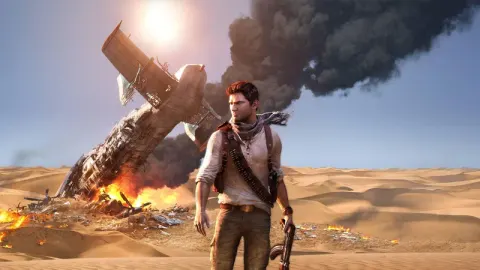
Master Uncharted 3: Drake's Deception controls! Learn character movement, camera, combat actions, aiming, and grenade throwing with this detailed guide.
Hey there! Ready to dive into Uncharted 3? This section breaks down all the controls you'll need to navigate Drake's world, from basic movement to intense combat. Let's get you familiar with what button does what so you can focus on the adventure!
First up, let's cover the basics of how you'll move around and interact with the world:
| Control | Action |
| Left Analog | Character Movement |
| Right Analog | Camera Movement |
| X | Actions |
| Triangle | Interact |
| O | Enter/Exit Cover |
| Select | Open/Close Journal |
| Start | Pause or Menu |
| D-Pad Up | Hint |
Now, when things get heated, you'll need to know your combat controls like the back of your hand. Here's the rundown for fighting:
| Control | Action |
| Square (in melee) | Stealth Attack or Melee |
| Triangle (in melee) | Dodge or Counter |
| O (in melee) | Break Hold |
| Left Analog + O (in melee) | Grab or Throw |
| Left Analog + O (in cover) | Transfer between Cover |
| Left Analog + X | Jump Cover |
| D-Pad | Switch Weapon |
| L1 + Right Analog | Aim |
| L1 + Left Analog | Strafe |
| R1 | Fire |
| L2 | Throw Grenade |
| L2 (hold and release) | Aim Grenade |
| R2 | Reload |
| L3 | Switch Shoulder |
| L1 + R3 | Zoom |
Knowing these controls will make a huge difference in how smoothly you play. Practice them a bit, and you'll be pulling off Drake's signature moves in no time!
100% Human-Written. AI Fact-Checked. Community Verified. Learn how AntMag verifies content