
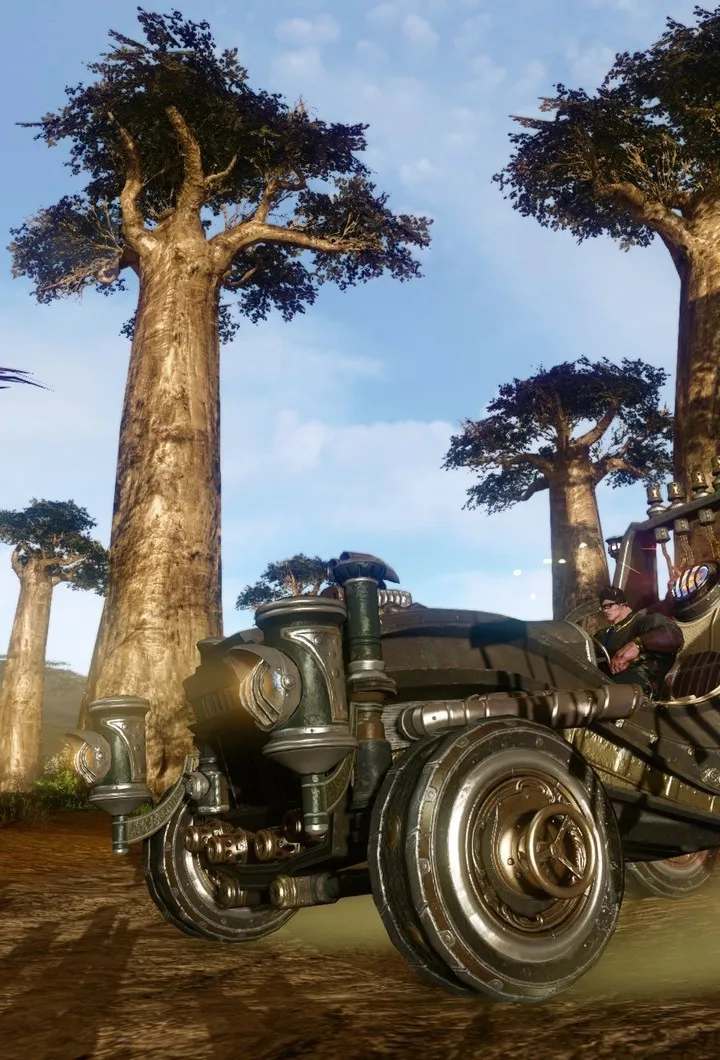
Meet ArcheAge Chronicles system requirements. Review minimum and recommended specs for CPU, GPU, RAM, and storage to ensure optimal performance.
To fully immerse yourself in the rich world of ArcheAge Chronicles, ensuring your PC meets the game's system requirements is paramount. This guide provides a detailed breakdown of the recommended hardware specifications to guarantee a smooth and enjoyable gameplay experience. ArcheAge Chronicles, being a graphically intensive MMORPG, demands a capable system to render its expansive landscapes, detailed character models, and dynamic combat effects. Failing to meet these requirements can result in low frame rates, stuttering, long loading times, and even game crashes, significantly detracting from the immersive experience. This section will cover the essential components: the processor (CPU), graphics card (GPU), random access memory (RAM), and available storage space. Understanding these requirements will help you assess whether your current system is adequate or if upgrades are necessary. meeting the minimum requirements will allow the game to run, but meeting the recommended specifications will provide a much more fluid and visually appealing experience, especially during large-scale player versus player (PvP) battles or when exploring densely populated areas like the bustling city of Marianople.
Beyond the core hardware components, other factors such as your operating system and internet connection also play a role in your ArcheAge Chronicles experience. The game is designed to run on specific versions of Windows, and using an unsupported operating system can lead to compatibility issues. A stable and reasonably fast internet connection is also crucial for an online multiplayer game like ArcheAge Chronicles, as it ensures seamless interaction with game servers and other players, minimizing lag and disconnections. This section will outline the recommended operating system versions and provide general guidance on internet connection speeds that are conducive to enjoyable gameplay. By carefully reviewing these specifications, you can make informed decisions about your hardware and software setup, ensuring that your journey through ArcheAge Chronicles is as seamless and visually impressive as intended by the developers. This proactive approach to system requirements will save you from potential technical headaches and allow you to focus on mastering the game's intricate mechanics and exploring its vast continents.
Minimum System Requirements
To get ArcheAge Chronicles up and running, your PC needs to meet a baseline set of specifications. These minimum requirements are designed to allow the game to launch and function, though performance may be limited, especially in graphically demanding situations or during intense combat. For the processor (CPU), a minimum of an Intel Core i3 or an equivalent AMD processor is generally recommended. This ensures that the game's core logic and AI can be processed adequately. On the graphics card (GPU) front, a minimum of an NVIDIA GeForce GTX 650 or an AMD Radeon HD 7770 with at least 2GB of VRAM is typically required. This allows for basic rendering of the game's environments and character models. System memory (RAM) is also critical; a minimum of 4GB of RAM is usually stated, though 8GB is often a more realistic practical minimum for modern gaming. Storage-wise, ArcheAge Chronicles requires a significant amount of free space, often upwards of 50GB, so ensure you have enough room on your hard drive or SSD. An internet connection is, of course, mandatory for this online MMORPG. Running the game on systems that barely meet these minimums might necessitate lowering graphical settings significantly, potentially impacting visual fidelity and frame rates, especially when engaging in large-scale events or PvP in areas like the contested zones.
Recommended System Requirements
For an optimal and visually rich experience in ArcheAge Chronicles, meeting the recommended system requirements is highly advised. These specifications will allow you to enjoy higher graphical settings, smoother frame rates, and a more responsive gameplay experience, particularly during demanding in-game scenarios. Recommended processors often include Intel Core i5 or AMD Ryzen 5 series CPUs, providing more processing power for complex calculations and faster loading. For graphics, a NVIDIA GeForce GTX 1060 or an AMD Radeon RX 580 with 4GB or more of VRAM is generally suggested. This will enable higher texture quality, improved lighting effects, and smoother animations. A minimum of 8GB of RAM is strongly recommended, and 16GB will provide even better performance, especially when multitasking or running other background applications. Storage is also a key consideration; while the game might install on a traditional Hard Disk Drive (HDD), an SSD is highly recommended for ArcheAge Chronicles to drastically reduce loading times between zones, cities like Aust Rega, and dungeons. A stable broadband internet connection is essential for consistent online play. Meeting these recommended specs ensures you can fully appreciate the game's detailed world and participate in all aspects of gameplay without significant performance compromises.
Operating System and Software Requirements
ArcheAge Chronicles is primarily designed for the Windows operating system. The game typically requires a 64-bit version of Windows 7 or a more recent iteration, such as Windows 10 or Windows 11. Running the game on a 32-bit operating system is generally not supported and will likely result in compatibility issues or the inability to launch the game. Beyond the operating system, certain software components are often necessary for the game to function correctly. This includes up-to-date graphics drivers from NVIDIA or AMD, which are crucial for optimal performance and stability. regularly check for and install the latest drivers for their graphics card. Additionally, the game may require DirectX to be installed or updated to a compatible version. The game launcher itself often handles the installation or updating of these necessary components, but it's good practice to ensure your system is generally up-to-date. Having the latest versions of these software components can prevent a wide range of common issues, from graphical glitches to outright game crashes, ensuring a more stable experience when exploring the world or engaging in combat.
Network and Internet Connection
As an online multiplayer game, ArcheAge Chronicles relies heavily on a stable and robust internet connection. While the game doesn't demand extremely high bandwidth, a consistent connection is crucial for a smooth gameplay experience. A minimum download speed of 5 Mbps is generally recommended, but a speed of 10 Mbps or higher is preferable, especially if other devices in your household are using the internet simultaneously. Upload speed is also important for sending your actions to the game server; a minimum of 1 Mbps is usually sufficient, but 2 Mbps or higher is better. Latency, often referred to as ping, is perhaps the most critical factor for online gaming. High latency (a high ping value) can lead to input lag, where your actions take noticeable time to register in the game, making combat difficult and frustrating. Aim for a ping of 100ms or lower, ideally below 50ms, for the best experience. Using a wired Ethernet connection is strongly recommended over Wi-Fi, as it provides a more stable and consistent connection with lower latency. Avoid playing ArcheAge Chronicles while other bandwidth-intensive activities, such as large file downloads, streaming high-definition video, or other online gaming, are occurring on your network. Regular network maintenance and ensuring your router is up-to-date can also contribute to a better online experience.
100% Human-Written. AI Fact-Checked. Community Verified. Learn how AntMag verifies content