Learn the basics of Banished! This guide covers essential concepts like stockpiles, farming, winter survival, tools, clothing, and how to generate your first map.
Hey there! Welcome to Banished. If you're just starting out, this guide is going to walk you through everything you need to know to get your first little town up and running. We'll cover some core ideas that are pretty common in this kind of city-building game, and then dive into the specifics of Banished. We'll get you set up with a basic town and then touch on some more advanced stuff later on.
Before we jump into the game itself, let's get a handle on a few key concepts. You'll see these in other games like Dwarf Fortress or Gnomoria too. First up are stockpiles. Think of these as designated areas where your citizens will store all sorts of resources. In Banished, you'll have specific Stockpiles for raw materials and Barns for finished goods like food and drink. Keeping your people fed is absolutely crucial – if you run out of food, your town won't last long!
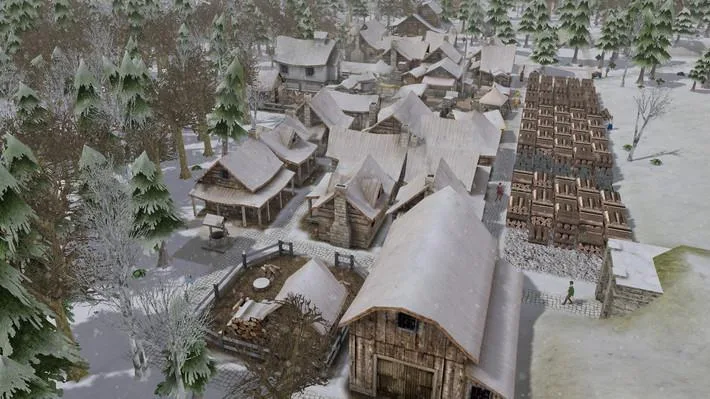
Then there's winter. Remember, nothing grows during the winter months. Your only food sources will be what you managed to gather and store during the warmer seasons, and whatever your gatherers can find. You'll also need to keep an eye on tools and clothing. Tools help your citizens work faster, but they do wear out and need replacing. No tools means slower work! Clothing keeps your citizens warmer for longer, letting them work outside in the cold without constantly running back home to thaw out. Like tools, clothing also degrades over time.
Finally, your citizens will try to warm up in their houses, especially if they have firewood. Different houses offer better heating and use less firewood. That covers the basics! Now, let's quickly go over how to generate your first map.
Creating a map in Banished is pretty straightforward. In the 'New Game' menu, you'll fill out a few fields. The first is your Town Name, which also names your save file. Next is the Map Seed – this is just a number that the game uses to generate the map. If you use the same seed with the same map settings, you'll get the exact same map every time, which is handy for recreating specific layouts.
The settings that really affect the map are Terrain Type and Terrain Size. Terrain Type determines if you're mostly in valleys with some mountains, or vice versa. 'Mountains' terrain is generally harder because there's less flat space to build. Terrain Size influences how large the mountains and valleys are. Then there's Climate, which controls how warm or cold the weather is. 'Mild' keeps things relatively warm, while other settings make winters longer and harsher. For your first game, I'd recommend sticking with 'Mild'.
Disasters control whether random events like tornadoes can hit your town. These can be devastating, so it's a good idea to turn them off while you're learning the ropes. The last setting is Starting Conditions. This dictates what supplies you begin the game with. There's a description for each setting that tells you exactly what you'll start with. I'm going to assume you're using the easiest starting conditions for now. Once you've got your map set up, we'll move on to understanding the menus so you can actually start playing!
100% Human-Written. AI Fact-Checked. Community Verified. Learn how AntMag verifies content