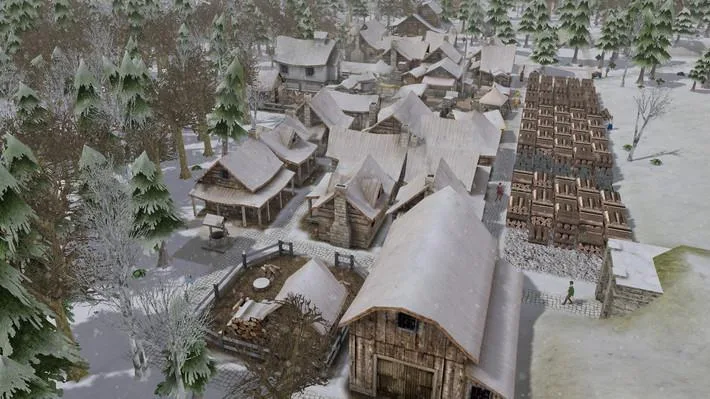
Learn Banished controls, how to use the menu bar, and start basic gameplay with this guide. Pause time with spacebar.
Controls:
- WASD - Move the map
- QE - Rotate the map
- Mouse Wheel - Zoom in and out
- Escape - Pause menu
- Spacebar - Start/pause time
The menu bar, located in the lower right corner, is your primary interface for controlling the game.
Menu Bar Breakdown:
- Time Controls: Pause, resume, speed up (up to x10), or slow down time.
- Utilities Button: Opens a sub-menu with the following options:
- Information Button: Displays town population, supplies, time of year, and weather.
- Event Log: Shows recent events, such as a cave-in at a mine that killed someone.
- Map: Provides an overview of the game world.
- Professions: Manage citizen job assignments. Includes a Laborer job for tasks like chopping trees and mining. Farmers become laborers in winter. Hovering over jobs shows tooltips.
- Limits: Set production limits for items. Default limits are provided at the start.
- Priority Button: Increase the priority of selected jobs to complete them sooner.
- Pathing Button: Shows citizen routes between homes and workplaces to identify areas for road construction.
- Bookmarking Buttons: For saving camera locations and other tasks.
- In-game Help: Offers assistance on selected items or buildings.
- Building Homes (House-shaped button): Build wood or stone homes. Stone homes retain heat better, requiring less firewood in winter. A boarding house is also available for temporary housing.
- Roads and Bridges (Wheel button): Construct dirt roads (no resources needed), stone roads (require stone, faster citizen movement), bridges (to cross water), and tunnels (to pass under mountains, expensive).
- Stockpile Button: Build barns, stockpiles, market squares (for easier supply pickup), and trading posts (must be placed on a river or lake connected to the map edge for traders).
- Town Services (Hammer button): Build wells (for firefighting and water access), schools, hospitals, town halls, chapels, and cemeteries.
- Food Production (Apple button): Construct farms, orchards, pastures, fishing docks, hunting huts, and gatherers huts.
- Resource Production: Build structures for resource gathering and processing, including woodcutters (firewood), foresters (raw wood), herbalists, blacksmiths, tailors, breweries, mines, and quarries.
- Harvesting Raw Materials: Tear down buildings, harvest materials in an area, or specifically harvest wood, stone, and iron. Also includes buttons to remove roads and cancel removal.
- Pause Menu (Last button): Access the game's pause menu.
Basic Gameplay Start:
Assuming easy starting conditions, you begin with some buildings, people, and one type of animal (cows, sheep, or chickens), along with raw materials.
Initial Steps:
- Warning: Open the job menu and assign a few citizens to the builder job.
- Build a woodcutter's to start stockpiling firewood for winter.
- Construct another, larger stockpile.
- To make a woodcutter's, go to the resource production menu, select the woodcutter button, rotate it with 'T' if needed, and place it.
- To make a stockpile, go to the stockpile menu.
Tips
- Always ensure you have a few laborers to keep tasks like chopping trees and mining moving.
- Farmers temporarily become laborers during winter.
- Check the event log periodically for important occurrences.
- Consider building a well early for fire suppression.
- Stone roads allow citizens to move faster than dirt roads.
100% Human-Written. AI Fact-Checked. Community Verified. Learn how AntMag verifies content