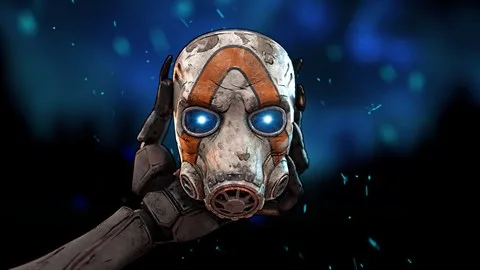
Learn how Borderlands 4 co-op works, including crossplay, split-screen, and progression. Discover how to party up with friends and enjoy the game together.
Borderlands 4 offers robust co-op features, allowing players to team up and tackle the game's challenges together. This guide explains how crossplay, split-screen, and other co-op mechanics function.
How to Use Borderlands 4 Crossplay
To enable crossplay and allow players from different platforms to join your sessions, navigate to your session settings and ensure crossplay is enabled in the personal crossplay section. The party crossplay section will indicate if all party members have crossplay activated. Before friends on other platforms can appear in-game, you must sign up for a Shift account and link it to your game. This can be done via the Shift website, where you can also log in using your platform account for convenience. On the Shift website, check the platforms tab to confirm your game's storefront is linked. Once your account is linked, share your Shift ID with friends to party up in Borderlands 4.
Is Cross-Progression Enabled in Borderlands 4?
Cross-save and cross-progression are not available at launch for Borderlands 4. This means your game saves and progression cannot be transferred between platforms. It is recommended to start your playthrough on the platform you intend to dedicate the most time to.
How to Use Borderlands 4 Split-Screen Co-op
Split-screen co-op is exclusively available on Xbox Series X|S and PlayStation 5 consoles. This feature supports local co-op, allowing two players in the same room to join up with two additional friends online for a four-player experience. You can also join a party of two other friends who are playing split-screen. To initiate split-screen, connect two controllers, launch the game, and select the split-screen option from the main menu.
Borderlands 4 Co-op and Progression FAQ
Is loot shared?
No, Borderlands 4 loot is instanced, meaning each player receives their own unique loot drops. There is no option to toggle shared loot, ensuring you receive loot tailored to your level.
Do we need to be the same level?
No. Borderlands 4 scales enemies and difficulty to match your level and settings, even if they differ from your friends'.
Do we need to be at the same point in the campaign?
No. Borderlands 4 allows players to drop in and out of sessions freely. You do not need to progress the campaign simultaneously. However, each player requires their own campaign save file, even if primarily playing with friends.
What if we get lost?
You can fast travel directly to your friends by opening the map and selecting them as a fast travel point.
What if none of my friends own Borderlands 4?
You can use the matchmaking option on the title screen to find other players near your campaign progress.
Which of us keeps the progression from the campaign?
Completing a quest or mission saves progression to the character that completed it. You can load that character into your own campaign save to continue, or keep multiplayer and solo characters separate.
100% Human-Written. AI Fact-Checked. Community Verified. Learn how AntMag verifies content