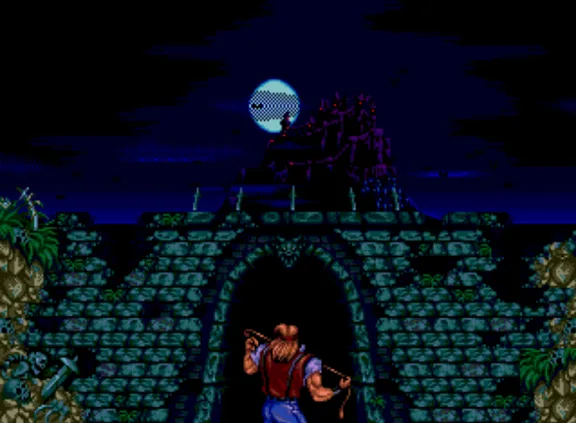
Master the controls of Castlevania: Bloodlines! Learn button mappings for movement, attacks, special abilities like Grant's climbing and Alucard's bat form, and Virtual Console options.
This guide details the controls for Castlevania: Bloodlines, originally released on the Sega Genesis. The controls listed are based on the NES instruction manual and have been adapted for various platforms, including Virtual Console versions.
| Control | Action |
|---|---|
| D-Pad | Press Left or Right to move characters left or right. Press Up or Down to climb up or down stairs. |
| Select | Press to select Opening, Password, or Continue. Also press to transform into a partner spirit. |
| Start | Press to begin the game and to pause the action during the game. |
| A | Press to jump. |
| B | Press to attack with your Main Weapon. Press Control Pad Up and B simultaneously to use a Warakiya War Item. |
Guiding Grant: Press and hold the Control Pad toward a wall to cling to it. Then press the Control Pad in the desired direction to climb. The height of Grant's leaps can be varied by how hard you press the A Button.
Assisting Alucard: Press Control Pad Down and the A Button simultaneously to transform Alucard into a Bat. Repeat this procedure to transform back into his human form.
3DS/Wii/Wii U Virtual Console Controls
These versions are emulations of the NES original. The Wii/Wii U Virtual Console editions allow for various control inputs. The following buttons correspond to their NES counterparts:
| 3DS | Wiimote | Wii Classic Controller | GameCube Controller | Wii U GamePad | NES Controller |
|---|---|---|---|---|---|
| Circle Pad | D-Pad | D-Pad | Analog Stick | Left Analog Stick | D-Pad |
| D-Pad | Left Analog Stick | D-Pad | D-Pad | ||
| B | 1 | B | B | B | B |
| X | |||||
| A | 2 | A | A | A | A |
| Start | + | + | Start | + | Start |
| Y | − | − | Z | − | Select |
| Select |
Other Controls (3DS)
| Control | Action |
|---|---|
| L + R + Y | Switch between first and second controllers (second controller not used). |
| Touch Screen | Enable Virtual Console Menu to Resume Game, Reset, or Create/Load Restore Point. |
| Home | Bring up Home Menu while pausing the game; press again to hide Home Menu and resume play. |
Other Controls (Wiimote & Wii Classic Controller)
| Control | Action |
|---|---|
| Home | Bring up Home Menu while pausing the game; press again to hide Home Menu and resume play. |
Other Controls (Wii U GamePad)
| Control | Action |
|---|---|
| Touch Screen | Enable Virtual Console Menu to Reset, change Controller Settings, or Create/Load Restore Point. |
| Home | Bring up Home Menu while pausing the game; press again to hide Home Menu and resume play. |
100% Human-Written. AI Fact-Checked. Community Verified. Learn how AntMag verifies content