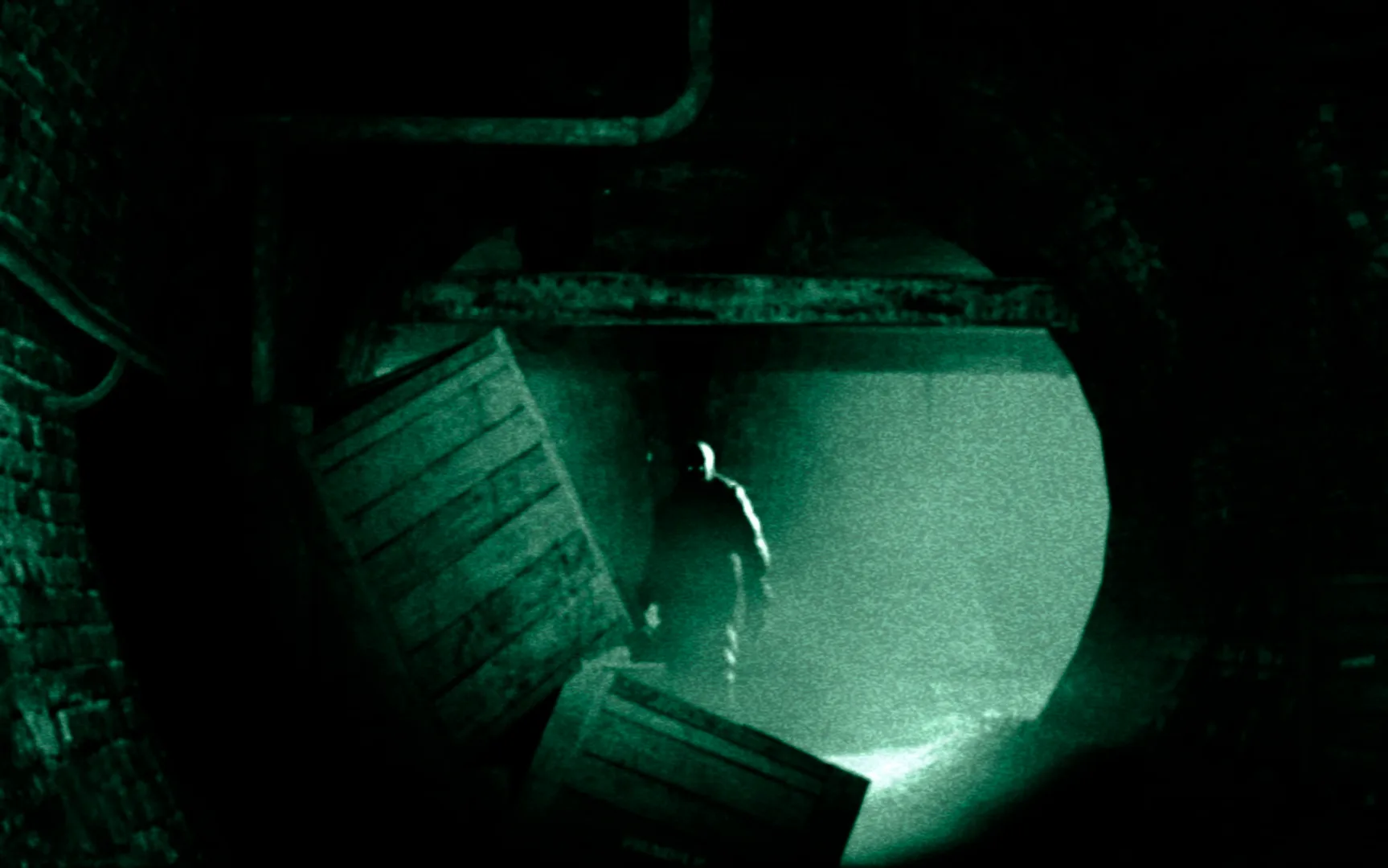
Prepare for a terrifying descent into Mount Massive Asylum with Outlast, a heart-pounding action horror experience. This guide offers 56 in-depth sections covering everything from getting started and navigating the Prison Block to surviving Insane Difficulty and finding all documents. You'll find strategies for challenging encounters like Richard Trager and tips for managing your limited batteries.
Part 1
Your friendly guide to surviving the horrors of Outlast's Part 1. Learn how to navigate the Administration Block and evade the terrifying threats within Mount Massive Asylum.
Hey there! Bkstunt here, ready to guide you through the terrifying world of Outlast. If you're new to this kind of game, don't worry, I've played my fair share of horror titles, and I'm here to make sure you experience everything this game has to offer, without getting too lost or scared. We'll be focusing on getting you through the game while also helping you find all those hidden documents and notes. Let's dive into the nightmare together!
Part 2
Master the controls of Outlast with this comprehensive guide. Learn movement, camera, item menus, actions, and camcorder functions to survive Mount Massive Asylum.
Alright, so you've made it to Part 2! Before we dive into the real scares, let's make sure you've got a solid grasp on how to move and interact within the world of Outlast. Knowing the controls is key to survival, especially when things get hairy.
Walkthrough:
Here are the controls you'll need to master:
Movement & Camera:
- Left Analog Stick: This is your primary way of moving around. Push it in the direction you want Miles to go.
- Right Analog Stick: Use this to control the camera. Look around your environment, check corners, and keep an eye on what's behind you.
Camcorder Functions:
- R1 Button: This is how you bring up your camcorder. You'll be using this a lot, especially for its night vision.
- L3 (Press Left Analog Stick): Activate the camcorder's night vision. This is crucial for navigating dark areas, but be mindful of battery life!
- Triangle Button: Need more juice for your night vision? This button lets you reload batteries. Keep an eye on your battery level!
Interaction & Actions:
- Square Button: This is your general 'Action' button. Use it to interact with objects, open doors, pick things up, and more.
- X Button: Need to get over an obstacle or reach a ledge? Use the Jump button.
- O Button: Sometimes you need to be stealthy. Press this to crouch and make yourself a smaller target, or to sneak past enemies.
- L1 Button: Need to make a quick getaway? Hold this down to sprint.
Menus & Information:
- Directional Buttons:
- Up/Down: These control the zoom on your camcorder. Useful for getting a closer look at something from a distance.
- Left: Access your Evidence Menu. Here you'll find all the documents and recorded events you've collected.
- Right: Open your Note Menu. This is where you'll find Miles's personal notes and observations.
- OPTIONS: This will bring up the Pause Menu, allowing you to save your game, adjust settings, or quit.
- SHARE: Use this to record or share your gameplay footage.
Advanced Maneuvers:
- L2: Lean Left. This lets you peek around corners or obstacles without fully exposing yourself.
- R2: Lean Right. The counterpart to L2, allowing you to peek from the other side.
- Always keep an eye on your battery level when night vision is active. Running out of power in the dark is a recipe for disaster.
- Don't forget to use the lean buttons (L2/R2) to check your surroundings before moving into a new area. It could save your life!
- Practice crouching (O) and sprinting (L1) – knowing when to use each is vital for evading pursuers.
Part 3
Navigate the Administration Block in Outlast Part 3. Learn about essential mechanics like using your camcorder, managing batteries, and finding crucial notes to uncover the asylum's dark secrets.
- 1The game begins with Miles Upshur driving to Mount Massive Asylum. You'll receive your first document, [_WHISTLEBLOWER DOCUMENT_], from your car seat, along with batteries and your camcorder.
- 2The camcorder is crucial for night vision (drains batteries) and recording Notes, which are missable. Always keep it ready and scan ahead for notes. The "Pulitzer" trophy requires finding all notes.
- 3After exiting your vehicle, the massive doors will close. You can explore the guard shack and familiarize yourself with the camera's zoom and night-vision functions.
- 4Head towards a gate on the right. You'll receive a tutorial on opening doors: press Square for quick open, hold Square and move for slow open. Practice this skill.
- 5As you approach the asylum entrance, you'll get a tutorial on raising your camcorder (R1). Record the asylum to get the [_MOUNT MASSIVE ASYLUM NOTE_], which adds an entry to your Notebook.
- 6Outside the asylum, you can observe silhouettes in windows. The main entrance is locked. Head to the left corner of the area to find a hole in the gate.
- 7You'll receive a tutorial on crouching (hold Circle) to sneak in through the hole in the gate.
- Battery locations are randomized; don't rely on specific spawns mentioned in guides.
- Keep your camcorder out frequently, especially if not strictly following a guide, to catch missable Notes.
- In areas where you're trapped with an enemy, identify a safe hiding spot and explore from there. You can outrun all enemies, so running is a viable option if unsure. Avoid hiding when an enemy is directly watching you.
- Objectives, notes, and documents are accessed via your Reporter's Notebook (Control).
- Night vision on the camcorder drains batteries rapidly; use it only when necessary to conserve power.
- Save after each chapter to create checkpoints, especially if aiming to find all missable items and notes.
Part 4
Complete walkthrough for Part 4 of Outlast. Learn how to escape the asylum, access Security Control, and find all key items and documents.
- 1Approach the scaffolding and climb the ladder. Head right across the planks and jump the gap. Jump up at the end and pull yourself up.
- 2Follow the path to an open window, jump up, and pull yourself in. Activate Night Vision on your camcorder (R3) to see.
- 3Exit the room and head into the next room. Turn off Night Vision and go into the hallway. Squeeze through the gap on the left.
- 4Enter the room on the left to find a [_BATTERY_]. Exit and go down the hallway. Enter the next door on the left and search the desk for the [_PROJECT WALRIDER PATIENT STATUS FOR WILLIAM HOPE DOCUMENT_].
- 5Head back down the hallway. Enter the breakroom on the right. Pull yourself up into the vent and head left. Drop down when prompted.
- 6Open the door and head through the linear path. Near a window, record the man and his dialogue for the [_I'M INSIDE NOTE_].
- 7Continue through the next door. Ignore the man in the hallway and proceed to the next gap.
- 8New Objective: Escape the asylum. Access Security Control to unlock the main doors.
- 9In the foyer, check the middle island for the [_WARRANT FOR SEIZURE DOCUMENT_].
- 10Head back towards the main doors, then go into the room on the left. Look in the room across from the bathroom for a [_BATTERY_] by a corpse.
- 11Return to the foyer. From the main doors, look for a door to your left leading into a glassed workspace. Head through to a small closet area, then take an immediate right and search the dark corner for the [_PROJECT WALRIDER PATIENT STATUS REPORT FOR CHRIS WALKER DOCUMENT_].
- 12Approach the door to leave the workspace. Peek out into the hallway (hold L2 or R2) to see a man.
- 13Continue past the men watching static on a TV. Videotape them and the TV to make the [_BROKEN MEN AND DEAD TELEVISION NOTE_] appear.
- 14Open the next door to be back in the hallway. Open the door across from you and grab the [_SECURITY CONTROL KEYCARD_] from the corpse.
- 15Head back the way you came to the main room.
Controls/Tips:
- Zoom: Up/Down Directional Buttons (with camcorder active).
- Jump over a gap: Press X while moving forward.
- Jump up: Press X.
- Climb up: Press Up.
- Drop down: Press O.
- Activate Night Vision: Press R3 (when camera is raised).
- Reload Battery: Press Triangle (when camcorder is raised).
- Squeeze through gap: Move toward the gap.
- View Documents/Objects: Press Left Directional Button to update Notebook (Options).
- Peek: Hold L2 or R2.
Items:
- [_BATTERY_]
- [_PROJECT WALRIDER PATIENT STATUS FOR WILLIAM HOPE DOCUMENT_]
- [_I'M INSIDE NOTE_]
- [_WARRANT FOR SEIZURE DOCUMENT_]
- [_PROJECT WALRIDER PATIENT STATUS REPORT FOR CHRIS WALKER DOCUMENT_]
- [_BROKEN MEN AND DEAD TELEVISION NOTE_]
- [_SECURITY CONTROL KEYCARD_]
Similar guides you might like





100% Human-Written. AI Fact-Checked. Community Verified. Learn how AntMag verifies content