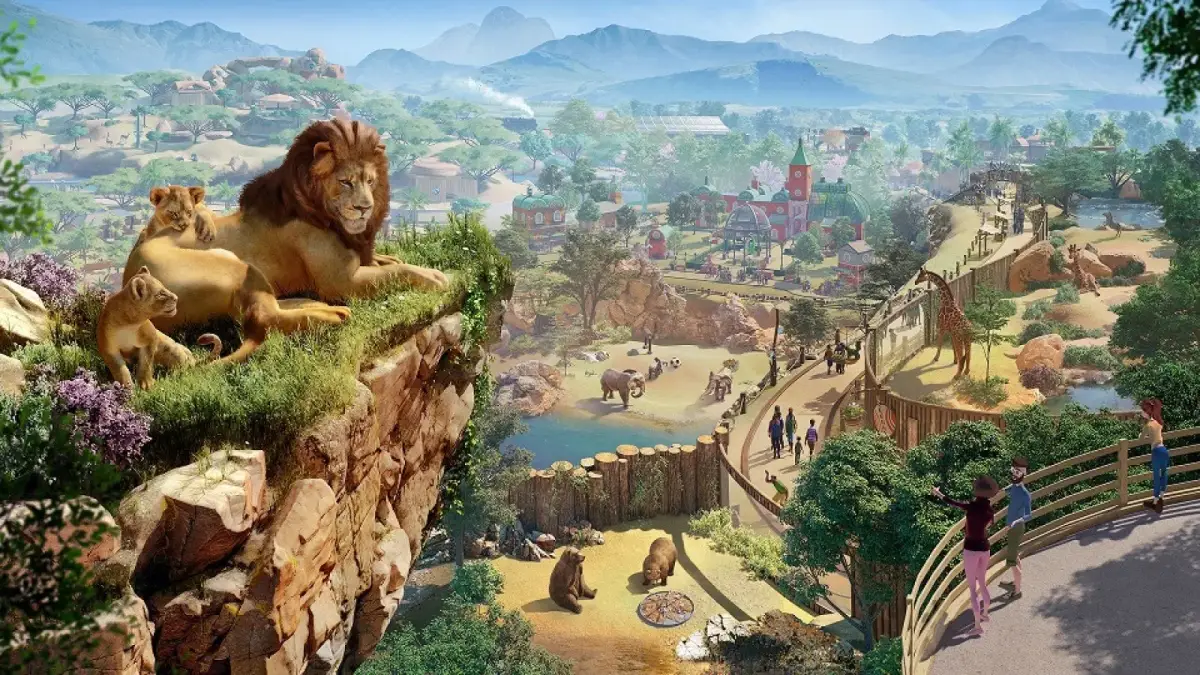
Enhance your Planet Zoo sandbox experience. Learn to create custom parks without financial limits, utilize the terrain tools, and build unique animal habitats.
Welcome to the ultimate freedom of Planet Zoo! Sandbox Mode is your canvas to unleash your creativity without the constraints of finances, research, or habitat suitability. It's the perfect environment for experimentation, learning the mechanics, and building your dream zoo from the ground up. This detailed guide will walk you through optimizing your Sandbox experience.
Getting Started: Initial Setup & Essential Settings
Before you even place your first exhibit, configure your Sandbox settings to match your playstyle. Access these options via the Game Settings menu when starting a new Sandbox zoo.
- Unlimited Money: This is almost always enabled by default in Sandbox and is crucial for unrestricted building. Double-check it's active.
- All Animals Unlocked: Ensure this is toggled on. It grants immediate access to every animal species, allowing you to plan your zoo without waiting for research or conservation credits.
- All Research Unlocked: Similar to animals, this setting provides instant access to all building pieces, amenities, and habitat items. No need to assign researchers!
- No Animal Welfare: For pure building practice, consider disabling animal welfare needs. This removes the pressure of maintaining perfect habitat conditions, letting you focus on aesthetics. However, for a more realistic building experience, keep it on to practice meeting specific species requirements.
- No Guest Needs: If your focus is solely on animal habitats and infrastructure, turning off guest needs can simplify things. Otherwise, keeping them active allows you to test guest flow and amenity placement.
- Time of Day: Experiment with different times of day to see how your lighting and structures appear. You can adjust this in the Environment tab within the main game interface once your zoo is loaded.
Mastering the User Interface (UI)
The UI in Planet Zoo can feel complex initially, as noted by some players. Sandbox is the ideal place to familiarize yourself with it.
- Building Menu: Spend time exploring every tab within the Building menu (accessed via the hammer icon).
- Habitats: Practice building various barrier types (e.g., Concrete Barrier, Glass Barrier, Reinforced Glass Barrier) and understanding their properties.
- Facilities: Learn where to find essential guest facilities like Toilets, Food Stalls, Drink Stalls, and Information Booths.
- Scenery: This is where your creativity shines. Browse through the extensive collection of themed scenery pieces (e.g., African Theme, Asian Theme, Classic Theme) to understand the visual styles available.
- Paths: Experiment with different path types (e.g., Asphalt Path, Gravel Path, Brick Path) and the various pathing tools (e.g., Curved Path, Grid Path) to create intricate guest routes.
- Animal Management: Even in Sandbox, understanding the Animal Management tab (paw print icon) is vital for placing and monitoring your creatures.
- Animal Market: This is where you'll "purchase" your animals. In Sandbox with "All Animals Unlocked," you'll find every species here.
- Habitat Overview: Select an animal and go to its Habitat tab to view its specific needs (e.g., Temperature, Water, Hard Shelter, Plant Coverage). This is crucial for perfecting your enclosures.
- Staff Management: While less critical with unlimited funds, understanding the Staff Management tab (person icon) helps with efficient zoo operation. Practice placing Staff Rooms, Keeper Huts, and assigning work zones.
Habitat Creation: From Basic to Bespoke
One of the most challenging yet rewarding aspects is creating ideal habitats. Sandbox allows for endless iteration.
- Choose Your Animal: Start by selecting an animal from the Animal Market. For instance, let's pick the African Elephant.
- Initial Enclosure:
- Go to the Habitats tab in the Building menu.
- Select a sturdy barrier like the Concrete Barrier or Reinforced Glass Barrier. Elephants are strong!
- Draw out a generously sized enclosure. Remember, larger animals need more space.
- Place a Habitat Gate for keepers to access the enclosure.
- Meeting Core Needs:
- Place the elephant into the habitat. Immediately check its welfare via the Animal Management > Habitat tab.
- Food & Water: Add an Elephant Food Trough and a Large Water Dish.
- Hard Shelter: Build a simple shelter using basic construction pieces (e.g., Wood Panels, Roof Tiles) or use a pre-built shelter from the Facilities > Habitat Structures menu.
- Temperature: For African Elephants, you'll likely need Habitat Coolers if in a warm biome or Habitat Heaters if in a cold one. Place these strategically.
- Terrain & Foliage: This is where the "ideal specification" comes in.
- Terrain Tool: Use the Terrain tab (mountain icon) to sculpt the habitat. Elephants enjoy varied terrain, so add some gentle slopes or a small water body using the Water Tool.
- Foliage: This is often the trickiest part. Go to the Scenery > Nature > Plants tab.
- Filter by the animal's native biome (e.g., Savannah for African Elephants).
- Place several plants, paying close attention to the small icons next to each plant in the menu. These icons indicate if the plant is suitable for the animal. For elephants, you'll want large trees like the Baobab Tree and various shrubs.
- Monitor the Plant Coverage and Foliage Variety meters in the animal's Habitat tab as you place plants. Aim for the green zone.
- Enrichment: Don't forget enrichment items! For elephants, consider items like the Large Ball Feeder, Scratching Post, or a Mud Bath from the Facilities > Enrichment menu.
Experimentation and Creative Building
Sandbox Mode is your playground for architectural marvels and unique designs.
- Blueprint Creation: Practice building complex structures (e.g., elaborate guest centers, themed restaurants) and saving them as Blueprints. This allows you to reuse your best designs in other zoos or share them with the community. Select multiple objects using the Multi-Select Tool (box icon) and then click the Save as Blueprint button.
- Terrain Manipulation: Go wild with the Terrain Tools. Create underground viewing areas, towering mountains, or deep ravines. Combine the Push/Pull, Flatten, and Smooth tools to achieve desired effects.
- Water Features: The Water Tool isn't just for habitats. Create decorative ponds, rivers, or even waterfalls within your guest areas using various rock scenery pieces.
- Pathing Prowess: Challenge yourself to create efficient and aesthetically pleasing path networks. Experiment with elevated paths, bridges, and tunnels to manage guest flow and add visual interest.
- Lighting: use the extensive range of lighting options in the Scenery > Lights tab. Different lights can dramatically change the mood and visibility of your zoo at night.
By systematically exploring these aspects in Sandbox, you'll gain a deep understanding of Planet Zoo's mechanics and unlock your full potential as a master zoo builder.
100% Human-Written. AI Fact-Checked. Community Verified. Learn how AntMag verifies content