
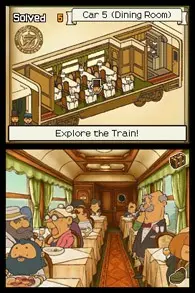
Learn how to save your progress in Professor Layton and The New World of Steam with our comprehensive guide. Never lose your game data again!
Professor Layton and The New World of Steam features an auto-save system, so you don't need to manually save your progress. The game automatically saves your progress at key points throughout the story and after completing puzzles or significant events. You can also manually trigger a save by accessing the main menu and selecting the 'Save' option, though this is rarely necessary.
How it works:
- Auto-Save: The game saves automatically at designated checkpoints. Look for the save icon to appear on screen, indicating that your progress has been recorded.
- Manual Save: While not required, you can manually save by pausing the game and selecting 'Save' from the menu. This is useful if you want to ensure your progress is saved before quitting or if you're unsure about an auto-save point.
Tips for Saving
- Pay attention to the auto-save icon to know when your game is being saved.
- It's always a good idea to manually save before closing the game, just in case.
- Ensure your game device has enough storage space to accommodate save files.
100% Human-Written. AI Fact-Checked. Community Verified. Learn how AntMag verifies content