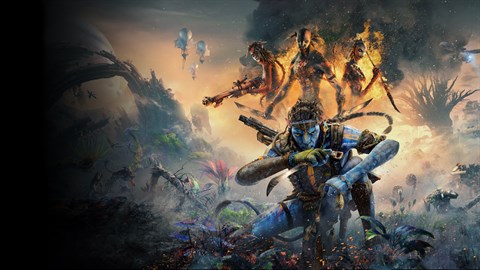

Navigate Pandora like a native! Master PC keyboard and mouse controls for Avatar: Frontiers of Pandora - From the Ashes, covering movement, combat, and interaction for an immersive Na'vi experience.
This guide details the PC keyboard and mouse controls for Avatar: Frontiers of Pandora - From the Ashes, ensuring you can effectively navigate the world, engage in combat, and interact with your environment. Understanding these controls is crucial for a seamless gameplay experience as you embody So'lek.
| Action | Keybind |
|---|---|
| Movement (Forward/Backward/Left/Right) | W/S/A/D |
| Jump | Spacebar |
| Crouch | Left Ctrl |
| Sprint | Left Shift |
| Interact / Use | E |
| Melee Attack | Left Mouse Button |
| Aim | Right Mouse Button |
| Primary Fire | Left Mouse Button (while aiming) |
| Secondary Fire / Ability | Right Mouse Button (while aiming) |
| Reload | R |
| Switch Weapon | Mouse Wheel Scroll / 1-4 |
| Use Skill/Ability | Q / F |
| Open Map | M |
| Open Hunter's Guide | H |
| Open Menu | Esc |
| Toggle Vision Mode | V |
| Call Ikran | Hold C |
| Mount/Dismount Ikran | F (while near Ikran) |
| Ikran Controls (Ascend/Descend) | Spacebar / Left Ctrl (while flying) |
| Ikran Controls (Forward/Backward/Left/Right) | W/S/A/D (while flying) |
| Ikran Attack | Left Mouse Button (while flying) |
| Ikran Ability | Right Mouse Button (while flying) |
Mastering these controls will allow you to fluidly traverse the diverse landscapes of Pandora, engage in intense combat against the RDA and hostile wildlife, and interact with the world and its inhabitants. Pay close attention to the specific keybinds for both on-foot and Ikran gameplay to maximize your effectiveness.
100% Human-Written. AI Fact-Checked. Community Verified. Learn how AntMag verifies content