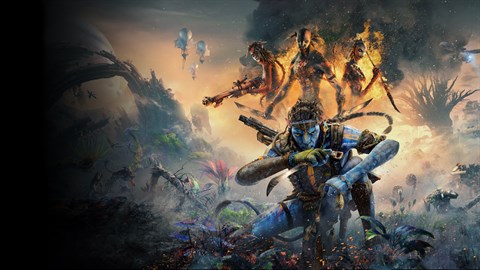
Resolve performance issues in Avatar: Frontiers of Pandora. Find solutions for common problems and ensure smooth gameplay on your PC.
Players encountering issues with "Avatar: Frontiers of Pandora - From the Ashes" on PC, Xbox Series S/X, or PlayStation 5 may experience a range of performance-related problems. These can include frame rate drops, stuttering, long loading times, or graphical glitches. For PC players, ensuring that system drivers, particularly graphics card drivers, are up to date is the first and most crucial step. Outdated drivers are a common cause of performance issues in modern games. Additionally, verifying the integrity of game files through the respective platform's launcher (e.g., Steam, Epic Games Store) can resolve issues caused by corrupted or missing files. Adjusting in-game graphics settings is also a primary troubleshooting method. Lowering settings such as shadow quality, texture detail, or anti-aliasing can significantly improve frame rates, especially on less powerful hardware. Experimenting with different resolution settings, including the use of upscaling technologies like DLSS or FSR if available, can also yield substantial performance gains.
For console players on Xbox Series S/X and PlayStation 5, performance troubleshooting is generally more limited due to the closed nature of the hardware. However, ensuring the console's system software is up to date is essential. Sometimes, simply restarting the console can resolve temporary glitches or performance anomalies. If persistent issues arise, clearing the console's cache might be beneficial, though this process varies between platforms. For both PC and console, ensuring that the game is installed on a fast storage device, such as an SSD, is critical for reducing loading times. If the game is installed on a traditional hard drive, this can lead to significant delays when transitioning between areas or loading into the game world. Players experiencing persistent crashes or severe performance degradation should consult the game's official support channels or community forums for specific known issues and potential workarounds. Details for specific error codes or common game-breaking bugs are being verified.
When troubleshooting mission-specific problems, such as an objective not triggering or an NPC becoming unresponsive, first attempt to reload a recent save file. This can often resolve scripting errors or temporary game state inconsistencies. If the issue persists, exiting the game entirely and relaunching it might also help. For players undertaking the "Save Your People" or "Sabotage RDA" mission arcs, if a critical NPC fails to appear or an objective marker is missing, it's possible that a prerequisite event has not been properly triggered. In such cases, revisiting the previous objective area or interacting with relevant characters might be necessary. If a particular mission becomes unplayable, reporting the bug through the game's official channels is important, as it helps developers identify and fix these issues in future patches. also ensure they are not encountering any known issues related to specific locations, such as the overlook south of Frayed Rapids or the Resistance Safehouse in Waterway Valley, as these areas might have unique troubleshooting considerations.
100% Human-Written. AI Fact-Checked. Community Verified. Learn how AntMag verifies content