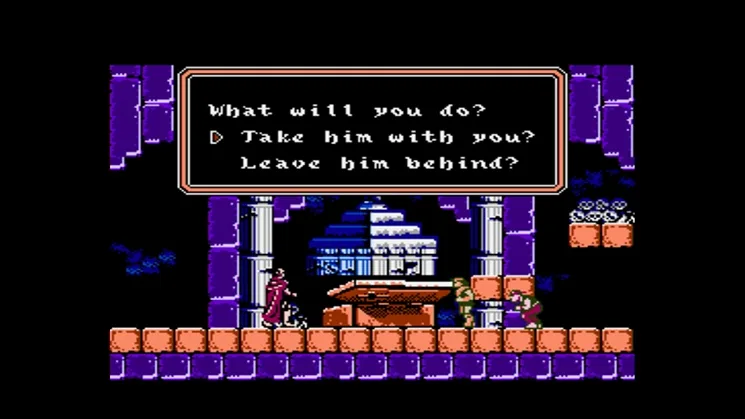
Learn the ins and outs of Castlevania III: Dracula's Curse controls on NES, 3DS, Wii, and Wii U. Master every button for a smoother vampire hunt!
Alright, let's get you up to speed on how to actually play Castlevania III: Dracula's Curse. It might seem a little daunting at first with all the characters and their unique moves, but once you get the hang of the basic controls, you'll be whipping Dracula's minions in no time. This guide covers the original NES controls and also touches on how they map to the Virtual Console versions on 3DS, Wii, and Wii U.
NES Controls
Here's the breakdown of how to control your characters on the original NES:
| Control | Action |
| D-Pad | Press Left or Right to move characters to the left or right. Press Up or Down to climb up or down stairs. |
| Select | Press to select Opening, Password or Continue. Also press to transform into a partner spirit. |
| Start | Press to begin the game and to pause the action during the game. |
| A | Press to jump. |
| B | Press to attack with your Main Weapon. Also press the Control Pad Up and the B button simultaneously to attack with a Warakiya War Item currently displayed in the Warakiya War Item Window. |
Character-Specific Moves
Some characters have special moves that use the basic controls in unique ways:
Guiding Grant
Grant can cling to walls and climb around. To do this, press and hold the Control Pad toward the wall you want Grant to cling to. Then, press the Control Pad in the direction you want him to move, and he'll climb. You can also vary the height of his leaps by how hard you press the A Button.
Assisting Alucard
Alucard has a cool transformation ability. Press the Control Pad Down and the A Button simultaneously to transform Alucard into a bat. If you want him to turn back into his human form, just repeat this procedure.
3DS/Wii/Wii U Virtual Console Controls
If you're playing on a more modern Nintendo system, the controls are emulated, but you can use various controllers. The button mappings are pretty straightforward, just match them up with the NES layout above.
Button Key
Here’s how the buttons on different controllers correspond to the original NES controller:
| 3DS | Wiimote | Wii Classic Controller | GameCube Controller | Wii U GamePad | NES Controller |
| Circle Pad | D-Pad | D-Pad | Analog Stick | Left Analog Stick | D-Pad |
| D-Pad | Left Analog Stick | D-Pad | D-Pad | Right Analog Stick | |
| B | 1 | B | B | B | B |
| X | |||||
| A | 2 | A | A | A | A |
| Start | + | + | Start | + | Start |
| Y | − | − | Z | − | Select |
| Select |
Other Controls (3DS)
| Control | Action |
| L + R + Y | Switch between first and second controllers (second controller not used). |
| Touch Screen | Enable Virtual Console Menu where you can choose to Resume Game, Reset and (if enabled) Create/ Load Restore Point. |
| Home | Bring up Home Menu while pausing the game; press again to hide Home Menu and resume play. |
Other Controls (Wiimote & Wii Classic Controller)
| Control | Action |
| Home | Bring up Home Menu while pausing the game; press again to hide Home Menu and resume play. |
Other Controls (Wii U GamePad)
| Control | Action |
| Touch Screen | Enable Virtual Console Menu where you can choose to Reset, change Controller Settings or Create/ Load Restore Point. |
| Home | Bring up Home Menu while pausing the game; press again to hide Home Menu and resume play. |
100% Human-Written. AI Fact-Checked. Community Verified. Learn how AntMag verifies content