
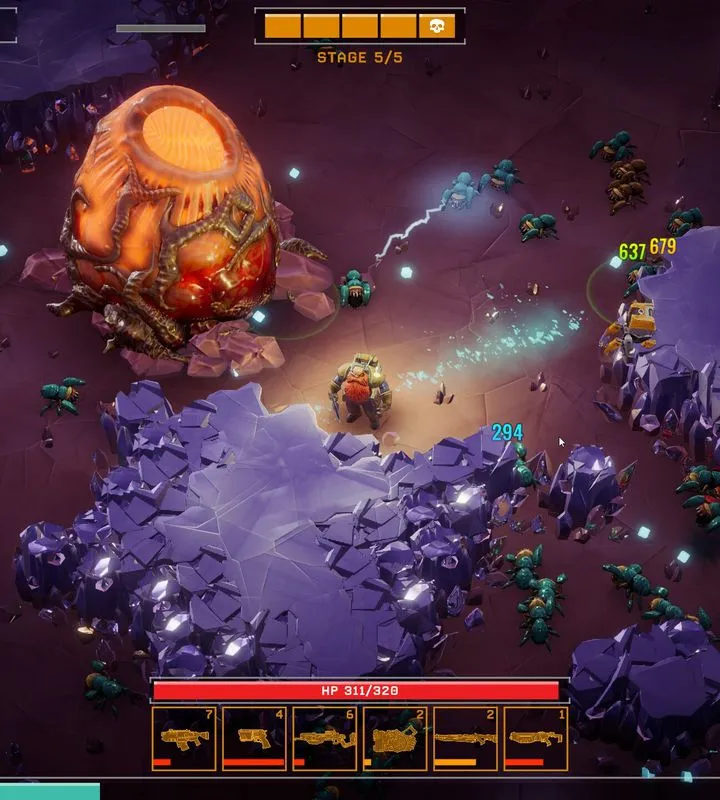
Navigate the alien depths with ease! This guide details essential controls, UI elements, and tips for Deep Rock Galactic: Survivor to maximize your mining and combat efficiency.
Deep Rock Galactic: Survivor, a spin-off of the popular cooperative shooter, introduces players to a Reverse Bullet Hell Roguelike experience. Understanding the game's controls and user interface (UI) is crucial for survival and success against the relentless alien hordes. This guide breaks down the essential elements you need to know.
| Action | Default Keybind |
|---|---|
| Move Forward | W |
| Move Backward | S |
| Move Left | A |
| Move Right | D |
| Primary Weapon | Left Mouse Button |
| Secondary Weapon | Right Mouse Button |
| Reload | R |
| Interact/Mine | E |
| Use Equipment (e.g., Flare, Zipline) | Q |
| Jump | Spacebar |
| Crouch | Ctrl |
| Sprint | Shift |
| Map | Tab |
| Inventory/Loadout | I |
| Pause/Menu | Escape |
UI Elements:
- Health Bar: Displays your current health. Depletes as you take damage.
- Ammo Count: Shows the remaining ammunition for your currently equipped weapon.
- Objective Tracker: Displays the current mission objective and progress.
- Minimap/Radar: Provides a tactical overview of your immediate surroundings, including nearby objectives, enemies, and resources.
- Resource Counter: Tracks the amount of minerals and other resources you have collected.
- Experience Bar: Shows your progress towards the next level.
- Class Ability Cooldown: Indicates when your class-specific abilities are ready to be used again.
Tips for Controls and UI
- Keybind Customization: Explore the game's settings to rebind keys to your preference for optimal comfort and efficiency.
- UI Scaling: Adjust UI elements to your screen size and resolution for better readability.
- Situational Awareness: Regularly check your minimap and objective tracker to stay informed about the mission's status and potential threats.
- Resource Management: Keep an eye on your ammo count and resource inventory to ensure you have what you need for combat and objectives.
- Ability Timing: Learn the cooldowns of your class abilities and use them strategically during intense combat encounters or when facing environmental hazards.
100% Human-Written. AI Fact-Checked. Community Verified. Learn how AntMag verifies content