Improve your Peglin experience with quality of life and UI tips, including touchscreen support and clarification on orb discard mechanics.
Peglin, while offering a deep and engaging roguelike experience, also provides several quality-of-life features and UI elements that can significantly smooth out your runs. Understanding these nuances can help you make more informed decisions, optimize your gameplay, and avoid common frustrations. This section aims to clarify some of the less obvious mechanics and provide actionable tips for a better Peglin journey.
Orb Discard Mechanic Explained
The concept of discarding orbs in Peglin can be a bit nuanced, and it's important to distinguish between different ways this can occur. There isn't a universal "discard orb" button that appears during every combat encounter.
-
General Orb Discard: In the standard combat loop, you cannot directly discard an orb from your hand at will. Your hand is determined by the orbs you draw each turn. However, certain relics and abilities can influence which orbs are available or how they are used.
-
'+1 Discard Orb Relic' Functionality: This relic, often a source of confusion, doesn't grant a dedicated discard button. Instead, it typically refers to relics that allow you to *remove* an orb from your hand or deck under specific conditions. For example, some relics might allow you to discard an orb if it meets certain criteria (e.g., a specific color, a debuff). The key is that it's not a free, on-demand discard but rather an interaction that removes an orb from play, often with a benefit or as a consequence of another action. Always read the relic's description carefully to understand its specific trigger and effect.
-
Event and Merchant Interactions: The most common and explicit ways to "discard" orbs from your deck occur outside of direct combat. These include:
-
Special Events: Certain map nodes present unique events where you might be offered the choice to remove specific orbs from your deck permanently. These choices often come with a trade-off, such as a loss of health or gold.
-
Merchants: The Merchant nodes are crucial for deck management. Here, you can spend gold to purchase upgrades, but also to remove unwanted orbs from your deck. This is a vital way to refine your build and increase the consistency of drawing your best orbs.
-
Understanding these distinctions is key. If you acquire a relic that mentions "discard orb," scrutinize its text to see how it integrates into your current hand or deck management strategy, rather than expecting a new button to appear.
Touchscreen Support (Nintendo Switch)
For players on the Nintendo Switch, Peglin offers a degree of touchscreen support. While not a full replacement for controller or Joy-Con input, the touchscreen can be a helpful addition for:
-
Menu Navigation: Quickly tapping through different menu screens, options, and inventory can feel more immediate than using directional inputs.
-
Dismissing Descriptions: When hovering over orbs, relics, or enemy information, a description box often appears. The touchscreen allows you to tap away these descriptions more rapidly, keeping the pace of the game flowing.
-
Targeting (Limited): In some instances, you might be able to tap directly on an enemy to target it, though precise aiming with the ball itself is still best handled with analog sticks or motion controls.
Experiment with the touchscreen to see how it can best complement your preferred playstyle on the Switch.
General UI and Navigation Tips
Peglin's user interface is designed to be clean and accessible, but a few tips can further enhance your experience:
-
Hover for Information: Always take a moment to hover your cursor (or highlight with a controller) over any orb, enemy, relic, or status effect. Tooltips provide essential details about damage, effects, resistances, and weaknesses. This is crucial for making informed decisions during combat and when choosing upgrades.
-
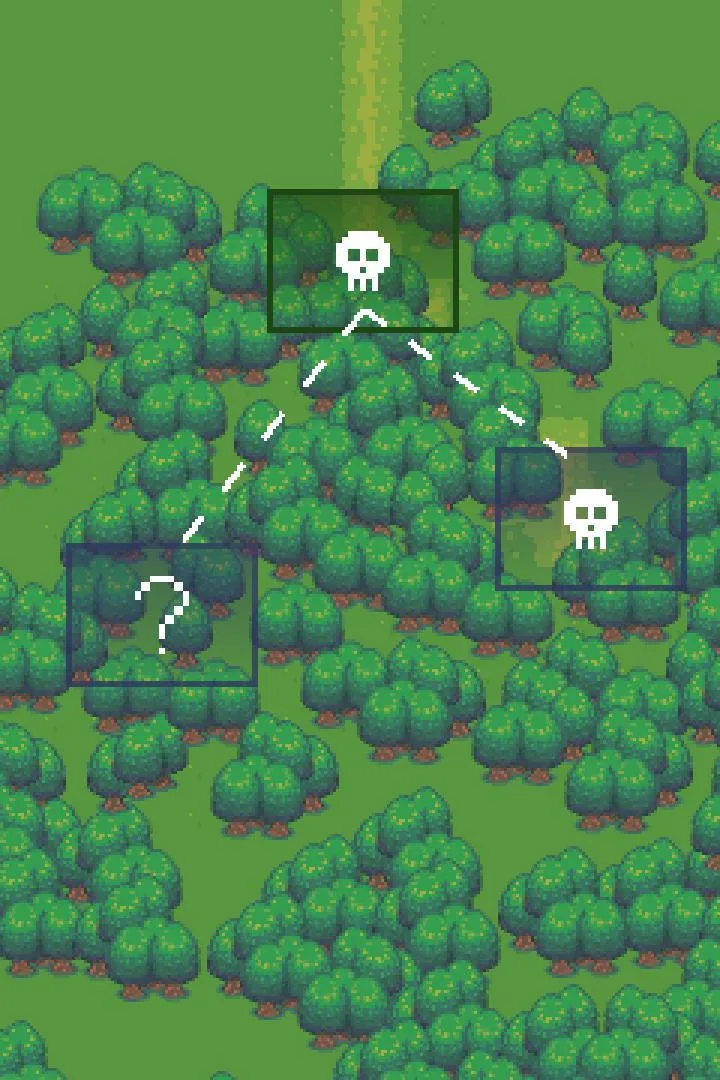
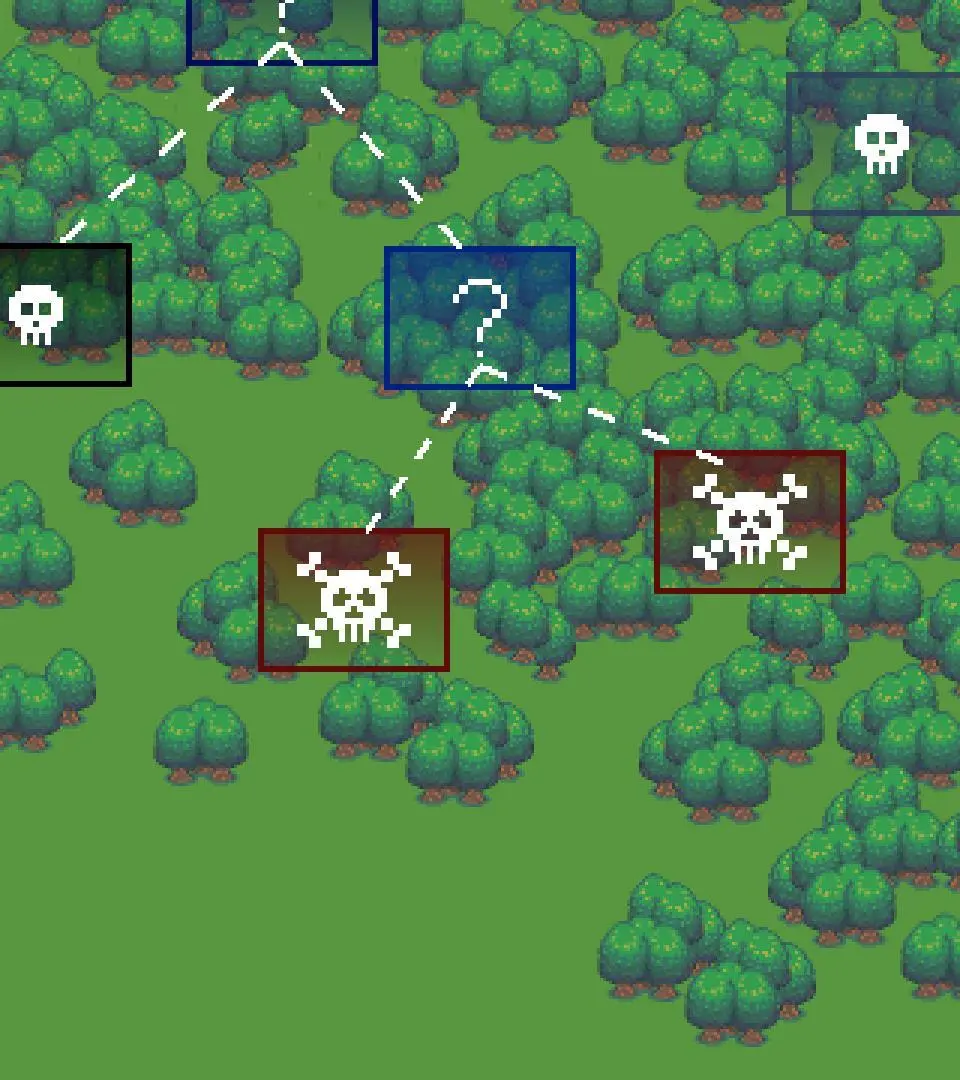
Map Node Icons: Familiarize yourself with the various icons on the map. Each icon represents a different type of encounter: combat, events, merchants, shrines, bosses, and rest stops. Knowing these at a glance helps you plan your route and prioritize certain nodes based on your current needs (e.g., seeking a merchant for healing or a combat node for gold).
-
Turn Order and Enemy Intent: Pay close attention to the turn order displayed at the top of the combat screen. This shows which enemies will act next. Furthermore, many enemies telegraph their next action with visual cues or icons above their heads. Learning these tells can help you prepare defenses, prioritize targets, or set up powerful combos.
-
Status Effect Clarity: Status effects are vital. Whether it's a buff to your orbs (like bonus damage or piercing) or a debuff on an enemy (like vulnerability or poison), their icons and descriptions are key. Keep track of how long they last and how they interact with your build.
-
Relic Synergy: When you acquire new relics, take a moment to consider how they synergize with your existing relics and your current orb deck. Sometimes, a seemingly weak relic can become incredibly powerful when combined with others.
By paying attention to these details and utilizing the game's built-in information systems, you can navigate Peglin's challenges with greater confidence and efficiency, leading to more successful and enjoyable runs.
100% Human-Written. AI Fact-Checked. Community Verified. Learn how AntMag verifies content