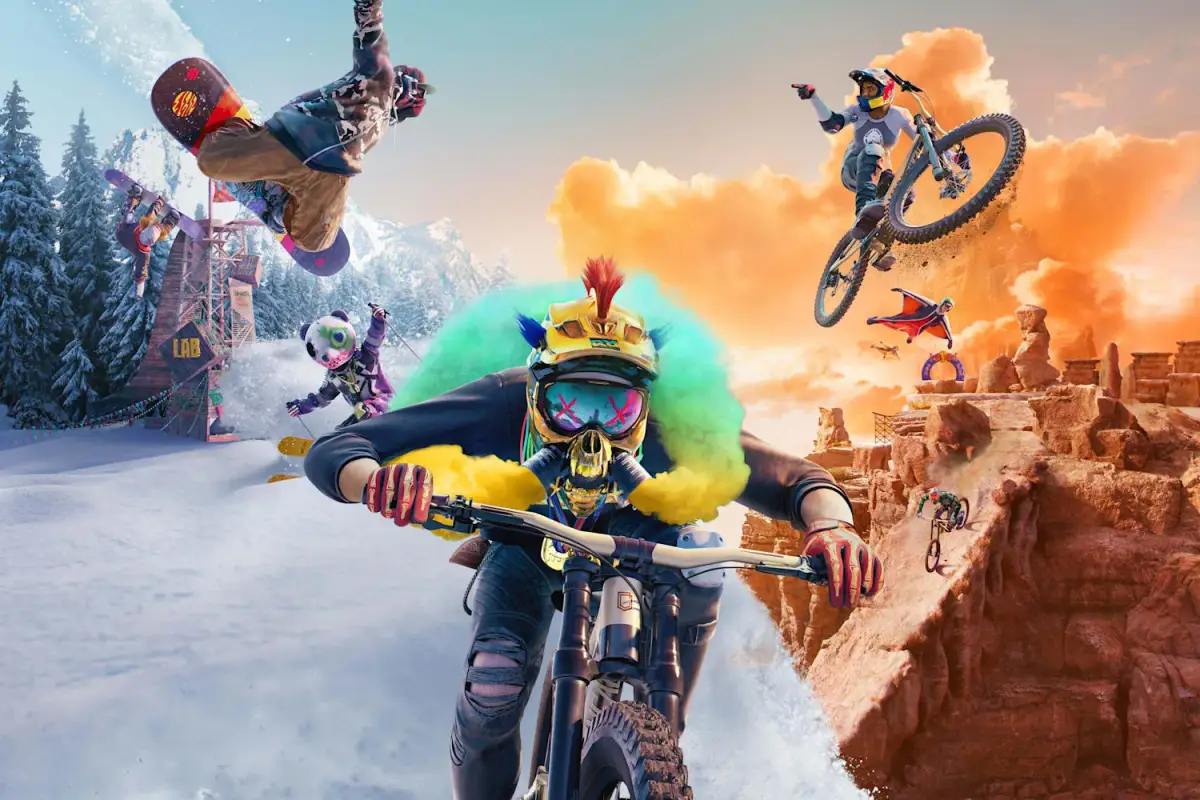
Create and share your own challenges in Riders Republic using the Event Creator. Design races and trick battles to leave your mark on the Republic.
Riders Republic isn't just about conquering pre-made challenges; it's a vibrant ecosystem where You can craft and share their own unique experiences. The Custom Events feature, powered by the ingenious Event Creator, allows you to design everything from thrilling races to daring trick battles. Dive in and leave your mark on the Republic!
Accessing the Event Creator
To begin your journey as an event architect, you'll need to locate the Event Creator. This powerful tool is readily accessible from your Ridge TV menu. Simply navigate to the "Social" tab, and you'll find the "Event Creator" option prominently displayed. Alternatively, you can often find quick access points to the Event Creator directly within the open world, usually marked by a specific icon on your map.
Designing Your Masterpiece: Step-by-Step
The Event Creator offers a robust suite of tools to bring your vision to life. Here's a detailed breakdown of the process:
- Choose Your Event Type: The first decision is what kind of event you want to create. The Event Creator supports a wide variety, including:
- Race: Design a challenging course for bikes, skis, snowboards, or even rocket wingsuits.
- Trick Battle: Set up a zone for players to showcase their aerial prowess and combo skills.
- Freestyle: A more open-ended event where You can explore and perform tricks freely within a designated area.
- Stunt: Focus on specific, daring maneuvers and jumps.
- Select Your Starting Point: Once you've chosen your event type, you'll be prompted to place your starting gate. This is crucial for setting the tone and initial challenge of your event. Think about iconic locations like the Grand Teton peaks for a high-altitude race, or the Mammoth Mountain bike parks for a technical downhill challenge.
- Lay Down the Path (for Races): If you're creating a race, you'll then enter a "ghost" mode where you can ride or fly the intended path of your event. The game automatically places checkpoints as you go, but you can manually adjust their position and size to fine-tune the difficulty and flow. Remember to consider the different sports; a bike path will differ significantly from a rocket wingsuit flight path.
- Define the Play Area (for Trick/Freestyle/Stunt Events): For non-race events, you'll instead define a specific play area. Use the in-game tools to expand or shrink the boundaries of your event zone. Consider incorporating natural features like the ramps and rails found in the Yosemite Valley or the halfpipes scattered across the Bryce Canyon for optimal trick opportunities.
- Add Obstacles and Props: This is where your creativity truly shines! The Event Creator provides a library of props and obstacles you can place within your event. These include:
- Ramps: Various sizes and angles for jumps and air time.
- Rails: Perfect for grinding and slides.
- Boost Pads: Give players a burst of speed.
- Landing Pads: Help players stick those difficult tricks.
- Decorative Elements: Trees, rocks, and other environmental assets to enhance the aesthetic.
- Set Event Parameters: Before publishing, you'll need to configure several key parameters:
- Sport Type: Specify which sports are allowed (e.g., Bike, Ski, Snowboard, Rocket Wingsuit).
- Player Count: Determine how many You can participate simultaneously.
- Time Limit: For races, set a target time; for trick events, a duration.
- Scoring System: For trick events, define how points are awarded (e.g., based on trick difficulty, combos).
- Difficulty Rating: Assign an appropriate difficulty level (Easy, Medium, Hard, Expert) to help other players find suitable challenges.
- Test Your Event: Crucially, before publishing, thoroughly test your event. Ride or fly through it multiple times, trying different lines and approaches. This helps identify any unfair sections, broken checkpoints, or unintended obstacles.
- Publish and Share: Once you're satisfied, give your event a catchy name and a brief description, then hit "Publish"! Your creation will then be available for other Riders Republic players to discover and enjoy.
Playing User-Generated Content (UGC)
Exploring the vast library of user-generated events is just as rewarding as creating them. Here's how to dive into the community's creations:
- The Social Hub: From your Ridge TV menu, navigate to the "Social" tab and then "User-Generated Content." Here, you'll find a curated list of popular, trending, and recently published events.
- Map Icons: Keep an eye on your in-game map! User-generated events are often marked with unique icons, distinct from the official Ubisoft events. Hover over them to see event details and jump straight in.
- Friends' Events: If your friends have published events, you can often find them directly through your friends list or by browsing their profiles.
- Filtering and Searching: The UGC browser offers robust filtering options. You can sort by:
- Sport Type: Find events specifically for bikes, skis, etc.
- Difficulty: Challenge yourself or find a more relaxed experience.
- Event Type: Filter for races, trick battles, or freestyle events.
- Popularity/Newest: Discover what's hot or explore the latest creations.
Engaging with custom events adds an endless layer of replayability to Riders Republic. Whether you're a budding designer or an eager participant, the user-generated content system ensures there's always a fresh challenge awaiting you in the Republic.
100% Human-Written. AI Fact-Checked. Community Verified. Learn how AntMag verifies content