
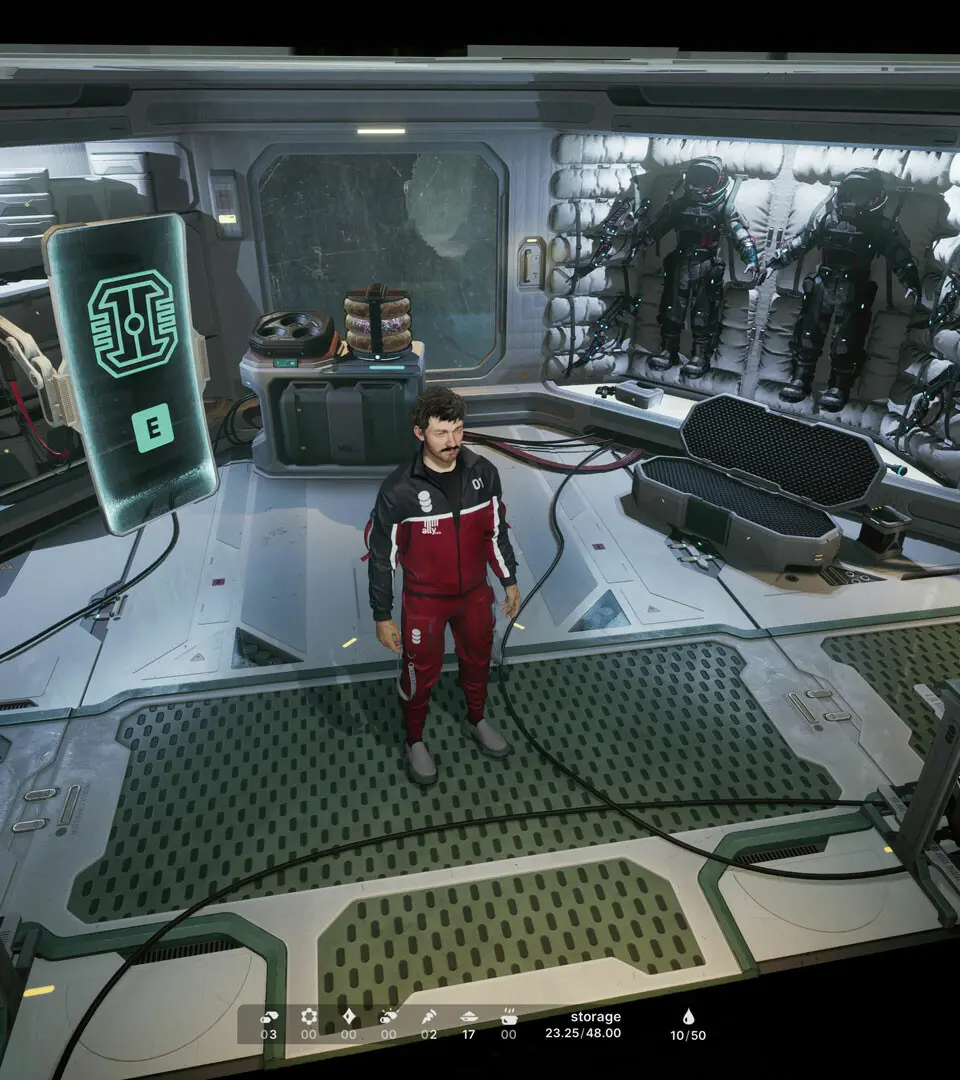
Navigate The Alters' complex UI with ease. Learn about resource management, crafting menus, base building, and managing your Alters' needs to survive.
The Alters features a complex user interface that manages everything from time and resource management to crafting and the well-being of your Alters. Understanding these elements is crucial for survival and successful evacuation.
Key UI elements and concepts include:
- Time Management: The Energy Bar in the bottom left indicates available time before exhaustion. Careful planning is essential as tasks consume energy and time.
- Base Building Menu: Accessed via the Command Center terminal, this menu allows you to add and position modules. Placement is indicated by green highlights, and modules must be adjacent to existing ones. Modules can be moved or deleted (with exceptions), but consider base mass and storage capacity.
- Base Mass & Fuel: Each module adds mass, increasing Fuel (Organics) consumption for travel. Upgrade storage and the Organics Tank, and use the Scanner to locate and connect Organic deposits via Mining Outposts and Pylons.
- Crafting Menu: Accessed by pressing 'TAB' and selecting 'Production'. Choose a workshop (Workshop, Kitchen, Greenhouse, Refinery) and an item to add it to the queue. Crafting is done at the designated room's Workbench using the 'E' key.
- Alters Tab: This section displays each Alter's mood, health, and event log. Keeping Alters happy through high-quality meals, social activities (Beerbong, movies), and addressing their needs is vital to prevent negative consequences.
100% Human-Written. AI Fact-Checked. Community Verified. Learn how AntMag verifies content