
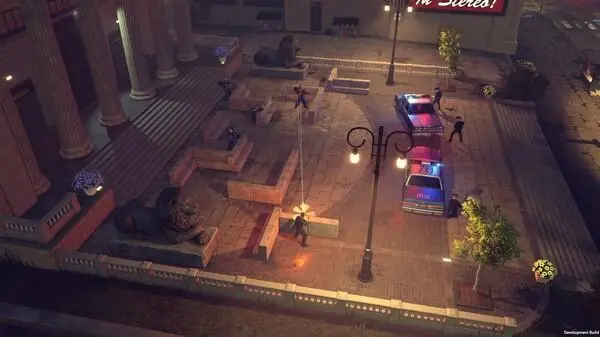
Resolve common issues in The Precinct. Find solutions for missing fingerprints and other troubleshooting tips to aid your investigations.
Even the most seasoned officers can hit a snag in The Precinct. This section details common roadblocks and provides actionable solutions to get you back on patrol and solving cases efficiently. From elusive evidence to stubborn suspects, we've got you covered.
Stuck on "The Silent Witness" - Missing Fingerprints
Many players report difficulty locating all necessary fingerprints during the "The Silent Witness" case, particularly in the abandoned warehouse on Elm Street. If you're finding yourself short, follow these steps:
- Re-examine the Entry Point: The initial point of entry, often a broken window on the ground floor, frequently has a partial print on the sill or the shattered glass itself. Use your Forensic Kit and sweep the entire frame.
- The Overturned Crate: Inside the main warehouse area, near the back wall, there's an overturned wooden crate. A crucial print is often found on its underside or the rough wood grain. You might need to crouch (Left Ctrl on PC, B on Xbox, Circle on PlayStation) to get the correct angle for scanning.
- The Office Desk: Upstairs, in the small, dilapidated office, check the top of the dusty desk. A faint print can be on the edge where a perpetrator might have leaned. Ensure your UV Light Attachment is active on your Forensic Kit to highlight it.
- The Escape Route: Don't forget the potential exit. If there's a back door or another broken window, scan the frame and any nearby debris. Sometimes a suspect leaves a print on a discarded item, like a Crushed Soda Can, near their escape path.
- Adjusting Sensitivity: If you're still struggling, open your Detective's Journal and navigate to the Tools & Equipment tab. Select your Forensic Kit and adjust the Sensitivity Dial to its maximum setting. This can help pick up fainter traces.
"Lost in Translation" - Interrogating Uncooperative Suspects
The "Lost in Translation" mission often presents challenges when trying to extract information from the notoriously tight-lipped informant, "Whisper" Malone, located in the back alley behind O'Malley's Pub. If Whisper isn't talking, try this approach:
- Establish Dominance (Non-Violent): Before even approaching Malone, ensure you have your Badge & ID prominently displayed. Simply having it equipped (Press 4 on PC, D-Pad Up on Xbox/PlayStation) can sometimes alter dialogue options.
- Gather Leverage: Whisper won't talk without incentive. You need to find his hidden stash of Contraband Cigarettes. This is usually located in a dumpster directly across the alley from O'Malley's back entrance, or occasionally, under a loose paving stone near the fire escape. Interact with the stash to gain the Contraband Evidence item.
- The "Good Cop, Bad Cop" Routine (Solo):
- Initiate dialogue with Whisper Malone.
- Exhaust all initial "friendly" dialogue options.
- Once he refuses to cooperate, present the Contraband Evidence from your inventory (Open Inventory with Tab on PC, Back/Select on Xbox/PlayStation, then select item).
- After presenting the evidence, immediately choose the dialogue option: "I know about your operation, Whisper. Help me, and I can make this disappear." This specific phrasing is key.
- If successful, he will reveal the location of the Hidden Drop Point in the Financial District.
- Alternative Approach (If Leverage Fails): If you somehow missed the contraband, or used it incorrectly, you might need to resort to a more direct method. Locate the Grumpy Bartender inside O'Malley's Pub. He's usually polishing glasses near the cash register. Offer him a Bribe (50 Credits). He will then reluctantly tell you about Whisper's fear of "The Shadow Syndicate," which opens up a new dialogue tree with Whisper, allowing you to intimidate him into talking.
Performance Issues - Frame Rate Drops in Downtown
Experiencing significant frame rate drops, especially when patrolling the bustling Downtown district during peak hours (in-game 12:00 PM - 6:00 PM)? This is a common issue on certain hardware configurations. Here's how to mitigate it:
- Adjust Graphics Settings:
- Pause the game and navigate to Options.
- Select Graphics Settings.
- Lower the Shadow Quality from "High" to "Medium" or "Low." Shadows are often the biggest performance hog.
- Reduce Crowd Density. This setting directly impacts the number of NPCs rendered, which can heavily tax your CPU in dense areas. Set it to "Medium" or "Sparse."
- Disable Volumetric Fog. While atmospheric, it can cause significant dips.
- Consider lowering Texture Quality if the above steps don't yield sufficient improvement, though this will impact visual fidelity more noticeably.
- Update Drivers: Ensure your graphics card drivers (NVIDIA, AMD, Intel) are up to date. Outdated drivers are a frequent cause of performance issues. Check your manufacturer's website for the latest versions.
- Close Background Applications: Before launching The Precinct, close any unnecessary programs running in the background, such as web browsers, streaming services, or other games. These can consume valuable CPU and RAM resources.
- Verify Game Files: If playing on PC, use your game launcher (Steam, Epic Games Store, etc.) to verify the integrity of game files. Corrupted files can lead to instability and performance problems.
Bug: Evidence Locker Glitch - Items Disappearing
A rare but frustrating bug has been reported where items placed in the Evidence Locker at the Precinct Headquarters sometimes disappear. While the developers are working on a permanent fix, here's a workaround:
- Use Personal Storage: Until the bug is patched, avoid storing critical or unique case items in the main Evidence Locker. Instead, use your personal Storage Chest located in your apartment (accessible after completing the "First Day on the Job" tutorial). This chest has proven to be more stable.
- Save Frequently: Make a habit of saving your game manually (Esc on PC, Start on Xbox/PlayStation, then select "Save Game") immediately after placing any important item into storage, regardless of location. This way, if an item does vanish, you can reload a recent save.
- Report to Support: If you encounter this bug, please report it directly to the game's support team with details of what item disappeared and when. This helps the developers pinpoint and resolve the issue faster.
100% Human-Written. AI Fact-Checked. Community Verified. Learn how AntMag verifies content