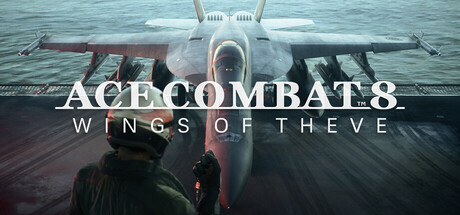
Welcome to Ace Combat 8: Wings of Theve, the latest installment in the legendary aerial combat series! Developed by Project Aces and published by Namco for Xbox Series S/X, PlayStation 5, and PC, this game puts you in the cockpit of cutting-edge fighter jets. Prepare for intense dogfights, strategic missions, and breathtaking aerial maneuvers as you navigate the skies of Theve. Whether you're a seasoned ace or new to the franchise, the thrill of high-speed combat and strategic warfare awaits.
This guide is your essential companion for mastering Ace Combat 8. We'll cover everything you need to achieve Gold Medals on every mission, unlock all achievements, and uncover the secrets of Theve. From challenging boss encounters to navigating complex mission objectives, we've got the intel to help you dominate the skies and experience everything this epic title has to offer.
Getting Started & Core Mechanics
Master the core mechanics of Ace Combat 8: Wings of Theve. Learn about flight controls, combat systems, and essential gameplay elements to dominate the skies.
Getting Started & Core Mechanics
Master the core mechanics of Ace Combat 8: Wings of Theve. Learn about flight controls, combat systems, and essential gameplay elements to dominate the skies.
Installation & Setup
Learn how to balance View Distance, View Angle, and Frame Rate for optimal performance and visual fidelity in Ace Combat 8: Wings of Theve. Find the perfect compromise.
Installation & Setup
Learn how to balance View Distance, View Angle, and Frame Rate for optimal performance and visual fidelity in Ace Combat 8: Wings of Theve. Find the perfect compromise.
PC System Requirements — Ace Combat 8: Wings of Theve Guide
Ace Combat 8: Wings of Theve PC system requirements. Verify your hardware meets these specs to fly with stunning graphics and smooth performance.
To ensure Ace Combat 8: Wings of Theve runs smoothly on your PC, it's essential to verify that your system meets the recommended specifications. The game is designed to push graphical boundaries, offering breathtaking vistas and detailed aircraft models. Meeting these requirements will not only allow you to play the game but also to experience its visual fidelity and performance without significant compromises. We've outlined both the minimum and recommended specifications to help you gauge your system's capabilities.
Understanding these requirements is crucial for a seamless experience. If your PC falls below the minimum specifications, you may encounter performance issues such as low frame rates, stuttering, or graphical glitches. Conversely, meeting or exceeding the recommended specifications will unlock the game's full potential, allowing for higher resolutions, smoother gameplay, and more immersive visual effects. Always ensure your graphics drivers are up to date for the best possible performance.
Minimum System Requirements:
| Component | Specification |
|---|---|
| OS | Windows 10 64-bit |
| Processor | Intel Core i5-4460 or AMD FX-6300 |
| Memory | 8 GB RAM |
| Graphics | NVIDIA GeForce GTX 760 or AMD Radeon R9 280 |
| DirectX | Version 11 |
| Storage | 50 GB available space |
Recommended System Requirements:
| Component | Specification |
|---|---|
| OS | Windows 10 64-bit |
| Processor | Intel Core i7-7700K or AMD Ryzen 5 1600 |
| Memory | 16 GB RAM |
| Graphics | NVIDIA GeForce RTX 2060 or AMD Radeon RX 5700 XT |
| DirectX | Version 12 |
| Storage | 50 GB available space |
Console Installation Guide
Console installation guide for Ace Combat 8: Wings of Theve on PS5 and Xbox Series X/S. Get your game installed from digital or disc quickly.
For PlayStation 5 and Xbox Series S/X owners, getting Ace Combat 8: Wings of Theve installed and ready for flight is a straightforward process. This guide will walk you through the steps, whether you're using a digital download from the respective store or a physical disc. Ensuring a proper installation is the first step towards experiencing the high-octane aerial combat that awaits you.
The installation process on consoles is largely automated, but understanding the steps ensures you don't miss any crucial updates or initial setup requirements. We'll cover the initial download, disc installation, and the importance of applying any day-one patches or updates that are often released to optimize performance and address any last-minute issues. Prepare for takeoff by following these simple instructions.
PlayStation 5 Installation:
- Insert the Ace Combat 8: Wings of Theve Blu-ray disc into your PS5.
- The game should automatically begin installing. If not, navigate to the disc icon on the home screen and select "Install."
- Once the base installation is complete, the console will likely prompt you to download and install any available updates. Ensure these are downloaded for the best experience.
- After all updates are installed, you can launch the game from your game library or the home screen.
Xbox Series S/X Installation:
- Insert the Ace Combat 8: Wings of Theve disc into your Xbox Series S/X.
- The game should automatically begin installing. If not, navigate to the disc icon on the home screen and select "Install."
- Similar to PS5, your Xbox will likely prompt you to download and install any necessary updates. It's highly recommended to let these complete.
- Once installation and updates are finished, you can launch the game from "My games & apps" or the Quick Access menu.
Digital Download Installation:
For both platforms, if you purchased Ace Combat 8: Wings of Theve digitally, simply navigate to your respective digital storefront (PlayStation Store or Microsoft Store), find the game in your library, and select "Download." The console will handle the rest, including any subsequent updates.
100% Human-Written. AI Fact-Checked. Community Verified. Learn how AntMag verifies content