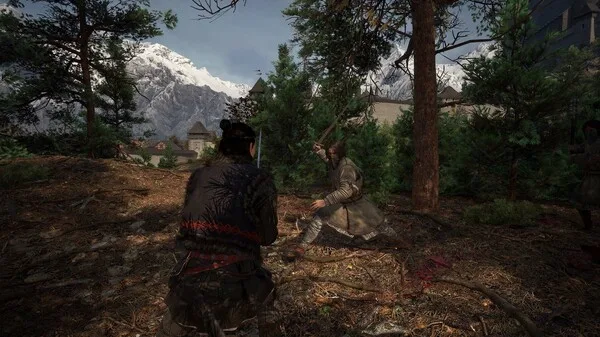

Learn the essential controls and user interface elements for The Blood of Dawnwalker. Navigate menus, manage inventory, and master combat actions with our comprehensive guide.
This guide covers the fundamental controls and user interface elements essential for navigating and playing The Blood of Dawnwalker. Understanding these basics will help you manage your character, interact with the world, and execute combat maneuvers effectively.
Controls Overview
The Blood of Dawnwalker utilizes a standard control scheme for action RPGs, with specific button mappings for various actions. While the exact layout may vary slightly depending on your platform (PC, PlayStation, Xbox), the core functions remain consistent.
| Action | Default PC Binding | PlayStation | Xbox |
|---|---|---|---|
| Movement | WASD | Left Stick | Left Stick |
| Camera Control | Mouse | Right Stick | Right Stick |
| Primary Attack | Left Mouse Button | R2 | RT |
| Secondary Attack / Skill | Right Mouse Button | L2 | LT |
| Dodge / Roll | Spacebar | X | A |
| Jump | Spacebar (Hold) | X (Hold) | A (Hold) |
| Interact / Pick Up | E | Square | X |
| Use Item | Q | Triangle | Y |
| Inventory | I | Touchpad | View Button |
| Character Menu | C | Options Button | Menu Button |
| Map | M | D-Pad Left | D-Pad Left |
| Quest Log | J | D-Pad Up | D-Pad Up |
| Skill Menu | K | D-Pad Right | D-Pad Right |
| Lock-On Target | Tab | R3 | RS Click |
| Special Ability 1 | 1 | L1 + R1 | LB + RB |
| Special Ability 2 | 2 | L1 + D-Pad Up | LB + D-Pad Up |
| Special Ability 3 | 3 | L1 + D-Pad Right | LB + D-Pad Right |
| Special Ability 4 | 4 | L1 + D-Pad Down | LB + D-Pad Down |
| Quick Select Item 1 | 5 | D-Pad Down | D-Pad Down |
| Quick Select Item 2 | 6 | D-Pad Left | D-Pad Left |
| Quick Select Item 3 | 7 | D-Pad Right | D-Pad Right |
| Quick Select Item 4 | 8 | D-Pad Up | D-Pad Up |
| Pause Menu | Esc | Options Button | Menu Button |
User Interface (UI) Elements
The Heads-Up Display (HUD) provides crucial information at a glance:
- Health Bar: Located at the top-left of the screen, this indicates your current health. It depletes when you take damage and replenishes with healing items or abilities.
- Stamina Bar: Adjacent to the health bar, this bar governs actions like attacking, dodging, and sprinting. It regenerates over time when not in use.
- Blood Meter: This unique meter fills as you deal damage to enemies. It can be consumed to unleash powerful vampire abilities or special attacks.
- Minimap: Typically found in the top-right corner, the minimap shows your immediate surroundings, including nearby objectives, points of interest, and enemy locations.
- Objective Marker: A prominent icon or text on the HUD indicates your current primary objective.
- Status Effect Icons: If you are afflicted with a status effect (e.g., poison, burn), an icon will appear near your health bar, often with a timer.
- Quick Slot Items: Icons representing items assigned to your quick slots are usually displayed at the bottom of the screen, allowing for rapid access.
- Dialogue/Interaction Prompts: Context-sensitive prompts will appear on screen when you can interact with objects or characters.
Mastering these controls and understanding the UI will significantly enhance your gameplay experience in The Blood of Dawnwalker, allowing you to react swiftly to threats and efficiently manage your resources.
100% Human-Written. AI Fact-Checked. Community Verified. Learn how AntMag verifies content