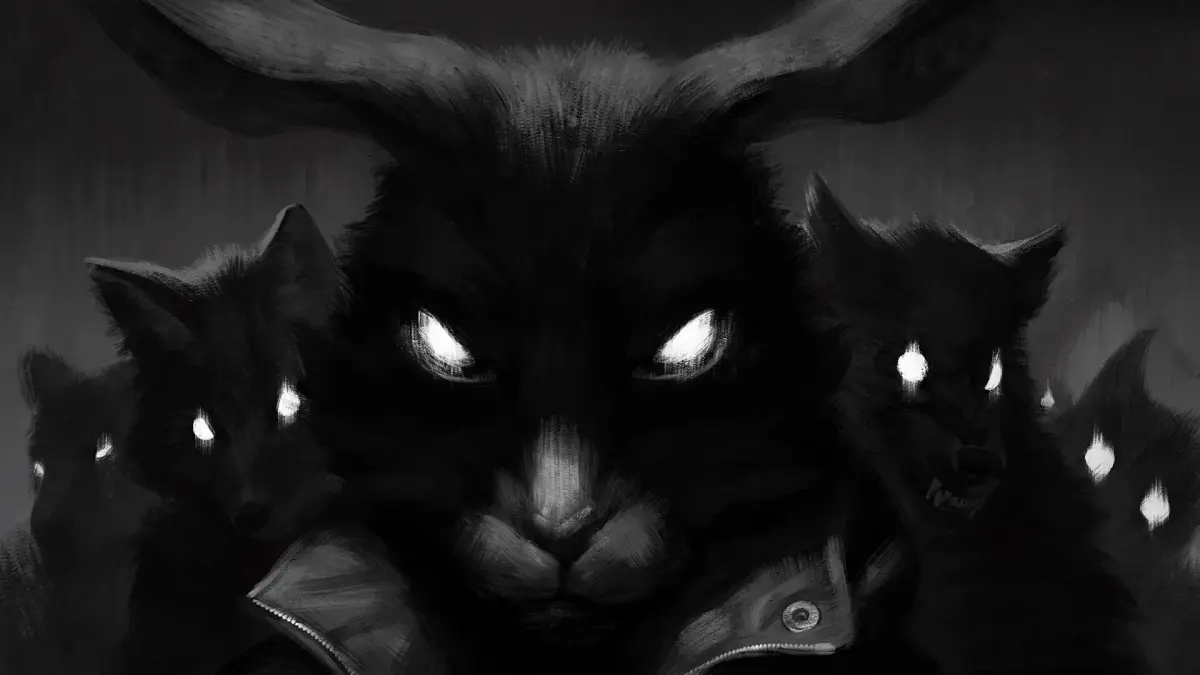
Welcome to Tiny Bunny, an atmospheric 2D horror game where you step into the shoes of Anton, a young boy who moves to a new village with his father. As you navigate the chilling narrative, you'll uncover dark secrets hidden within the seemingly peaceful community. The gameplay focuses on exploration, dialogue choices, and piecing together a disturbing story filled with gore and violence. It's a narrative-rich experience perfect for players who enjoy a good scare and a compelling, albeit dark, storyline.
This guide is here to help you conquer every aspect of Tiny Bunny. We'll walk you through Anton's initial movements, ensuring you don't miss a beat as you explore the village. You'll find strategies for uncovering hidden lore, mastering advanced dialogue options to influence the story, and ultimately, achieving the best ending. We'll also cover how to tackle challenging moments and ensure you unlock all the Steam Achievements this unsettling journey has to offer.
CONTROLS
Learn the controls for Tiny Bunny! This guide covers all the buttons and actions you'll need to navigate the spooky world and make choices as Anton Petrov.
Tiny Bunny Controls
Hey there! So you're diving into the world of Tiny Bunny, huh? It's a wild ride, and knowing your way around the controls will make it a lot smoother. Think of me as your buddy, here to walk you through it without any of that stuffy lecture talk.
Tiny Bunny is a visual novel, which means most of your interaction will be through making choices and clicking through the story. But there are a few key things to keep in mind:
Navigation and Interaction
- Clicking: This is your bread and butter. You'll click to advance dialogue, interact with objects, and make your choices. Keep an eye on your cursor; it'll usually change when you can click on something.
- Choices: This is where the story really branches out! When presented with a choice, you'll typically click on the option you want Anton Petrov to take. Think carefully, because these decisions can really change things down the line.
Important Notes
- Saving: Make sure to save your game regularly! Visual novels can sometimes have unexpected turns, and you don't want to lose progress. Look for the save option in the game's menu.
- Atmosphere: While there aren't complex button combos, the game relies heavily on atmosphere. Pay attention to the visuals and sound – they're part of the experience and can sometimes hint at what's coming.
That's pretty much it for the core controls! It's more about paying attention and making the right calls than complex maneuvers. Have fun exploring the mysteries of the village, and try not to get too spooked!
KICKING
Learn how kicking works in Tiny Bunny. Discover which enemies can be defeated, stunned, or unaffected by kicks.
Kicking in Tiny Bunny has varied effects on enemies. Some enemies are automatically defeated by a kick. Others will be temporarily stunned, or other effects may occur. For instance, Roderick Rats can be kicked multiple times before they are eventually defeated. However, some foes will remain alive permanently, regardless of how many times you strike them.
A stunned foe will eventually recover. If you are standing on a stunned enemy who recovers, you will take damage.
- Be aware that stunned enemies will recover.
- If you are standing on a stunned enemy when they recover, you will take damage.
DASHING
Learn how to dash in Tiny Bunny by pressing Down, then Left or Right. Dashing continues even after leaping.
To initiate a dash in Tiny Bunny, first press the Down button on your D-pad. Your character, Buster, will begin tapping his foot. Once he is tapping his foot, pressing either the Left or Right button on the D-pad will cause Buster to dash in that chosen direction. This dash will continue even after Buster has leaped. Buster will only stop dashing when you press any of the other three D-pad buttons, or if he crashes into a wall or an enemy.
- Continue pressing Left or Right to maintain the dash after jumping.
- Be aware that dashing stops upon collision with walls or enemies.
- Pressing any D-pad button other than Left or Right will also halt the dash.
SUPER LEAPS
Learn how to get a significant height boost in Tiny Bunny by Dashing while jumping. Discover the slide effect when canceling a Dash.
When you are Dashing (moving quickly) and press the jump button, you will receive a significant height boost, allowing you to reach higher areas.
- If you cancel your Dash immediately upon landing by pressing one of the other 3 D-Pad buttons, you will slide a short distance.
Similar guides you might like



100% Human-Written. AI Fact-Checked. Community Verified. Learn how AntMag verifies content