
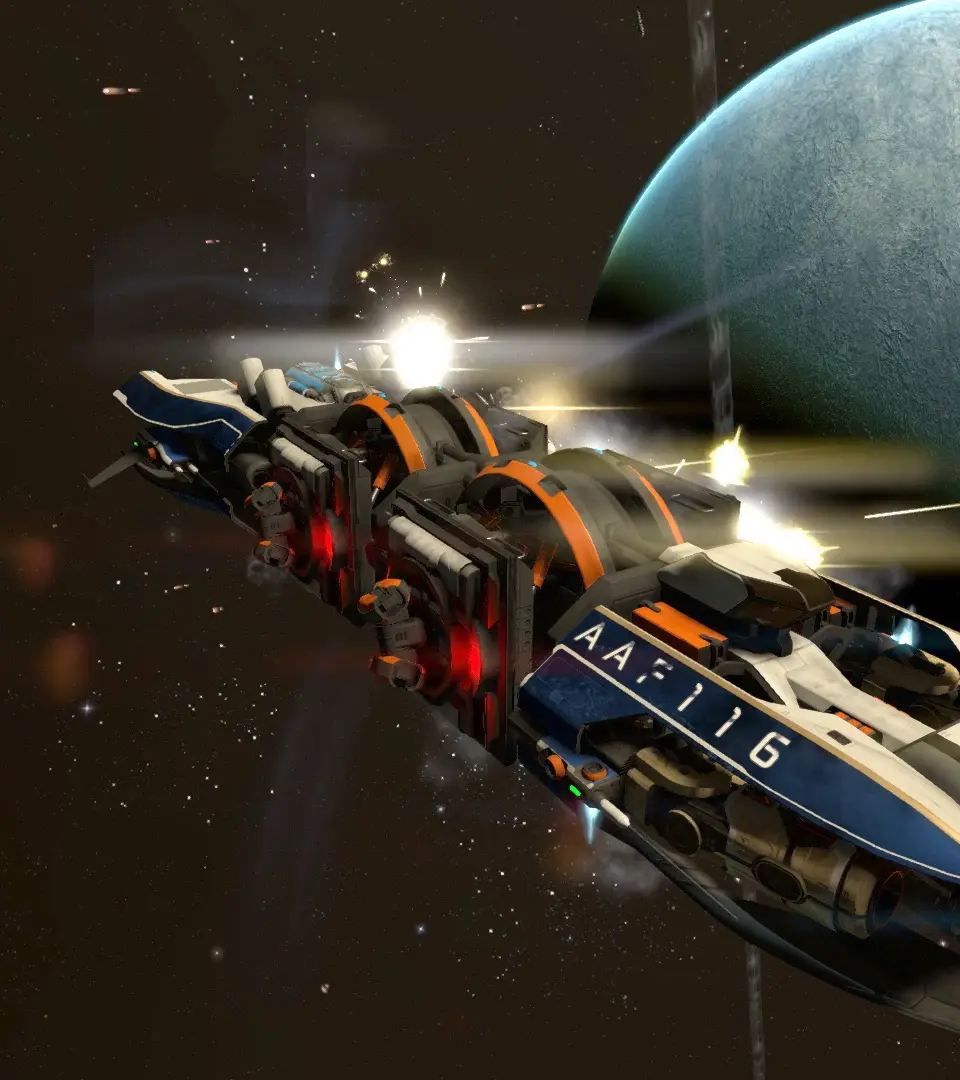
Master X4: Foundations abilities like ship modules and activated station functions. Learn how to use these skills for combat and efficiency.
In X4: Foundations, "Abilities" refer to special functions or skills that your player character, ships, and even stations can perform. These are distinct from pilot skills (which are covered in the "Crew Management" section) and are often activated manually or through specific module installations. Mastering these abilities is crucial for efficiency, combat, and exploration.
Player Character Abilities
Your player character possesses several key abilities that can be activated from the suit or ship cockpit. These are essential for direct interaction with the game world.
- Space Suit EVA:
- Activation: Press 'Shift + D' (default keybind) while in your ship's cockpit to exit into your space suit.
- Uses:
- Repairing Ship Hull: While outside your ship, target damaged sections and use your repair laser (default 'Left Mouse Button'). This is vital for emergency repairs in deep space or after intense combat, especially for larger ships that cannot dock at repair facilities easily.
- Collecting Dropped Items: Approach dropped cargo, mission items, or even rare crafting components and press 'O' (default) to collect them.
- Hacking Data Vaults: Locate Data Vaults (often found near derelict ships or in asteroid fields) and use your suit's hacking module to extract valuable data, blueprints, or credits.
- Deploying Lasertowers/Mines: While in EVA, you can manually deploy Lasertowers or Mines from your inventory by selecting them and pressing 'Enter'.
- Strategy: Always carry a few 'Repair Laser Charges' (purchased from Equipment Docks) in your inventory. For faster repairs on large ships, consider having a few service drones on board, as they can assist with hull repairs.
- Teleportation:
- Activation: Access the 'Player Information' menu ('Enter' -> 'Player Information') and select the 'Teleport' tab.
- Requirements: Requires the 'Teleportation' research to be completed at your player HQ. This research typically requires significant resources like 'Antimatter Cells', 'Quantum Tubes', and 'Advanced Electronics'.
- Uses: Instantly travel between any of your owned ships or stations, regardless of distance. This is an invaluable time-saver for managing your empire, responding to threats, or simply moving your player character to a specific location without flying there manually.
- Strategy: Prioritize Teleportation research early to streamline your empire management. Ensure your destination ship/station has a valid landing pad or docking bay for the teleport to complete successfully.
Ship Abilities
Ships in X4 possess various abilities, some inherent, others granted by installed modules. These are typically activated via the ship's command console or through direct pilot control.
- Travel Drive:
- Activation: Press 'Shift + 1' (default) to engage.
- Uses: Provides rapid sub-light travel within a sector, significantly increasing your speed. Essential for covering large distances between points of interest or escaping combat.
- Strategy: Be mindful of energy consumption; Travel Drive drains your ship's shield energy. Disengage immediately if you detect incoming fire, as your shields will be severely weakened. Upgrading your ship's 'Engine' and 'Shield Generator' modules will improve Travel Drive efficiency and recovery.
- Jump Drive:
- Activation: Requires a 'Jump Drive' module installed on your ship (typically found on larger capital ships). Access the ship's 'Information' menu ('Enter' -> 'Ship Information') and navigate to the 'Jump Drive' tab. Select your destination sector.
- Requirements: Consumes 'Quantum Annihilation Energy Cells' (QAEC) for each jump. The amount consumed depends on the distance and ship size. QAEC can be bought at Equipment Docks or produced at your own Energy Cell factories.
- Uses: Instantly transports your ship to any explored sector in the galaxy. Crucial for rapid deployment of fleets, long-distance trading, or emergency retreats.
- Strategy: Always ensure you have a sufficient supply of QAEC before attempting a jump. Consider setting up automated traders to keep your capital ships stocked with QAEC.
- Docking Computer:
- Activation: Automatically engages when approaching a friendly station or capital ship with a docking bay. Can also be manually initiated via the 'Ship Information' menu.
- Requirements: Requires a 'Docking Computer' module installed on your ship. There are different tiers (Mk1, Mk2, Mk3) offering faster and more precise docking.
- Uses: Automates the docking procedure, guiding your ship safely to an available landing pad or bay.
- Strategy: A high-tier Docking Computer (Mk3) is a quality-of-life upgrade that saves significant time, especially for frequent traders or when managing multiple ships. Purchase from Equipment Docks.
- Mine Laying:
- Activation: Equip 'Mines' in your ship's weapon slots. Target an area or enemy and press the assigned weapon fire button.
- Uses: Deploy explosive devices that detonate upon enemy proximity. Effective for area denial, ambushes, or protecting static positions.
- Strategy: Mines are particularly effective against slow-moving capital ships or when defending choke points. Experiment with different mine types (e.g., 'Proximity Mines', 'EMP Mines') for varied effects.
- Drone Deployment:
- Activation: Access your ship's 'Information' menu ('Enter' -> 'Ship Information') and navigate to the 'Drones' tab. Select the type of drone and click 'Deploy'.
- Requirements: Requires 'Drones' (e.g., 'Combat Drones', 'Service Drones', 'Mining Drones') to be stored in your ship's cargo bay.
- Uses:
- Combat Drones: Assist in combat, providing additional firepower or drawing enemy fire.
- Service Drones: Repair hull damage on your ship or other friendly vessels.
- Mining Drones: Automatically mine asteroids or gas clouds.
- Trader Drones: Facilitate cargo transfers between ships or stations.
- Strategy: Always carry a complement of Service Drones on capital ships for emergency repairs. Combat drones can significantly boost the effectiveness of smaller fighters or provide a distraction for larger ships.
Station Abilities
Stations, while largely automated, also possess "abilities" in the form of modules that provide unique functions or enhance their operations.
- Defence Modules:
- Activation: Automatically engage when enemies are detected within range.
- Requirements: 'Defence Disc' or 'Defence Platform' modules built on your station, equipped with turrets and shields.
- Uses: Protect your station from hostile ships, pirates, and Xenon incursions.
- Strategy: Strategically place defence modules to cover all approach vectors to your station. Equip them with a mix of 'Flak Turrets' for fighters and 'Plasma Turrets' for capital ships. Ensure a steady supply of 'Energy Cells' and 'Weapon Components' for sustained operation.
- Storage Modules:
- Activation: Passive.
- Requirements: 'Container Storage', 'Liquid Storage', or 'Solid Storage' modules built on your station.
- Uses: Store vast quantities of resources and products, essential for production chains and trade.
- Strategy: Build sufficient storage for all inputs and outputs of your factories. Over-provisioning storage can prevent production halts due to full output buffers or empty input buffers.
- Administrative Centre:
- Activation: Passive.
- Requirements: The core module of any station.
- Uses: Provides the central processing unit for the station, allowing for management, trade, and resource allocation. Also dictates the maximum number of modules the station can support.
- Strategy: Upgrade your Administrative Centre (e.g., from Small to Medium to Large) to increase the station's module capacity and overall efficiency.
100% Human-Written. AI Fact-Checked. Community Verified. Learn how AntMag verifies content