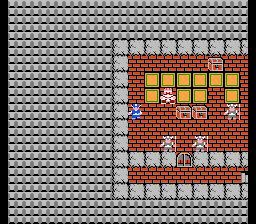
Dragon Quest Main Menu guide covering item use, equipment, status, spells, settings, and saving.
The Main Menu in Dragon Quest provides access to several crucial game functions:
Item List: View and manage all the items you have collected.
Use Item: Select an item from your inventory to use it.
Equip: Equip weapons, armour, shields, or accessories to improve your character's abilities.
Discard: Remove unwanted weapons, armour, shields, or accessories from your inventory.
Status: This screen displays your Hero's current level, HP (health points) and MP (magic points), equipped weapon, armour, shield, accessory, stats, and EXP (experience points) amounts.
Spells: View a list of all the spells your Hero currently knows.
Settings:
- Message Speed: Adjust the speed at which text appears on screen, which also affects battle speed.
- Sound: Control the volume levels for music and SFX (sound effects).
Travellers' Tips: Access helpful information and advice about the game.
Quick Save: Save your game progress at any point outside of battle.
- Regularly check your Status screen to monitor your Hero's progression and ensure you are properly equipped.
- Experiment with different equipment combinations to find the best setup for your playstyle.
- Use the Quick Save feature frequently to avoid losing significant progress.
100% Human-Written. AI Fact-Checked. Community Verified. Learn how AntMag verifies content