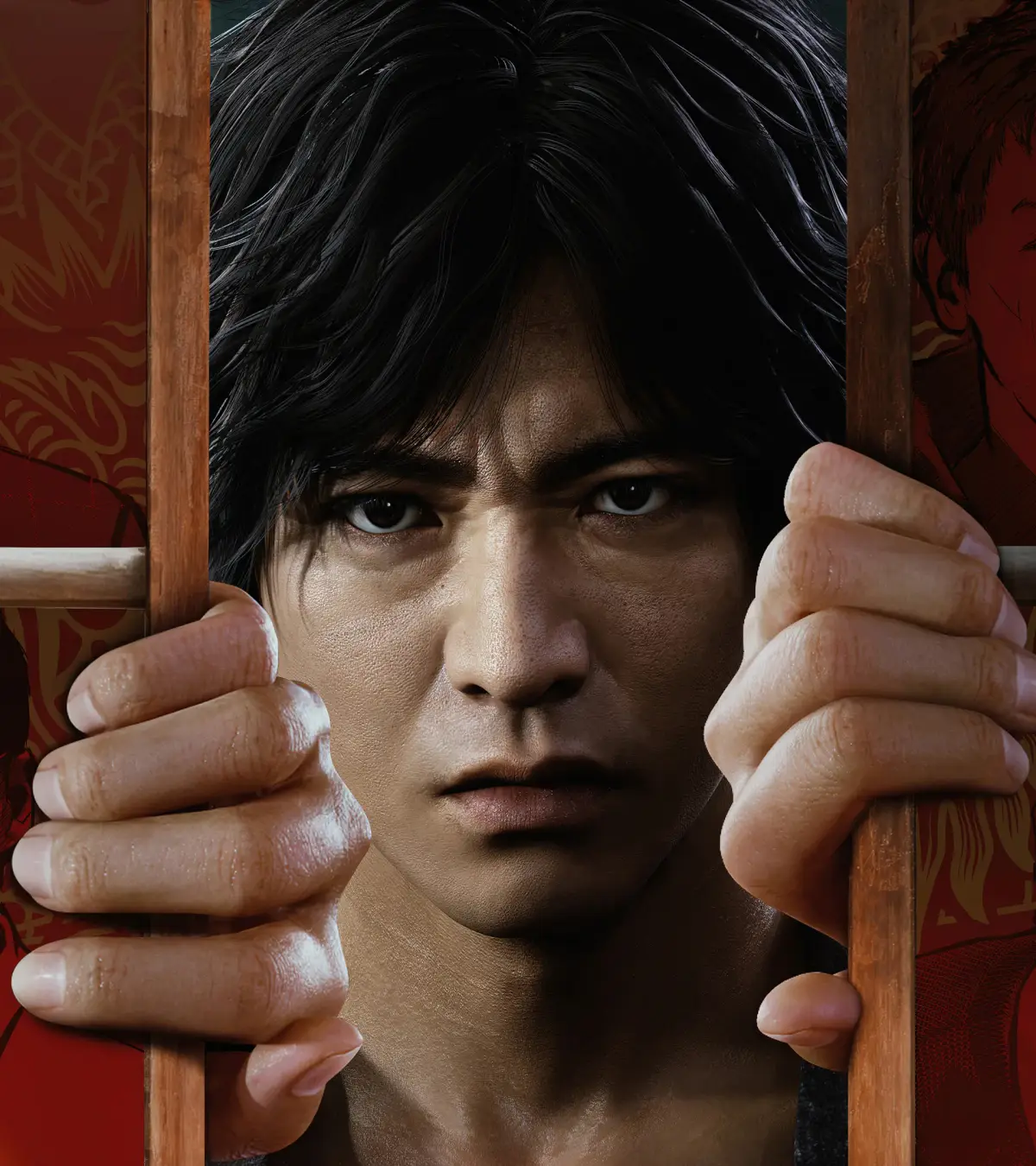
Lost Judgment throws you into the shoes of Yagami, a detective navigating the gritty streets of Kamurocho. You'll be piecing together evidence, tailing suspects, and engaging in intense brawls with street thugs. This action-adventure RPG blends legal drama with satisfying hack-and-slash combat, offering a deep dive into a compelling mystery.
This guide is your comprehensive walkthrough for Yagami's investigation. We'll cover everything from understanding the game's UI and mastering combat to tackling every crucial chapter and side case. Stuck on a tough boss, need help with mini-games, or aiming for all those Steam Achievements? This guide has you covered, ensuring you can solve the case and master all aspects of Yagami's work.
Guide and Walkthrough (PS4) by CyricZ
Lost Judgment walkthrough covering the main story, side cases, school stories, arcade games, and DLC.
- 1Introduction
- 2FAQ
- 3The Basics (Basic Controls, Menus, Hints and Tips)
- 4Exploring Japan (Common Attractions, Kamurocho, Isezaki Ijincho, Important Characters, Glossary of Terms)
- 5Combat and Skills (Basic Combat, Skills and Upgrading)
- 6Main Story Walkthrough (Prologue, Chapter 1: Black Sheep, Chapter 2: Vicious Cycle, Chapter 3: Two Sides of the Same Coin, Chapter 4: Red Knife, Chapter 5: Double Jeopardy, Chapter 6: Converging Heat, Chapter 7: Blindsided, Chapter 8: Phantom of Ijincho, Chapter 9: The Weight of Guilt, Chapter 10: Catch a Tiger, Chapter 11: Undercover, Chapter 12: To Nourish a Viper, Finale: Darkest Before the Dawn)
- 7Side Cases (Buzz Researcher and Keywords, Chapter 3 Side Cases, Chapter 4 Side Cases, Chapter 5 Side Cases, Chapter 6 Side Cases, Chapter 8 Side Cases, Chapter 9 Side Cases, Chapter 10 Side Cases, Finale Side Cases, DLC Cases)
- 8School Stories (Mystery Research Club, Dance Club, Robotics Club, Boxing Gym, Biker Gang, Photography Club, Skaters, eSports Club, Casino, Girls' Bar)
- 9City Exploration (Skill Books, Cats, Detective Dog, Squirrel Search, Girlfriends)
- 10SEGA Master System Games
- 11Arcade Games (Fantasy Zone, Fighting Vipers, Hama of the Dead, Motor Raid, Sonic the Fighters, Space Harrier, Super Hang-On, UFO Catcher, Virtua Fighter 5 FS)
- 12Gambling Games (Blackjack, Koi-koi, Oicho-kabu, Poker)
- 13Minigames (Aircelios, Batting Center, Darts, Dice & Cube, Drone Racing, Golf Center, Mahjong, Puzzle Shogi, Shogi)
- 14Items (Recovery, Gear and Accessories, Materials/Other, Gambling Cheat Items, Extracts)
- 15Completion (TownGo, The Gauntlet, DLC, Premium Adventure and New Game Plus, Trophies/Achievements)
- 16The Kaito Files (DLC) (Gameplay & Combat, Upgrading Kaito, Chapter 1: What Goes Around, Chapter 2: Like Father, Like Son, Chapter 3: Out for Blood, Chapter 4: Cat & Mouse, Kaito Items, Kaito Collectibles, Kaito's Final Challenge)
- 17Standard Guide Stuff
Menus
Navigate the Title, Pause, and Settings menus in Lost Judgment. Access DLC, review cases, and customize your experience.
Title Menu Options:
- New Game: Start a new adventure, selecting your difficulty.
- Continue: Load a previously saved game.
- The Kaito Files: Access this story (DLC) if downloaded.
- The Gauntlet: Play unlocked special challenges that provide rewards for the main story.
- Premium Adventure: Available after completing the game, allowing post-game (free roam (the open-world mode where you move and play without an active mission)) with clear data.
- Two Player Vs. Minigames: Play Virtua Fighter 5, Fighting Vipers, or Sonic The Fighters against a friend.
- Game Settings: Access the Settings menu.
- Replay: Review previously seen (cutscenes).
- License Information: View the game's EULA.
- Downloadable Content: Access your console's store page for more content.
- Additional Credits: View staff credits added with (DLC).
Pause Menu Options:
Press the Pause button at any time outside of a (cutscene (a non-interactive cinematic the game plays automatically)) to access the Pause Menu, displaying your bankroll and various options.
- Tasks: View your next main storyline tasks and active side cases.
- Items: Access your inventory, separated into Recovery, Recipes, Food/Drink, Valuables, Disguises, and Gear. Each item has a carrying limit (e.g., only three Toughness Zs). Assign usable items to a (Shortcut) here.
- Skills: Access the Skills screen to apply earned SP for stat improvements and new abilities.
- Case File: Review your history, including all cases, progress, and completed side cases.
- School Stories: Review progress on ongoing teen dramas.
- TownGo: Track completion metrics throughout the game to earn SP.
- Camera: Access your phone's camera to take pictures.
- Taxi: Call a taxi to travel to any (Taxi) stop.
- Messages: View incoming texts. A number indicates unread messages or contacts available to message.
- Gadgets: Access detective (gadgets).
- Drone: Deploy and fly your (drone).
- Drone Settings: Customize (drone) parts, check race records, or change control settings.
- Noise Amp: Deploy the (Noise Amplifier) in special locations to detect sounds.
- Detector: Deploy the (Detector) to find electrical signals in specific circumstances.
- Detective Dog: Summon Ranpo the (detective dog) on the streets; he will pull you along if he picks up a scent.
- Check Requests: Review cases available on bulletin boards. Cases must be accepted at the boards; this app is for review only.
- Buzz Researcher: Track social media keywords to find Side Cases.
- Save: Manually save your game anywhere outside of combat.
- Help: Access game tips, including how to perform (EX Actions).
- Settings: Access the Settings menu.
Settings Menu Options:
Accessible from the Main Menu or Pause Menu.
- Game Settings
- Autosave: If on, the game saves automatically. If off, you MUST manually save.
- Difficulty: Adjust game difficulty while in-game.
- Action Assist: Available on Simple and Easy difficulties. The Light Attack button performs most combo actions in battle.
- Always Sprint in Battle: If on, you will sprint using the Left Stick in battle. Off by default.
- Vibration: Enable or disable controller vibration.
- Camera Control: Adjust Vertical, Horizontal, and First-Person camera settings. 'Normal' follows Right Stick tilt; 'Inverted' reverses it.
- Camera Movement Speed: Adjust how fast the camera moves.
- Minimap (the small circular map in the bottom-left corner of your screen) Display: Toggle the (minimap) on or off.
- Minimap Orientation: 'Fixed' keeps the map's north at the screen's top. 'Rotating' aligns the map's top with the camera's facing direction.
- Subtitles: Turn off subtitles for major (cutscenes). Ensure you understand the spoken language.
- Blood Level: Set to 'Reduced' to minimize blood splatter in regular fights; (cutscenes) retain normal blood levels.
- Audio Settings
- Headphone Volume: Adjust headphone volume if plugged in. Ensure your console is set up for headphones.
- Controller Speaker: If on, phone-related sounds play from the controller speaker instead of the TV.
- Controller Volume: Adjust the controller speaker volume.
- Speaker Type: Select Stereo or Surround sound setup.
- Front/Back: Adjust front and back speaker balance.
Guide and Walkthrough (PS4) by CyricZ (2)
Navigate the twists and turns of Lost Judgment's main story with this comprehensive PS4 walkthrough. Find all missions, key events, and crucial decisions.
This guide covers the main story of Lost Judgment on PS4, detailing every chapter from the Prologue to the Finale. It's designed to help you through the game's narrative progression.
- 1Prologue
- 2Chapter 1: Black Sheep
- 3Chapter 2: Vicious Cycle
- 4Chapter 3: Two Sides of the Same Coin
- 5Chapter 4: Red Knife
- 6Chapter 5: Double Jeopardy
- 7Chapter 6: Converging Heat
- 8Chapter 7: Blindsided
- 9Chapter 8: Phantom of Ijincho
- 10Chapter 9: The Weight of Guilt
- 11Chapter 10: Catch a Tiger
- 12Chapter 11: Undercover
- 13Chapter 12: To Nourish a Viper
- 14Finale: Darkest Before the Dawn
- Refer to the Table of Contents for specific section details.
- This walkthrough focuses on the main story path. Side Cases and other activities are covered in separate sections.
Basic Controls
Learn the essential controls for exploration, menus, and combat in Lost Judgment. Master movement, camera, attacks, and more to navigate Kamurocho like a pro.
Hey there! Lost Judgment throws a lot at you, but getting a handle on the basic controls is the first step to becoming a legal ace and a street-fighting legend. Don't worry, it's pretty straightforward, and most of it you can tweak later in the Options menu under "Button Configuration." Let's break down what you'll be doing most often.
Exploration Controls
When you're out and about in Kamurocho, you'll use these to get around and interact with the world:
| PlayStation | Xbox | Control |
| Left Stick | Left Stick | Move your character |
| Right Stick | Right Stick | Move the camera |
| X / A | A / X | Interact Hold down to sprint |
| R2 / RT | RT / R2 | Hold down to sprint |
| L2 / LT | LT / L2 | Hold down to walk |
| O / B | B / Circle | Center camera behind you |
| R1 / RB | R1 / RB | Enter first-person "Observation" mode |
| L1 / LB | L1 / LB | Enlarge/Minimize Minimap |
| Touchpad / View Button | Select / Share Button | View map |
| Options / Menu Button | Options / Menu Button | Enter Pause Menu |
| D-Pad Up | D-Pad Up | Use item assigned to shortcut |
| D-Pad Down | D-Pad Down | Read notification on phone |
Menu Controls
Navigating menus is key for managing your cases, gear, and skills. Here's the rundown:
| PlayStation | Xbox | Control |
| Left Stick / D-Pad | Left Stick / D-Pad | Move cursor |
| X / A | A / X | Confirm Use on Items screen |
| O / B | B / Circle | Cancel/Exit |
| Square / Y | Y / Square | Discard on Items screen |
| R1 / RB | R1 / RB | Used in some menus to toggle screens |
| L1 / LB | L1 / LB | Exit Menu |
Combat Controls (typical)
When things get heated, you'll rely on these to defend yourself and dish out some pain. Note that some actions might change slightly depending on your fighting style.
| PlayStation | Xbox | Control |
| Left Stick | Left Stick | Move your character |
| Right Stick | Right Stick | Move the camera |
| Square / Y | Y / Square | Light Attack Rush Combo |
| Triangle / X | X / Triangle | Heavy Attack Finishing Blow EX Action |
| X / A | A / X | Hold down to sprint Quickstep (while holding Fighting Stance button) |
| R2 / RT | RT / R2 | Grab Enemy or Weapon Throw Enemy or Weapon |
| L2 / LT | LT / L2 | Guard |
| R1 / RB | R1 / RB | Fighting Stance |
| O / B | B / Circle | Center Camera Hold to negate EX Actions |
| L1 / LB | L1 / LB | EX Boost Mode |
| D-Pad Left | D-Pad Left | Switch fighting style |
| D-Pad Up | D-Pad Up | Use item assigned to shortcut |
| D-Pad Down | D-Pad Down | Taunt |
| Options / Menu Button | Options / Menu Button | Enter Pause Menu |
Don't worry if combat feels a bit overwhelming at first. The game does a great job of introducing more advanced techniques as you progress, and there's a whole section dedicated to "Basic Combat" if you need a deeper dive. Stick with it, and you'll be stringing together combos like a pro in no time!
Similar guides you might like




100% Human-Written. AI Fact-Checked. Community Verified. Learn how AntMag verifies content