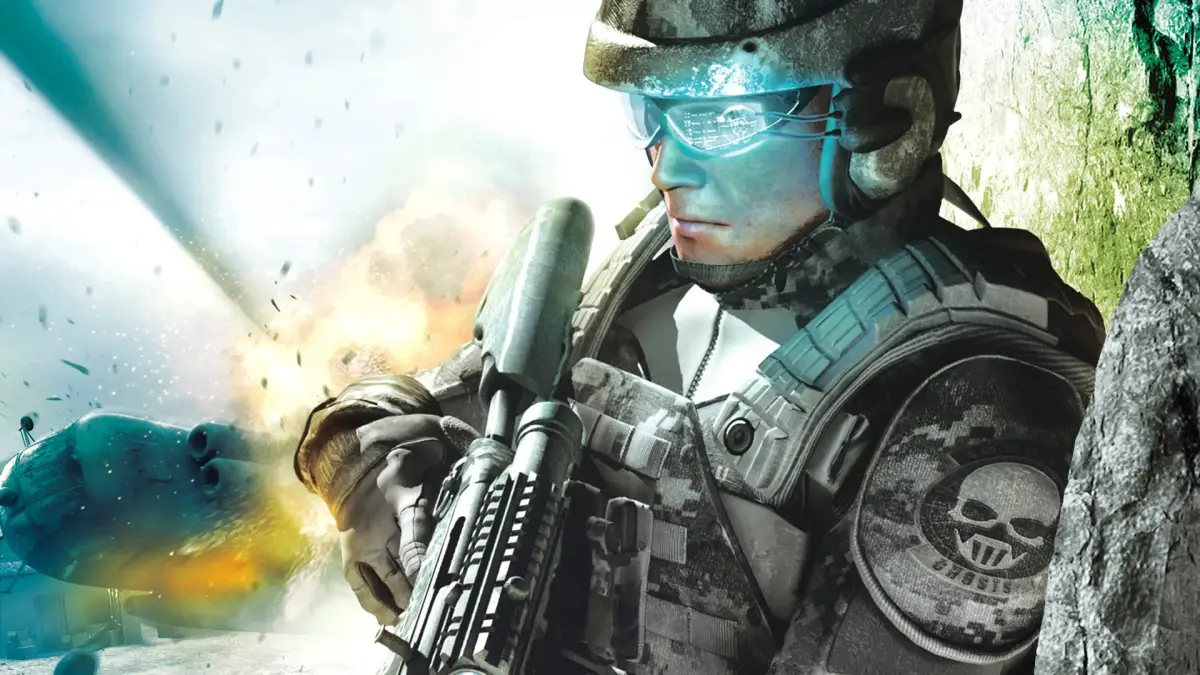
Welcome to Tom Clancy's Ghost Recon Advanced Warfighter 2, a tactical shooter where you command an elite squad of Ghosts. You'll be navigating challenging missions, utilizing strategic planning, and mastering elite combat as you defend against enemy forces in a near-future setting. Expect intense firefights and the need for precise execution to succeed.
This guide is here to help you conquer every objective and master every tactical advantage. We'll cover everything from weapon specifics to navigating the toughest missions, ensuring you can become the ultimate Ghost operative across all platforms. Whether you're aiming for a Gold Medal or just trying to get through a tough spot, we've got your back.
XBox 360
Tom Clancy's Ghost Recon Advanced Warfighter 2 Xbox 360 controls: Learn how to use team commands, change weapons, take cover, and access the minimap.
- 1A Button: Use for team moves.
- 2X Button: Reload your weapon. Hold for weapon options like Rate of Fire (ROF) and silencer, and to activate the laser sight.
- 3B Button: Throw a grenade.
- 4Y Button: Change your primary weapon. Hold to switch to your pistol or to change your grenade type.
- 5RB Button: Change your vision mode. Hold to access the menu.
- 6LB Button: Tag terrorists. Hold to sprint.
- 7RT Button: Fire your weapon.
- 8LT Button: Take cover (press the cover button to crouch behind walls or objects).
- 9RS Button: Look around. Click to zoom in.
- 10LS Button: Move your character. Click to crouch. Click while on a rope to turn upside down.
- 11DPAD: Issue team orders.
- 12START Button: Access the pause menu.
- 13BACK Button: Change Rules of Engagement (ROE). Hold to display the mini map (minimap (the small circular map in the bottom-left corner of your screen)).
- Holding the X button allows you to fine-tune your weapon's performance and add tactical advantages like a silencer or laser sight.
- Use the LB button to sprint when you need to quickly reposition or flank enemies.
- The BACK button is essential for tactical awareness; holding it reveals the minimap (minimap), showing enemy positions and objectives.
- Mastering the DPAD for team orders is crucial for coordinating attacks and defensive maneuvers.
- Remember to use LT to take cover (cover) when under heavy fire to minimize damage.
PS3
Learn the PS3 controls for Tom Clancy's Ghost Recon Advanced Warfighter 2. Master button functions, team commands, and combat options to dominate the battlefield.
Alright, let's get you squared away with the PS3 controls for Tom Clancy's Ghost Recon Advanced Warfighter 2. Knowing these buttons inside and out is key to surviving out there. Think of this as your quick-reference cheat sheet so you don't get caught fumbling when the action heats up.
First off, hit the START button to pause the game. This is your lifeline – it's where you'll find the options menu, including a detailed control breakdown. Don't skip this! You need to know your Rules of Engagement (ROE), Rate of Fire (ROF), and how to command your squad. The section above this in the guide covers it for 360, but the PS3 layout is what we're focusing on here.
Here's the rundown for your DualShock 3 controller:
- SELECT: This button is crucial for checking your objectives and adjusting your ROE on the fly. Keep an eye on it!
- RIGHT STICK: Use this for zooming in on targets. Essential for picking off enemies from a distance.
- LEFT STICK: This is your crouch button. Staying low makes you a harder target and can help you sneak around.
- SQUARE: Your reload button. Hold it down to bring up a special options menu, like going silent. Handy for stealthy approaches.
- TRIANGLE: Switches your primary and secondary weapons. Hold it down to cycle through your grenades.
- X BUTTON: This is your command button for interacting with the environment, like climbing, and more importantly, issuing commands to your team.
- CIRCLE: Toss those grenades! Know when to use frag or flashbangs.
- D-PAD: Your go-to for detailed team commands. You'll be telling your squad where to go and what to do a lot.
- R1: Fire your weapon. Simple, but vital.
- L1: Take cover. This is your best friend when you're taking heavy fire.
- L2: Sprint! Use this to quickly move between cover or close the distance on enemies.
- R2: Switches your vision modes – thermal and night vision. Absolutely critical for spotting enemies in low visibility conditions.
Beyond just the buttons, remember these starter tips:
- Options Matter: Not every room has just one way in. Look for alternate approaches like skylights for rappelling, windows for shooting through, or different breach options (flash, frag, breach) for doors. Get creative!
- Let Your Teammates Go First: You've got two squadmates, and they're often better suited to checking out the unknown. Send them ahead, especially if you're unsure what's around the corner. Even if you think it's clear, let them scout.
- Cover is King: Seriously, use cover. Stay behind it as much as possible, pop out to shoot, and then get back to safety. If you're under fire, find cover immediately. The new sprint button makes repositioning much easier.
- Level Up with ACES: The ACES system is like an RPG leveling system. As you progress, you'll gain new abilities and items. Focus on the type of combat you prefer – if you're good at long-range, your Marksman rank will climb. Assault and Close Quarters take more effort but offer their own rewards. Getting higher ranks unlocks new gear, so tailor your unlocks to your playstyle.
- Mix and Match Your Loadout: Experiment with the guns and attachments you unlock. You can slap scopes on almost any weapon. You can also change your armor, but be mindful of how protection affects your mobility. Find that balance that works for you.
When you're ready to jump into the action, start a single-player campaign on normal difficulty after creating your character. Have fun out there, operative!
Act 1 - Scene 1: Negotiations ( A1S1NEG )
Follow the Negotiations walkthrough for Tom Clancy's Ghost Recon Advanced Warfighter 2 Act 1 Scene 1. Learn how to use team commands and change weapons.
- 1Walk to the room and speak with your allies.
- 2Proceed through the doorway to the catwalk.
- 3Move towards the next doorway, stop, wait for your weapon to appear, and take cover (use available environmental objects for protection) by the door.
- 4Peek inside, lean out, and aim for a headshot (a shot that lands on the enemy's head, usually an instant kill) (a shot to the enemy's head, usually resulting in an instant kill).
- 5Tell your two new allies to regroup and enter the room.
- 6Go up the stairs and use the snake cam (a deployable camera that allows you to see through doors) on the door.
- 7Tag both enemies (mark them for your team to target) and press up on the D-pad to send your team in; they should eliminate both enemies.
- 8Look out the window on the left to see Alpha Team breach, then descend the steps on the other side of the room.
- 9Follow the path out a door and take cover on the corner of the wall.
- 10Quickly eliminate the two enemies in plain sight, followed by two more that will appear; using your team is optional.
- 11Hop over the gate and proceed up the path.
- 12When you reach a door, go around the back to find another door.
- 13Position your team on this door, use the snake cam, tag the enemies, and send your team in; you can assist, but be cautious not to hit your own teammates unless entering from the other door.
- 14Inside, you will find shields, but they are not recommended.
- 15Go through the door and into the hallway, where you will hear more chatter.
- 16Stack your team on the door to the right and snake the door.
- 17Go to the window on the left side of the room and begin firing.
- 18Send your team in with a frag or flash grenade (you can change Rules of Engagement settings by pressing a specific button). Alternatively, send them in first and attack second.
- 19Afterward, ascend the stairs, open the door, and eliminate one enemy on the other side (snake the door first if necessary).
- 20Take cover at the corner.
- 21Hold the reload button to change the rate of fire, switch to a single-shot burst, and attempt to kill the distant enemy, or use your teammates for assistance.
- 22You can switch guns to use the scope on the Commando rifle.
- 23Position your team on the rappel hooks on the railing and then get on yourself.
- 24Use the commands to send them down and let them breach first; follow them after the initial action.
- 25Enter the hallway and proceed to the three doors leading into the next room.
- 26Go around to the right and position your team on the door. You can send them in directly, or go to the opposite side, snake the door, tag the two enemies in the computer area, send your team in, and then enter from that door yourself; your team can handle this independently.
- 27On the walkway, use the rappel lines to ascend.
- 28At the top, proceed to the concrete block on the corner and take cover behind it.
- 29Peek around the corner to eliminate the two guards, potentially with headshots.
- 30Go through the next door and use your night vision (a mode that enhances visibility in low light) up a staircase.
- 31At the door with the bomb, turn off night vision.
- 32Have your team disarm the bomb.
- 33Inside, you will witness a cutscene (a non-interactive cinematic the game plays automatically) (an in-game cinematic event). Be ready when you regain control.
- 34Shoot any enemies who are not hostages.
- 35Set your team to attack mode (change Rules of Engagement).
- 36Crouch and proceed around the corner and down the path to find small steps leading to the ground floor.
- 37You can send your team down, accompany them, or remain elevated and eliminate enemies.
- 38The room is clear when you hear chatter, and you can check your radar (your minimap with nearby blips and threats marked) (a display showing nearby enemies and allies) by pressing up on the D-pad.
- 39Once the area is clear and enemies stop appearing, go downstairs and through the doors to find an ammo crate.
- 40At the green ammo crate, you can change weapons, ammunition, and clothing. Consider swapping the Commando for the Scout sniper rifle or another preferred weapon. You can also adjust armor and mobility settings, or prioritize armor.
- 41When finished, quickly send your team through the doorway and follow them.
- Keep an eye on the lower left corner of the screen for commands corresponding to D-pad buttons, especially when your team is interacting with doors or performing other actions.
- The 'send team' button (A on Xbox 360, X on PS3) is crucial for advancing your teammates ahead of you.
- When engaging enemies through doors, using the snake cam and tagging them before sending your team in can be highly effective.
- Consider switching to a single-shot burst fire mode with the scope on the Commando rifle for long-range engagements.
- You can change your Rules of Engagement settings to utilize frag or flash grenades effectively.
- At the ammo crate, you can customize your loadout, including weapons, armor, and mobility, to suit your playstyle.
Act 1 - Scene 2: Ambush ( A1S2AMB )
Complete the Ambush mission in Tom Clancy's Ghost Recon Advanced Warfighter 2. Learn enemy positions and how to clear the building.
Walkthrough:
- Take cover (use of nearby objects to shield yourself from enemy fire) behind a concrete block and eliminate the visible enemy.
- Send your team to the steps leading down to the tower, ensuring they are covered from enemies on the right.
- Move to the corner of the wall next to the metal tiles and use your sniper rifle to target an enemy positioned high up.
- Scan the open area between the two buildings for more enemies.
- Once the exterior seems clear, rally your team and proceed right to enter the building.
- Warning: Be aware of an enemy likely in the stairway; have your team enter first.
- Stay on the ground level and move to the door down the hallway. Do not go up the stairs.
- Assign your team to the door,
Similar guides you might like

![Under Night In-Birth Exe:Late[cl-r]](/images/covers/under-night-in-birth-exe-late-cl-r.webp)

100% Human-Written. AI Fact-Checked. Community Verified. Learn how AntMag verifies content