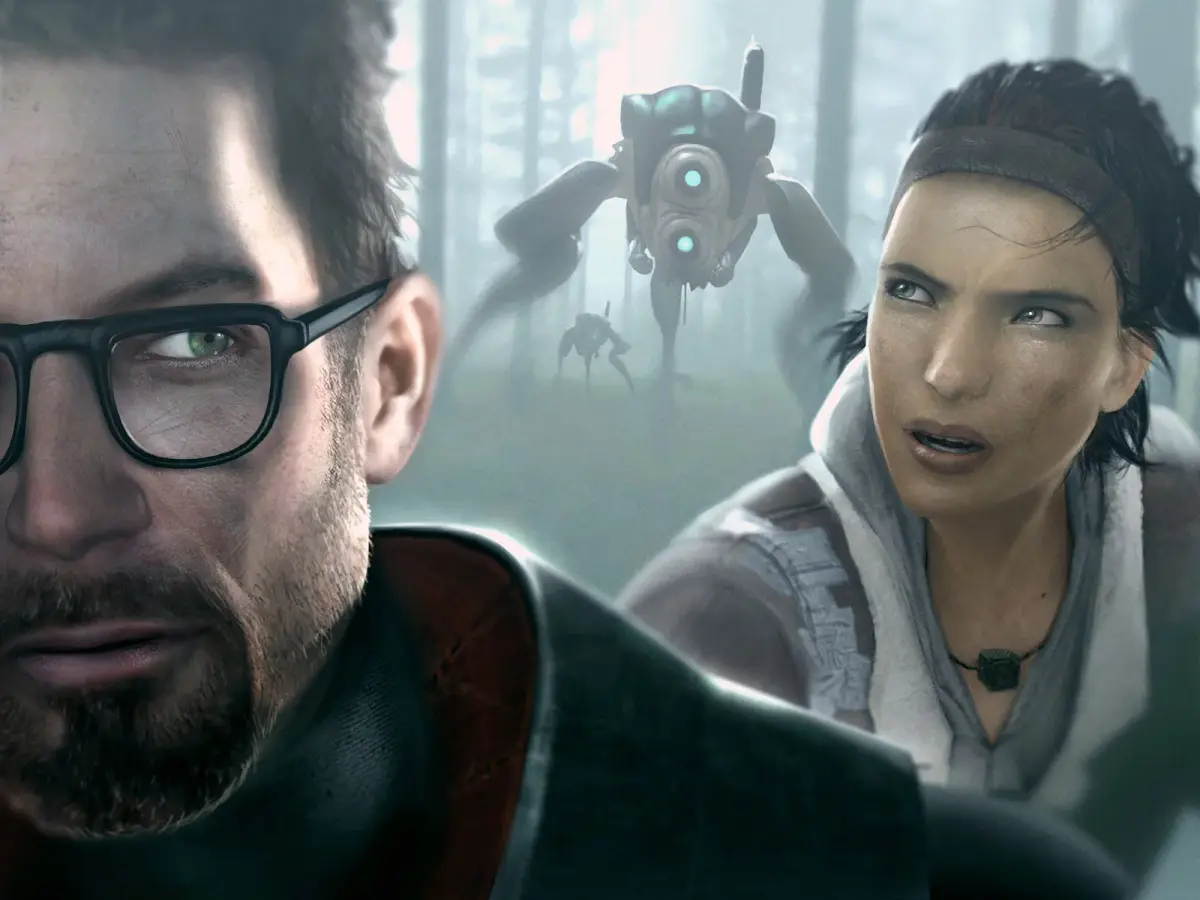
Picking up right after the Citadel’s collapse, Half-Life 2: Episode Two throws you and Alyx Vance into a desperate race against the Combine. They've opened a portal, and reinforcements are coming. You'll be using your trusty gravity gun and a host of physics-based objects as impromptu ammunition to fight your way through this action-packed first-person shooter. It’s a direct continuation of Gordon Freeman’s story, focusing on intense combat and environmental puzzles.
This guide is here to help you navigate the challenges of Episode Two. We'll cover everything from locating all the hidden Antlion eggs to mastering the tougher combat encounters, ensuring you don't miss any crucial story beats or collectibles as you progress through the game's linear campaign.
System Requirements (PC/Linux/macOS)
Check the PC, Linux, and macOS system requirements for Half-Life 2: Episode Two, ensuring your hardware can handle its physics and environments.
To run Half-Life 2: Episode Two on your PC, Linux, or macOS system, ensure your hardware meets the following minimum and recommended specifications. These requirements are crucial for a smooth and enjoyable gameplay experience, especially when dealing with the game's physics and detailed environments.
Minimum System Requirements:
- Operating System: Windows 7 / Vista / XP
- Processor: 1.7 GHz Processor or better
- Memory: 512 MB RAM
- Graphics: DirectX 8.1 level Graphics Card (Pentium 4 2.4GHz or equivalent)
- Hard Drive: 7 GB of available space
- Sound: DirectX 9.0c compatible sound card
- Note: For Linux and macOS, ensure you have Steam installed and the game purchased through the Steam platform. Compatibility may vary based on specific distribution and hardware configurations.
Recommended System Requirements:
- Operating System: Windows 7 / Vista / XP
- Processor: Intel core 2 duo or equivalent
- Memory: 1 GB RAM or more
- Graphics: DirectX 9 compatible Graphics Card, Shader Model 3.0 support (NVIDIA GeForce 7600, ATI Radeon X1600, or better)
- Hard Drive: 7 GB of available space
- Sound: Creative Sound Blaster X-Fi
Meeting these requirements will allow you to experience Episode Two with higher graphical settings and smoother frame rates, particularly important for the action-heavy sequences and detailed environments of White Forest and the surrounding areas.
Controller Layouts (Xbox 360)
Explore the default Xbox 360 controller layout for Half-Life 2: Episode Two. Learn the button mappings for movement, combat, and interaction to master your gameplay experience.
This guide details the default Xbox 360 controller layout for Half-Life 2: Episode Two. Understanding these controls is crucial for navigating the game's environments and engaging in combat effectively.
| Action | Button |
|---|---|
| Move Forward/Backward | Left Analog Stick Up/Down |
| Strafe Left/Right | Left Analog Stick Left/Right |
| Look Around | Right Analog Stick |
| Jump | A Button |
| Crouch | B Button |
| Reload / Use | X Button |
| Primary Fire | Right Trigger |
| Secondary Fire / Aim Down Sights | Left Trigger |
| Melee Attack | Right Stick Click |
| Use Gravity Gun | Left Bumper |
| Flashlight | Y Button |
| Weapon Select (Next/Previous) | D-Pad Up/Down |
| Weapon Select (Specific Slot) | D-Pad Left/Right |
| Interact / Pick Up | Right Bumper |
| Pause Menu | Start Button |
| Scoreboard / Player List | Back Button |
Graphics Settings Optimization
Learn how to optimize graphics settings for Half-Life 2: Episode Two to achieve the best performance and visual quality. This guide covers key settings for smoother gameplay.
This article is not a walkthrough, but a plot summary.
Gameplay tactics, trivia and walkthrough information should not be included, unless they are related to the plot; instead add it to its respective chapter article.
This article contains spoilers. Read at your own risk!
The following is a Work in Progress as it is in the middle of an expansion or major revamping.
You are welcome to assist in its construction by editing it as well. However, do not make major changes before consulting the community, since the related editors probably set up guidelines for the page construction.
This article has yet to be cleaned up to a higher standard of quality.
You can help by correcting spelling and grammar, removing factual errors, rewriting sections to ensure they are clear and concise, and moving some elements when appropriate. Visit our Cleanup Project for more details and, please, notify the administrators before removing this template.
This article describes the Half-Life 2: Episode Two storyline, chapter by chapter.
Continuing the plot of Half-Life 2 and Episode One, Episode Two consists of seven chapters telling the story of Gordon Freeman and Alyx Vance's journey through the Outlands to a large Resistance base named after the forest. After the destruction of the Citadel, the Combine are working to open a massive superportal to call for reinforcements. Combine Advisor pods have been scattered throughout the region. The destruction of the Citadel, as explained by Dr. Kleiner's broadcast in Episode One, has inflicted a portal and communications blackout on Earth-stationed Combine forces, leaving them isolated and disorganized. A crucial part of the plot is the transmission packet which the Combine sacrificed the Citadel to send, a copy of which Alyx and Gordon stole before making their escape. It contains information relating to the location of the Combine Overworld and allows the creation of the superportal to be controlled from the "other side". This information has to be delivered to White Forest so that the Resistance can use it to shut down the superportal and prevent an even greater Combine invasion.
This game is directly followed by the events in the final chapter and post-credits scene of Half-Life: Alyx.
Contents
- Chapter 1: To the White Forest
- Trivia
- Chapter 2: This Vortal Coil
- Trivia
- Chapter 3: Freeman Pontifex
- Trivia
- Chapter 4: Riding Shotgun
- Trivia
- Chapter 5: Under the Radar
- Trivia
- Chapter 6: Our Mutual Fiend
- Trivia
- Chapter 7: T-Minus One
- Trivia
Chapter 1: To the White Forest
The opening chapter picks up where Episode One left off. The Citadel Core
Keyboard & Mouse Controls
Master the controls for Half-Life 2: Episode Two. This guide details all keyboard and mouse actions to help you navigate the game effectively and dominate the Combine.
This guide covers the keyboard and mouse controls for Half-Life 2: Episode Two. Understanding these controls is essential for navigating the game world and interacting with its mechanics.
| Action | Key/Button |
|---|---|
| Move Forward | W |
| Move Backward | S |
| Strafe Left | A |
| Strafe Right | D |
| Jump | Spacebar |
| Crouch | Ctrl |
| Walk | Shift |
| Use/Interact | E |
| Reload Weapon | R |
| Primary Fire | Left Mouse Button |
| Secondary Fire | Right Mouse Button |
| Fire Weapon (Hold) | Left Mouse Button (Hold) |
| Melee Attack | Mouse Button 3 (Middle Mouse Button) |
| Weapon 1 | 1 |
| Weapon 2 | 2 |
| Weapon 3 | 3 |
| Weapon 4 | 4 |
| Weapon 5 | 5 |
| Weapon 6 | 6 |
| Weapon 7 | 7 |
| Weapon 8 | 8 |
| Weapon 9 | 9 |
| Weapon 10 | 0 |
| Previous Weapon | Mouse Wheel Down |
| Next Weapon | Mouse Wheel Up |
| Flashlight | F |
| Use Tool (Gravity Gun) | Left Mouse Button |
| Fire Alt-Fire (Gravity Gun) | Right Mouse Button |
| Throw Object (Gravity Gun) | Left Mouse Button (Hold) |
| Open Console | ~ (Tilde) |
| Pause Game | Esc |
| Screenshot | F12 |
| Quick Save | F5 |
| Quick Load | F8 |
100% Human-Written. AI Fact-Checked. Community Verified. Learn how AntMag verifies content