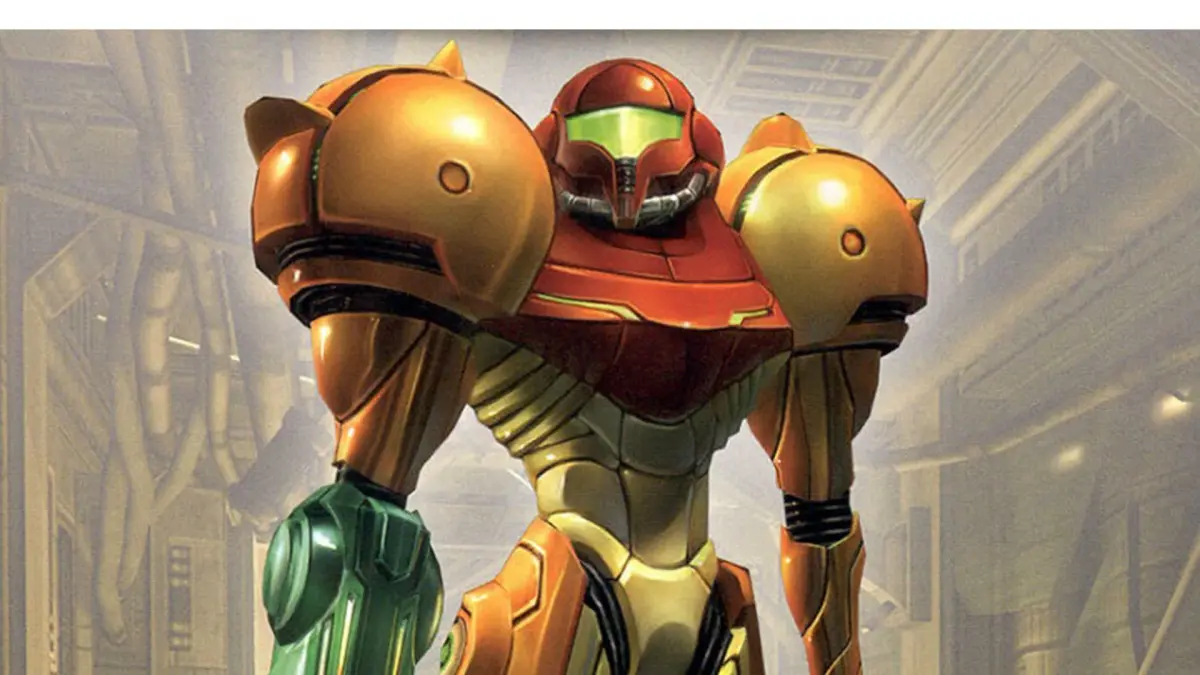
Explore Metroid Prime Remastered's control schemes: Dual Sticks, Pointer, Hybrid, and Classic. Learn button mappings, fine-tuning options, and gyro aiming for optimal gameplay.
Metroid Prime Remastered offers multiple control schemes to suit your playstyle, from modern FPS layouts to classic GameCube controls. Each scheme can be further customized with a wealth of fine-tuning options. Here's a breakdown of the available control types and their mappings:
Control Schemes:
- Dual Sticks: Modern FPS style with left stick for movement and right stick for aiming. Shoulder buttons handle shooting.
- Pointer: Mimics the Wii controls, using gyro aiming with the right Joy-Con for aiming and turning.
- Hybrid: Combines Classic and Pointer styles, offering Classic controls with optional gyro aiming when holding ZR.
- Classic: A faithful remapping of the original GameCube controls onto the Switch controller.
Below are the detailed button mappings for each scheme during standard gameplay and when in Morph Ball mode. Additionally, explore the fine-tuning options available to further customize your experience.
Standard Controls
| Action | Dual Sticks | Pointer | Hybrid | Classic |
|---|---|---|---|---|
| Movement | Up/Down: Walk forwards/backwards Left/Right: Strafe left/right |
Up/Down: Walk forwards/backwards Left/Right: Turn left/right |
Up/Down: Walk forwards/backwards Left/Right: Turn left/right |
Up/Down: Walk forwards/backwards Left/Right: Turn left/right Aim while ZR/R is held |
| Aiming | Up/Down: Look down/up Left/Right: Turn left/right |
Up: Power Beam Left: Plasma Beam Right: Wave Beam Down: Ice Beam |
Up: Power Beam Left: Plasma Beam Right: Wave Beam Down: Ice Beam |
Up: Power Beam Left: Plasma Beam Right: Wave Beam Down: Ice Beam |
| Jump / Dodge | Jump Dodge while Lock-On |
Jump Dodge while Lock-On |
Jump Dodge while Lock-On |
Jump Dodge while Lock-On |
| Morph Ball | Enter Morph Ball Mode | Enter Morph Ball Mode | Enter Morph Ball Mode | Enter Morph Ball Mode |
| Shoot Beam | Shoot Beam Hold for Charge Beam |
Shoot Beam Hold for Charge Beam |
Shoot Beam Hold for Charge Beam |
Shoot Beam Hold for Charge Beam |
| Missile | Hold to Toggle Beam select on D-Pad | Fire Missile | Fire Missile | Fire Missile |
| Lock-On / Grapple / Scan | Lock-On Grapple Beam Scan with Scan Visor |
Lock-On Grapple Beam Scan with Scan Visor |
Lock-On Grapple Beam Scan with Scan Visor |
Lock-On Grapple Beam Scan with Scan Visor |
| Secondary Aiming Control | Shoot Beam Hold for Charge Beam |
Reset Gyro Aiming | Hold to Enable Gyro Aiming | Hold for Aiming Mode |
| Additional Actions | Jump Dodge while Lock-On |
Fire Missile | Reset Gyro Aiming | Hold to Enable Gyro Aiming |
| Visor Switching | Combat Visor (Hold X) Power Beam |
Combat Visor | Combat Visor | Combat Visor |
| Visor Switching | Scan Visor (Hold X) Wave Beam |
Scan Visor | Scan Visor | X-Ray Visor |
| Visor Switching | X-Ray Visor (Hold X) Plasma Beam |
X-Ray Visor | X-Ray Visor | Scan Visor |
| Visor Switching | Thermal Visor (Hold X) Ice Beam |
Thermal Visor | Thermal Visor | Thermal Visor |
| Map | Map Screen | Map Screen | Map Screen | Map Screen |
| Pause | Pause Menu | Pause Menu | Pause Menu | Pause Menu |
| Gyro Aiming | N/A | Aim and Turn Fine Aiming during Lock-On |
Aim and Turn while ZR is held | N/A |
Morph Ball Controls
| Action | Dual Sticks | Pointer | Hybrid | Classic |
|---|---|---|---|---|
| Roll | Roll (Up is away from camera) | Roll (Up is away from camera) | Roll (Up is away from camera) | Roll (Up is away from camera) |
| Bomb | Bomb | Bomb | Bomb | Bomb |
| Boost Ball | Boost Ball (Hold) | Boost Ball (Hold) | Boost Ball (Hold) | Boost Ball (Hold) |
| Exit Morph Ball | Exit Morph Ball Mode | Exit Morph Ball Mode | Exit Morph Ball Mode | Exit Morph Ball Mode |
| Spring Ball / Power Bomb | Spring Ball | Power Bomb | Power Bomb | Power Bomb |
| Spider Ball / Lock Camera | Spider Ball (Hold) Lock Chase Camera (Hold) |
Spider Ball (Hold) Lock Chase Camera (Hold) |
Spider Ball (Hold) Lock Chase Camera (Hold) |
Lock Chase Camera (Hold) |
| Additional Morph Ball Actions | Bomb | N/A | N/A | Spider Ball (Hold) |
| Additional Morph Ball Actions | Boost Ball (Hold) | Boost Ball (Hold) | Boost Ball (Hold) | Lock Chase Camera (Hold) |
| Additional Morph Ball Actions | Power Bomb | N/A | N/A | Spider Ball (Hold) |
| Gyro Spring Ball | Spring Ball | Spring Ball | Spring Ball | Spring Ball |
Additional Control Options
Beyond the core control schemes, a variety of fine-tuning options are available:
All Controls
- Swap Beam and Visor: Changes the assignment of visor and beam controls. For Dual Sticks, the D-Pad controls beams and holding X switches visors. For other schemes, the D-Pad controls beams and the Right Stick switches visors.
- Spring Ball Sensitivity: Adjusts the sensitivity for the Spring Ball's "flick" motion. Higher values require less motion.
Dual Sticks Specific
- Swap Beam and Missile: Swaps the functions of the X and R buttons. R becomes the beam toggle, and X fires Missiles.
- Camera: Options include "Stick Only" (default) and "Gyro + Stick", where gyro adds more sensitive camera control.
- Camera Stick Sensitivity X/Y: Adjusts the sensitivity of the Right Stick for camera movement.
- Lock-On Free Aim: When enabled (Gyro, Stick, or Both), allows for fine aiming adjustments of the targeting reticle while Lock-On is engaged.
- Gyro Aim Sensitivity X/Y: Adjusts the sensitivity of the Gyro control for the targeting reticle when enabled.
100% Human-Written. AI Fact-Checked. Community Verified. Learn how AntMag verifies content