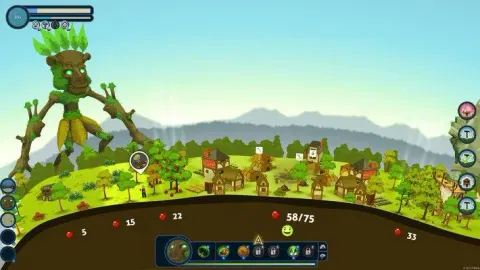
New to Reus? This guide breaks down the 'Beginning' section, teaching you how to control your Giants, terraform the world, and start your first Biomes. Get ready to play!
Alright, welcome to Reus! This is your very first training session, and we're going to cover the absolute basics: moving your Giants around and shaping the world by creating 'Biomes'. Don't worry, it's pretty straightforward.
First things first, let's get your two Giants together. To select a Giant, you can either tap the number key associated with them (check the bottom left of your screen) or right-click their portrait down in the corner. Once you've got one selected, just right-click on any tile in the world to send them over there. Easy peasy.
Now, let's get to the fun part: Terraforming! Grab your Ocean Giant and pick his 'Create Ocean' ability. You can either hit the hotkey 'Q' or just select it from the bar at the bottom. Now, find a spot in the world and right-click to make some ocean appear!
Once that's done, your Forest Giant is going to pop out of the ground. Give him a nod. After the introductions, select his first ability, just like you did with the Ocean Giant's 'Create Ocean'. This one is 'Create Forest'. You'll notice some darker ground appearing from the ocean you just made – that's where you can place your new Forest biome. The Ocean conveniently provides 13 tiles of fertile land, and the 'Create Forest' power uses up exactly 13 tiles. You'll be making oceans and forests all the time, so get used to this feeling!
Next up: deserts! Select your Rock Giant and choose his terraforming ability. Unlike the other Giants, the Rock Giant can create terrain all by himself. He'll raise a mountain that covers...
100% Human-Written. AI Fact-Checked. Community Verified. Learn how AntMag verifies content