
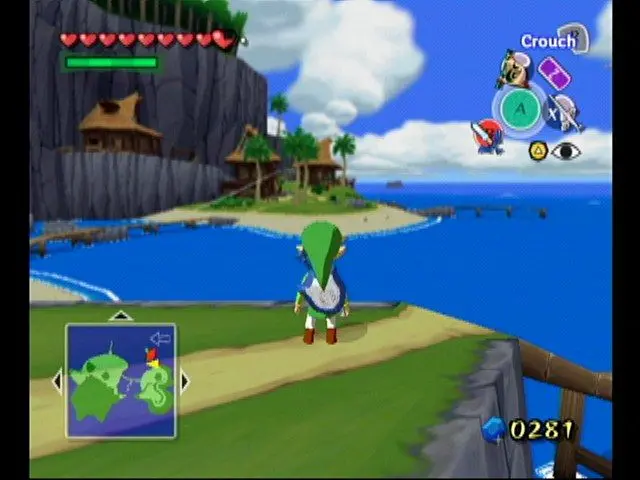
Navigate the user interface in The Legend of Zelda: The Wind Waker. Understand health hearts, Rupee counts, and item displays to manage your adventure effectiv.
The UI provides vital information during your adventure. The top-left corner displays your health hearts. The top-right shows your current Rupee count. The bottom-right corner highlights your currently equipped items for the X, Y, and Z buttons. Pay attention to on-screen prompts and the mini-map (once acquired) to stay oriented. The pause menu (Start button) allows you to manage inventory, check the map, and save your game.
100% Human-Written. AI Fact-Checked. Community Verified. Learn how AntMag verifies content