Optimize EverQuest II performance and graphics settings for smoother gameplay, especially in demanding areas.
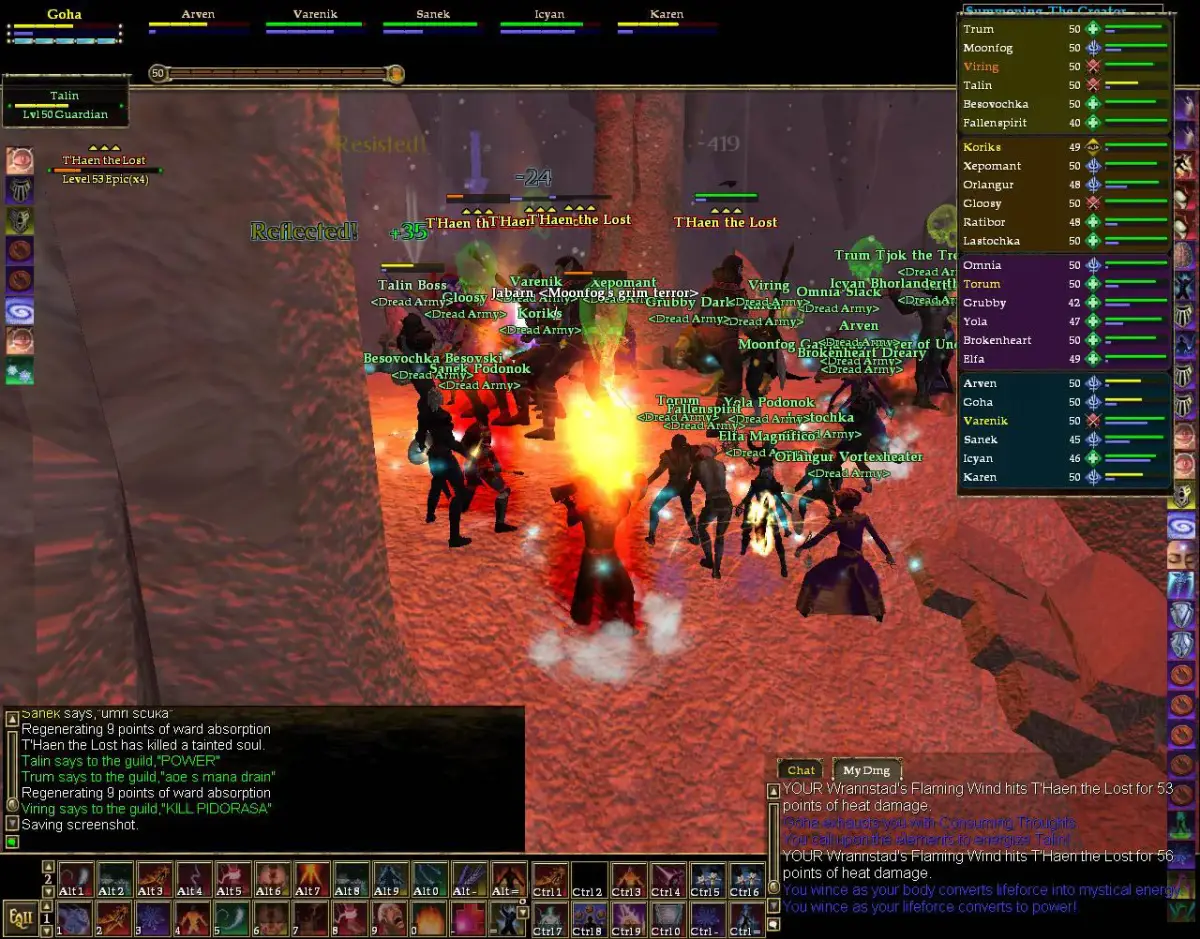
EverQuest II, despite its age, can be quite demanding on hardware, especially in crowded areas or during intense combat. Optimizing your game settings can significantly improve your frame rate and overall gameplay smoothness. Access these settings via Alt+O.
Key Settings to Adjust:
- Display -> Advanced:
- Texture Quality: Lowering this can free up VRAM.
- Shadows: Shadows are often the biggest performance hog. Experiment with 'Low' or 'Off'.
- Render Distance: Reduce this slightly in crowded areas.
- Particle Effects: Lowering this can help during spell-heavy combat.
- Flora Density/Clutter: Reduce for outdoor zones.
- Anti-Aliasing: Can be very demanding. Try lower settings or disable if struggling.
- Display -> General:
- Resolution: Ensure it matches your monitor's native resolution.
- Refresh Rate: Match your monitor's refresh rate.
- User Interface -> Nameplates:
- Limit Nameplates: Reduce the number of visible nameplates in crowded areas to improve performance.
It's often a balance between visual fidelity and performance. Start by lowering the most demanding settings (shadows, particle effects, render distance) and gradually increase them until you find a comfortable balance. Keeping your graphics drivers updated is also crucial for optimal performance.
100% Human-Written. AI Fact-Checked. Community Verified. Learn how AntMag verifies content