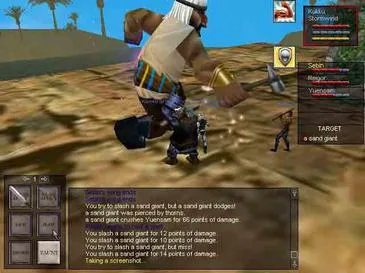

Personalize your space with player-owned housing in EverQuest. Acquire land, decorate your home, and store treasures to express your individuality in Norrath.
Welcome, Norrathians, to your guide to establishing and personalizing your very own corner of EverQuest! Player-owned housing offers a unique opportunity to express your individuality, store your treasures, and even host your guildmates. This comprehensive guide will walk you through the entire process, from acquiring your first plot of land to decorating it with rare finds.
Acquiring Your First House
The journey to homeownership begins with a simple purchase. There are several types of houses available, ranging from humble cottages to grand estates. Your choice will depend on your budget and desired size.
- Starter Homes: These are the most affordable options and are perfect for new homeowners. You can typically find these in the housing zones adjacent to major cities. Look for the "Small House Deed" or "Modest Dwelling Deed" at the Housing Broker.
- Medium Homes: Offering more space and customization options, medium homes are a popular choice for established adventurers. Examples include the "Spacious Residence Deed" or "Guild Hall Annex Deed."
- Large Homes & Guild Halls: For the truly affluent or dedicated guilds, large homes and dedicated guild halls provide extensive space and prestige. These can be quite expensive and often require a significant investment of platinum. Search for "Grand Estate Deed" or "Guild Manor Deed."
Where to Buy: Housing Brokers are your primary point of contact for purchasing deeds. You can find them in the following locations:
- Freeport: Near the East Freeport gates, look for the "Freeport Housing Broker."
- Qeynos: In North Qeynos, close to the bank, you'll find the "Qeynos Housing Broker."
- Neriak: In Neriak - Commons, near the main entrance, seek out the "Neriak Housing Broker."
- Other Major Cities: Most major cities with housing zones will have a dedicated Housing Broker. Use the in-game map filter for "Housing" to locate them easily.
Purchase Steps:
- Locate a Housing Broker in your desired city.
- Right-click on the Housing Broker to open their inventory.
- Browse the available house deeds. Note the price and the type of house.
- Ensure you have sufficient platinum in your inventory.
- Purchase the desired house deed. It will appear in your inventory.
Claiming Your Plot
Once you have your house deed, the next step is to claim your plot of land within a housing zone.
- Travel to a Housing Zone: Each major city has an associated housing zone. For example, Freeport's housing zone is "The Commonlands Housing," while Qeynos's is "The Surefall Glade Housing."
- Find an Unclaimed Plot: Look for empty plots marked with a "For Sale" sign or a glowing boundary. These plots will have a small pedestal or signpost in the center.
- Activate Your Deed: Stand near the pedestal of an unclaimed plot. Right-click on your house deed in your inventory. A confirmation window will appear.
- Confirm Claim: Click "Yes" to claim the plot. Your house will instantly materialize on the chosen plot, and the deed will be consumed.
Important Considerations:
- Maintenance Fees: All houses incur a weekly maintenance fee in platinum. This fee is automatically deducted from your character's bank account. Failure to pay maintenance will result in your house being condemned and eventually lost. Check your house's status via the "House Management" window (accessible through the EQ button menu).
- Plot Size: Ensure the house deed you purchase matches the size of the plot you intend to claim. A "Small House Deed" cannot be placed on a "Large Plot."
Decorating Your Home
Now for the fun part – making your house a home! EverQuest offers a vast array of furniture, decorations, and utility items to personalize your space.
Obtaining Decorations
Decorations can be acquired through various means:
- Vendors: Many vendors throughout Norrath sell basic furniture and decorative items. Look for "Furniture Merchant" or "Decorator" NPCs in major cities.
- Crafting: Tradeskills like Carpentry, Pottery, and Tailoring can produce a wide range of unique and valuable decorations. Consult tradeskill guides for specific recipes.
- Quest Rewards: Certain quests offer unique decorative items as rewards. Keep an eye out for quests that mention "house item" or "decoration."
- Loot Drops: Rare and exotic decorations can sometimes drop from powerful monsters or raid bosses.
- Player Market: You market (Bazaar) is an excellent place to find rare or crafted decorations from other players.
- Loyalty Vendors: Loyalty merchants in the Plane of Knowledge often offer exclusive house items for Loyalty Tokens.
Placing and Arranging Items
Once you have decorations in your inventory, you can place them within your house.
- Enter Your House: Walk through the front door of your claimed house.
- Open the Housing Editor: Press the "EQ" button, navigate to "Housing," and select "Housing Editor." This will open a dedicated interface.
- Place Item: Drag and drop the desired item from your inventory into the housing editor window. It will appear in the center of your house.
- Manipulate Item: Use the controls within the housing editor to move, rotate, and scale your item.
- Move: Click and drag the item to reposition it.
- Rotate: Use the rotation handles (often green or blue arrows) to spin the item on its axis.
- Scale: Some items can be scaled up or down using specific controls within the editor.
- Lock Item: Once you are satisfied with the placement, click the "Lock Item" button in the editor. This prevents accidental movement.
- Save Changes: Crucially, remember to click "Save Changes" in the housing editor before exiting, or all your hard work will be lost!
House Management & Permissions
Your house isn't just for you; it can be a social hub!
- House Management Window: Accessible via the "EQ" button menu, this window allows you to:
- Pay maintenance fees manually.
- View your house's current status and remaining maintenance time.
- Manage access permissions for other players.
- Access Permissions: You can grant different levels of access to friends, guildmates, or even the public.
- No Access: Default setting, only you can enter.
- Friends: Allows players on your friend list to enter.
- Guild: Allows all members of your current guild to enter.
- Public: Allows anyone to enter.
- Trusted Users: You can specifically add individual players to a "Trusted Users" list, granting them specific permissions like decorating or even withdrawing items from storage containers.
- Storage Containers: Many houses come with built-in storage containers (chests, wardrobes). These function like personal banks and are accessible only by you or trusted users with appropriate permissions.
Enjoy building your dream home in Norrath, adventurer!
100% Human-Written. AI Fact-Checked. Community Verified. Learn how AntMag verifies content