
Welcome to MiSide, an atmospheric, story-rich RPG where you'll navigate the unsettling world of Crazy Mita's apartment. This first-person psychological horror experience from AIHASTO plunges you into a meta-narrative that challenges your perception of reality. Moment-to-moment gameplay involves helping Mita with everyday tasks like laundry and cooking, earning money through engaging minigames, and uncovering the game's deeper mysteries.
This guide is your essential companion for conquering MiSide. We'll walk you through every step, from mastering the tricky minigames to finding crucial items like Mita's hairbrush and the elusive Teddy. Struggling with the maze of stairs or figuring out how to unlock doors requiring specific objects? We've got you covered. Plus, we'll help you achieve those Steam Achievements, including the 'Some Achievement?' achievement for attempting to leave Creepy Mita's house.
Getting Started
Master the basics of MiSide with our comprehensive 'I'm Inside a Game?' guide. Learn how to complete laundry, cook soup, earn money, and power up the portal machine.
Getting Started
Master the basics of MiSide with our comprehensive 'I'm Inside a Game?' guide. Learn how to complete laundry, cook soup, earn money, and power up the portal machine.
Controls & UI — MiSide Guide
Learn how to navigate MiSide's interface, master controls, and understand UI elements for a seamless gameplay experience. Your ultimate MiSide controls guide.
This guide details the controls and user interface elements within MiSide, helping you navigate the game effectively. Understanding these basics is crucial for progressing through Mita's requests and the virtual world.
| Action | Button/Interaction |
|---|---|
| Interact with phone/objects | E |
| Download app | E |
| Play minigames | Press button on top right, select minigame |
| Cut vegetables | Drag slider from top to bottom with mouse |
| Open shop | Press button on the right corner |
| Find hairbrush | Look in cabinets (NOT the oven) |
| Move wardrobe | Click on the blinking grid space |
| Power up portal machine | Press the blinking red button |
| Scan items | Place items on scanner, press blinking red button on the left |
| Activate portal | Stand on the portal pad |
| Turn power back on | Interact with the fuse box |
| Place batteries | Press E on blinking red lights on the machine |
| Give Mita a present | Press the icon that pops up at the bottom of the screen |
Game Premise and Story Introduction
Follow this comprehensive MiSide walkthrough to navigate the 'I'm Inside a Game?' chapter, including laundry, cooking, earning money, finding items, and powering the portal machine.
This guide covers the initial stages of MiSide, where the player finds themselves inside a game. It details the steps to help Mita with various tasks, ultimately leading to the activation of a portal machine.
- Starting the Game: Interact with the phone, download the app, and begin helping Mita.
- Laundry Task: Collect laundry items and the laundry basket.
- Cooking Soup: Purchase ingredients, prep them, and cut vegetables by dragging a slider.
- Earning Money: Play minigames to earn 450 currency to buy a portable TV.
- Finding the Hairbrush: Locate the hairbrush in the kitchen cabinet, avoiding the oven to preserve future choices.
- Moving the Wardrobe: Click on the designated grid space in Mita's room.
- Entering the Game: Give Mita a present, then enter the bedroom and activate the portal machine.
- Scanning Items: Find the Bowknot, Pencil, and Spoon to power the portal machine.
- Restoring Power: Interact with the fuse box after the initial power outage.
- Finding Batteries: Locate four batteries scattered throughout the house.
- Activating the Portal: Place the batteries in the machine and activate the portal again.
Basic Controls and Interface — MiSide Guide
Learn the essential controls and interface elements of MiSide to navigate the game effectively. This guide covers basic interactions, menus, and key mechanics.
This guide details the basic controls and interface elements within MiSide. As you progress, you'll interact with your phone, manage tasks for Mita, and eventually operate portal machinery.
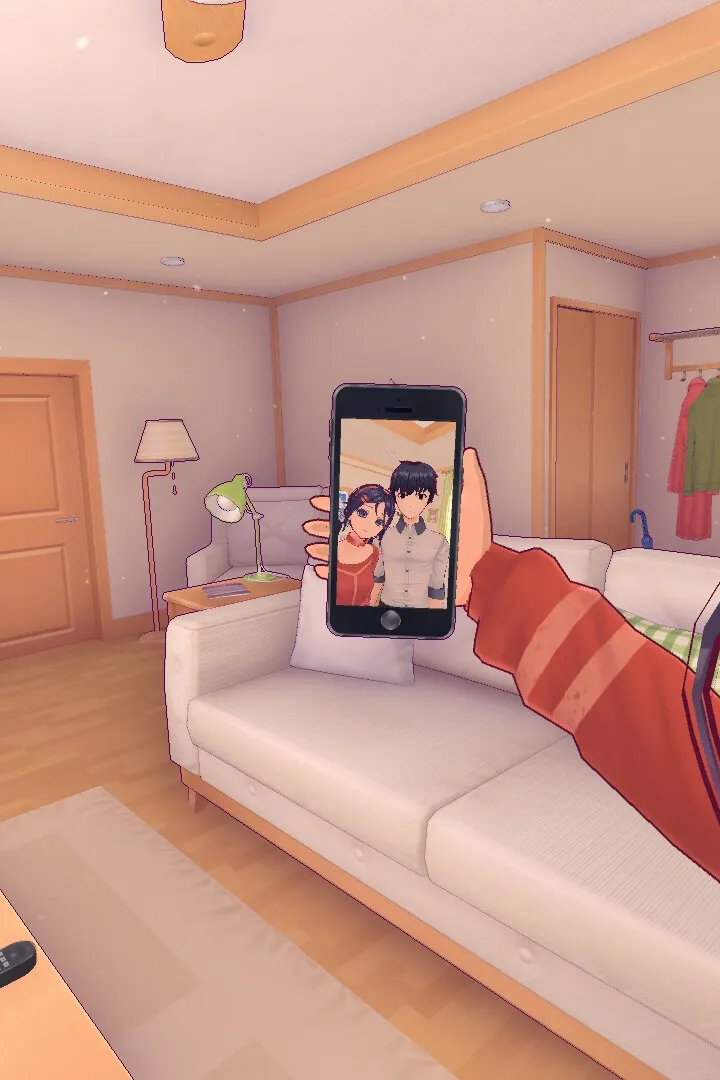
The game begins with interacting with your phone on the desk. Press E to check messages and download the app. Press E again to start playing the game on your phone.
Key interactions involve:
- Picking up items like laundry and baskets.
- Navigating menus to select options, such as choosing soup from the top-right menu.
- Prepping ingredients by clicking on them.
- Using the mouse to drag the slider from top to bottom to cut vegetables.
- Playing minigames accessed via the button in the top right. Mita's energy is displayed on the top left and limits which minigames can be played.
- Purchasing items like the TV set for 450 from the shop in the right corner.
- Searching for items like the hairbrush by interacting with cabinets. Do not look in the oven, as this affects a later choice. The hairbrush is found in the kitchen cabinet beside the dining table.
- Moving furniture like the wardrobe by clicking on the blinking grid space on the floor.
Later in the game, you will interact with a portal machine:
- Press the blinking red button to power it up.
- Scan three items: Bowknot (bathroom sink counter), Pencil (bedroom side cabinet or desk), and Spoon (kitchen near sink or on table). Item locations may vary.
- Place items on the scanner and press the blinking red button on the left to scan.
- Press the power button again and stand on the portal pad.
- To restore power after an outage, interact with the fuse box located to the right of the front door.
- Find four batteries: one in the bathroom cabinet, one in the kitchen near the sink, one in the living room in front of the radio, and one inside the fridge. After collecting the fridge battery, pick up fallen magnets and place them back on the fridge.
- Place the batteries in the machine, indicated by blinking red lights, in the following locations: under the portable TV, under the right side of the console, in the center of the console, and on the right side of the console.
- Push the power button and stand on the portal pad again.
Similar guides you might like




100% Human-Written. AI Fact-Checked. Community Verified. Learn how AntMag verifies content