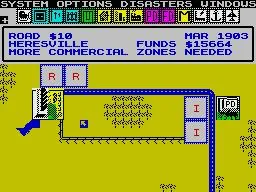
Welcome to SimCity, the definitive urban planning simulator where you're the mayor, the architect, and the city planner all rolled into one. From humble beginnings, you'll zone land for residential, commercial, and industrial development, manage resources, and build the infrastructure to support your growing population. It's a deep, rewarding experience for anyone who enjoys building and managing complex systems, with the ever-present challenge of keeping your citizens happy and your city thriving.
This guide is your go-to resource for mastering the art of the metropolis. We'll cover everything from the initial stages of transforming a village into a bustling town, to advanced strategies for managing your city's finances and keeping the dreaded Pollution Cloud at bay. Whether you're aiming for a Gold Medal or just trying to avoid disaster, we've got the tips to help you build your ultimate SimCity.
Dedication
Learn about the early days of SimCity and the FUND code, dedicated to Jeremy Clothes.
This guide is dedicated to Jeremy Clothes, who introduced the author to the classic computer game SimCity after the author moved to Texas in the summer after third grade. Jeremy taught the author about the FUND code and cautioned against its overuse. These early gaming sessions on Jeremy's dining room table sparked a lasting love for SimCity.
Purpose
Master SimCity on the Nintendo NES with this guide, detailing glitches and differences from the SNES version.
This guide aims to help you master SimCity on the Nintendo NES. It also discusses the differences between the NES prototype for SimCity and the released version on the Super Nintendo.
All glitches/bugs found in the game have been denoted using a Blue Font. All changes between the NES and SNES versions have been denoted using a Red Font.
Strategy Guide (NES) by FerrisBueller
SimCity NES strategy guide covering building methods, voter complaints, game mechanics, and tips like avoiding the Reload Exodus.
- 1Understand the Game Screen, including the cursor, HUD (Heads-Up Display, showing game information), and map.
- 2Navigate the In-Game Menus: the Options Menu (Red Top Bar) and the Building Menu (Blue Side Bar).
- 3Learn about the various Disasters: Airplane crash, Monster (Bowser) attack, Earthquake, Fire, Flood, Nuclear Meltdown, Tornado, and U.F.O. Attack.
- 4Master Building Methods such as Block Methods, Monorail Methods, Edging Industry Effects, Land Reclamation, managing Meltdowns, Port Pollution, and Reaching Megalopolis.
- 5Address Voter Complaints including Crime, Fire, Housing Costs, Pollution, Taxes, Traffic, and Unemployment.
- 6Familiarize yourself with Game Mechanics: the 4x4 Land Grid, Land Value, Residential/Commercial/Industrial Zones (RCI), the RCI Meter, Land Value, Pollution, and Population Density, Police and Fire Departments, Transit (Roads and Rails), Pollution Mechanics, Power Mechanics, Game Difficulty, and Tax Mechanics.
- 7Explore Scenarios: Practice, Challenge Scenarios, and Bonus Scenarios.
- 8Utilize Tips/Strategies for NES: Tax Tip, Avoiding the "Reload Exodus", Further Avoiding the "Reload Blackout", and Steal a City.
- 9Discover Cheats/Codes: Boston Scenario, Rio Scenario, general Codes, and Debug Mode.
- 10Be aware of Bugs/Glitches: Practice, Steal a City, Starting Level, Free Money, Budget, Auto-Budget, Options Menu, Presents, Transit, Always Easy, Challenge Scenario, and Spelling errors.
- 11Note the Differences in NES/SNES Versions for Game Controls, Game Menu, Options Menu, Disasters, Game Mechanics, Presents, Building Methods, Voter Complaints, and Scenarios.
- 12Learn about Dead Strategies/Tricks on NES: Zone Stacking, Money Trick, Off-Map Glitch, 100000 Pop in Practice, Infinite Presents, and Airport/Seaport Cheats.
- 13Review Miscellaneous information: Upgrades, Unused Sprites, Name Buffers, Random elements, and The Code.
- Implement the Tax Tip to manage your city's finances effectively.
- Learn strategies to avoid the "Reload Exodus" and "Reload Blackout" to prevent population loss and power failures.
- The "Steal a City" strategy can be a useful tactic in certain situations.
- Pay close attention to the RCI Meter and Land Value to optimize your city's growth.
- Ensure adequate Police and Fire Departments to handle crime and fires.
- Develop efficient Transit systems to manage traffic.
Controls
Navigate SimCity like a pro! This guide breaks down all the essential controls for menus and gameplay, helping you build your dream city with ease. Get started now!
Hey there! So you're diving into SimCity and want to get a handle on how to actually, you know, *play* it? That's smart! Knowing your way around the buttons is half the battle. Let's break down what each button does so you can start building without any confusion.
First off, when you're setting things up or poking around in the menus, here's the lowdown:
| Button | Action |
| D-Pad | Moves your cursor around to highlight different options. Simple enough, right? |
| SELECT | Honestly, this one doesn't seem to do much in the menus. Don't worry too much about it for now. |
| START | This is your go-to for confirming choices when setting things up. |
| L Button | Doesn't seem to have a function in the menus. |
| R Button | Also no apparent use here. |
| Y Button | No apparent use in the menus. |
| X Button | Use this to back out of a selection or cancel something. It'll take you back to the previous screen. |
| B Button | Another button for confirming your selections. |
| A Button | Doesn't seem to do anything in the setup menus. |
Now, when you're actually in the game, building your city, things get a bit more interesting. Here's how you'll be navigating and interacting:
| Button | Action |
| D-Pad | Just like in the menus, this moves your cursor around the city map. Essential for placing buildings or just looking around. |
| SELECT | This is a handy one! Press it once to bring up the building menu on the left side of your screen. Press it again, and it'll tuck that menu away, letting you get back to placing things on the map. |
| START | Need to tweak some settings or pause the action? Press START to open the options menu at the top of the screen. Press it again to close it and get back to your city. |
| L Button | Still no use that we can find in the main game controls. |
| R Button | Same here, this button seems to be inactive during gameplay. |
| Y Button | Want to zip around your city super fast? Hold down the Y Button while moving the D-Pad, and you'll speed across the map. Great for checking on distant areas! |
| X Button | This button is for clearing the screen. Press X to hide all the menus and toolbars, giving you a clean view of your city. Press it again to bring everything back. Handy for screenshots or just enjoying the view! |
| B Button | This is your confirmation button for most actions in the game. Whether you're finalizing a menu choice, placing a building from the menu, or using the bulldozer tool, B is usually the button you'll press to make it happen. |
| A Button | Just like the Y Button, holding down A while using the D-Pad lets you zoom around the map at high speed. So, you've got two buttons for fast travel – pick your favorite! |
That's pretty much it! You'll get the hang of these controls really quickly. The D-Pad, SELECT, START, X, B, and A buttons are your main workhorses for building and managing your city. Happy building!
Similar guides you might like



100% Human-Written. AI Fact-Checked. Community Verified. Learn how AntMag verifies content