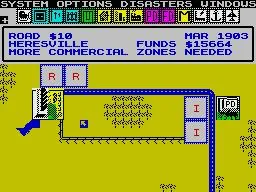
Master the SimCity BuildIt game screen with this guide. Learn about all the essential UI elements and how they help you manage your city effectively.
The Game Screen in SimCity BuildIt is your primary interface for managing and developing your city. It displays all the crucial information and tools you need to build, expand, and keep your citizens happy.
Key Elements of the Game Screen:
- Top Bar: This area typically shows your current Simoleon balance, Simcash, Golden Keys, and Platinum Keys. It also displays your current Mayor Level and population.
- City View: The main central area where you can see your city, zoom in and out, and rotate the view. This is where you place buildings, roads, and services.
- Build Menu: Usually located on the right side of the screen, this menu provides access to all the different categories of buildings and roads you can construct.
- Tools and Information Icons: Various icons will appear throughout the screen, providing access to features like the Trade Depot, Global Trade HQ, Cargo Ship Dock, Airport, Vu Tower, City Storage, and more.
- Notifications and Alerts: Pop-up messages or icons will alert you to issues like low happiness, service coverage gaps, or available upgrades.
- Bottom Bar: This often contains access to your city's inventory, the Contest of Mayors, Club Chat, and other important game functions.
Tips for Navigating the Game Screen
- Familiarize yourself with the location of each icon and menu to quickly access the features you need.
- Pay attention to the top bar to keep track of your resources and population.
- Use pinch-to-zoom and two-finger rotation to get a better view of your city.
- Tap on buildings or service icons to see their status, upgrade options, or production queues.
100% Human-Written. AI Fact-Checked. Community Verified. Learn how AntMag verifies content