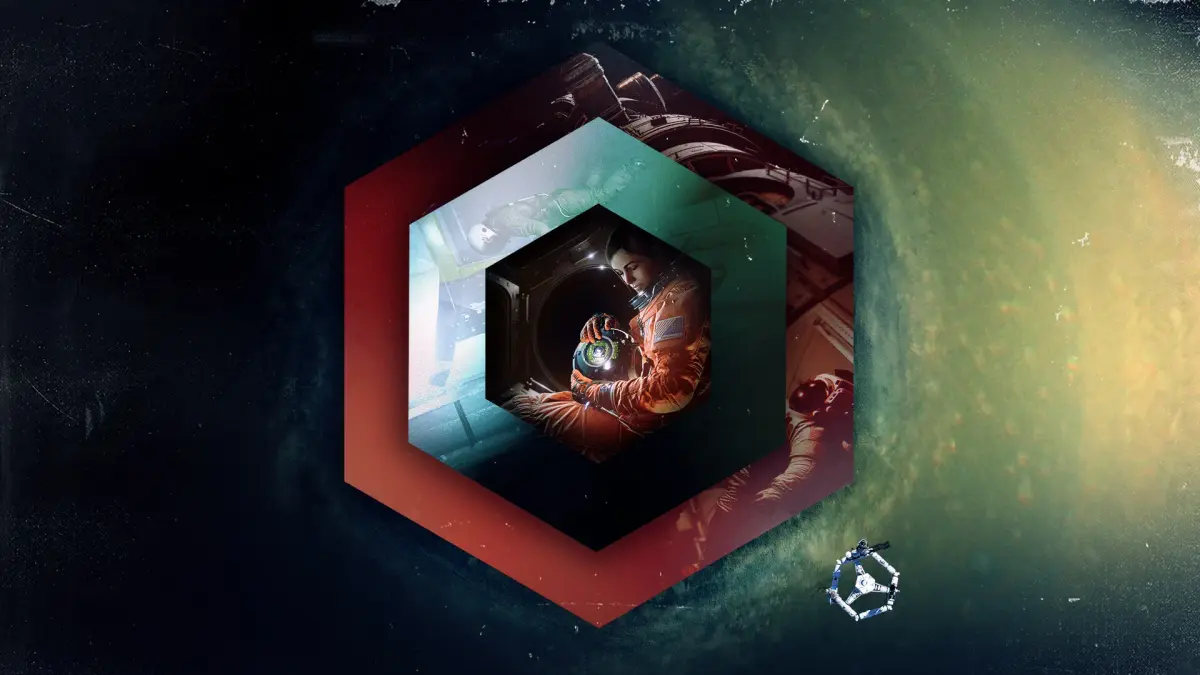
A complete guide to finding all Memory Core Data Points in Observation, including their locations, titles, and notes for each part of the game.
This guide lists all the Memory Core Data Points in Observation, presented in order of appearance across the game's prologue and three parts. Each entry includes its number, location, title, and specific notes on how to find it, often involving camera angles or interacting with power caddies.
Prologue
- Number: 44
Location: EAS-09
Title: Spheres: Best Practice
Notes: On the laptop with the darker screen. - Number: 46
Location: EAS-09
Title: System Link Reset
Notes: See it from Camera B. First one you get. Unmissable.
Part I
- Number: 1
Location: EAS-10
Title: EF > ALL - Weeklies & Gym Time
Notes: With the sphere, turn on the power caddy to the lower-right of the laptop. Alternatively, see it from Camera B once the EAS-10 cameras are back online. - Number: 12
Location: EAS-03
Title: JR -> Home - All Good Up Here
Notes: See it from Camera B. Slightly to the right, in the open bunk. - Number: 16
Location: EAS-05
Title: JR -> MM - Sphere Use Cleared
Notes: See it from Camera B. The laptop, slightly up from default position. - Number: 36
Location: EAS-01
Title: Experiment Order #244 - Alternative Power in low-light positions
Notes: See it from Camera B. On the right side, to the right of the wall-mounted laptop. - Number: 45
Location: EAS-01
Title: Experimental Fusion Reactor
Notes: See it from Camera C. Look up just a little bit, at the document on the wall. - Number: 50
Location: EAS-05
Title: Crew Tracker Emergency Protocol
Notes: See it from Camera A. Look to the left, the document directly above the RMS Arm Station. - Number: 52
Location: EAS-10
Title: EMU Suit Information
Notes: With the sphere, turn on the power caddy to the lower-right of the laptop. Alternatively, see it from Camera B once the EAS-10 cameras are back online. - Number: 61
Location: EAS-10
Title: EMU Calibration Unit
Notes: On the ceiling above the space suits. - Number: 63
Location: EAS-05
Title: RMS Data Log
Notes: See it from Camera A. Look diagonally down and to the left. Target is the RMS Arm Station. - Number: 65
Location: EAS-02
Title: EAS Hatch Schematic
Notes: On the laptop mounted on the wall, directly in the center of Camera A's view. Unmissable.
Part II
- Number: 15
Location: EAS-12
Title: JR -> EF - In My Suit, Heading Out
Notes: Enter the largest piece of EAS-12 at the end of the EAS arm, look for the laptop near the front by the hatch. - Number: 49
Location: EAS-11
Title: Sphere Upgrade HVC C
Notes: In the column of yellow, orange, and red papers. Unmissable. - Number: 51
Location: EAS-11
Title: Sphere Upgrade Procedure
Notes: To the right of the yellow paper. - Number: 53
Location: EAS-11
Title: Sphere Upgrade HVC A
Notes: In the column of yellow, orange, and red papers. Unmissable. - Number: 58
Location: EAS-11
Title: Sphere Upgrade HVC B
Notes: In the column of yellow, orange, and red papers. Unmissable. - Number: 72
Location: N/A
Title: Sphere Firmware Flash Log
Notes: Obtained by linking Data Points 49, 53, and 58. Unmissable.
Part III
- Number: 2
Location: UN-05
Title: EF -> JR - Personal
Notes: "See" it from Camera C. Point the camera up until the blue desk is in the middle of the screen, then all the way to the right until you get a prompt to connect to the laptop. - Number: 7
Location: UC-01
Title: JE -> ALL - Almost There...
Notes: See it from Camera A, the laptop on the desk to the right. - Number: 8
Location: UN-07
Title: JE -> GC - Event Marker Approach
Notes: See it from Camera A. Turn on the power caddy just above the laptop that's located just to the lower-right. - Number: 9
Location: RUS-06
Title: JE -> ALL - Thank You
Notes: See it from Camera A. The laptop in the middle of the screen. The PIN code is 9338. - Number: 13
Location: UN-03
Title: JR -> EF - Date Night
Notes: See it from Camera C. Turn on the power caddy high above the laptop that's located to the left. - Number: 14
Location: UN-06
Title: JR -> JE - Reactor on Standby
Notes: See it from Camera B. Turn on the power caddy to the right of the laptop. - Number: 19
Location: ULA
Title: MM -> SL & AY - Emma & Josh
Notes: See it from Camera B, the laptop mounted on the wall to the right. - Number: 20
Location: RUS-05
Title: MM -> JE - Emigrating to China...
Notes: See it from Camera A. Turn on the power caddy slightly to the upper left, then pair with the laptop to the right. - Number: 21
Location: UN-02
Title: MM -> JE - Unnecessary Rotations
Notes: See it from Camera A. Turn on the power caddy to the lower left of the laptop. - Number: 23
Location: UN-04
Title: AY -> HOME - Bad day
Notes: See it from Camera C, the laptop near the center. The PIN code is 2491. - Number: 24
Location: CN-01
Title: AY -> CCI - Data Drop Uploaded
Notes: See it from Camera A. Turn on the power caddy just to the left of the laptop. - Number: 28
Location: RUS-02
Title: SL -> AY - Survey Data
Notes: See it from Camera B. Pan up until you see the laptop. - Number: 29
Location: RUS-03
Title: SL -> EF - New Orbital Path?
Notes: See it from Camera B. Pan up until you see a power caddy. Turn that on, then look far to the right, past the laptop with the brightly-lit screen to another laptop even further to the right. - Number: 32
Location: UN-07
Title: Biomedical Results: Jim Elias
Notes: See it from Camera C, all the way up and to the left some, the document held on the wall by a yellow clip. - Number: 37
Location: UN-05
Title: Sphere Experiment Notes
Notes: See it from Camera B. Pan almost all the way to the left to find a document attached to a box. - Number: 38
Location: UN-02
Title: Mae Spacewalk Photograph
Notes: See it from Camera A, on the bulletin board to the right, above the sleeping bag. - Number: 39
Location: UN-04
Title: Landmark Research on Observation
Notes: See it from Camera B. Pan down and to the right to find a document on the floor. - Number: 40
Location: CN-02
Title: Climatology Thesis
Notes: See it from Camera A. Pan to the right to find a document on the wall, next to an atlas. - Number: 41
Location: RUS-02
Title: Stanislav Sketch
Notes: See it from Camera C. Move to the right a little to find a document on the wall. - Number: 42
Location: RUS-04
Title: Station Functionality Review
Notes: See it from Camera B. Move almost all the way to the left until you find a document on the wall near a flashing red screen. - Number: 47
Location: UC-01
Title: Decryption Protocol
Notes: See it from Camera A, the laptop on the desk to the right. Unmissable. - Number: 48
Location: UN-03
Title: Coolant Network Schematic
Notes: See it from Camera C. Turn on the power caddy hig
100% Human-Written. AI Fact-Checked. Community Verified. Learn how AntMag verifies content