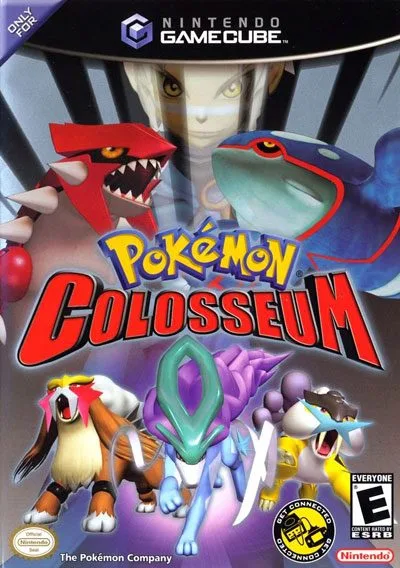
Explore the captivating plot of Pokémon Colosseum, from stealing equipment from Team Snagem to uncovering the secrets of the Shadow Pokémon and the Cipher organization.
This guide section provides essential information about Pokémon Colosseum, including copyright details, contact information for the author, a detailed plot summary, and controls for both story mode and battles.
Copyright: The walkthrough is copyrighted by Uto Maikeru and GameFAQs in 2013. It is available for personal use but should not be copied to other sites or sold for profit.
Contact Info: For questions or to report errors, contact [email protected].
Plot Summary: The game begins with the player stealing equipment from Team Snagem headquarters and escaping with Espeon and Umbreon. After a battle at Outskirt Stand, the player learns about Phenac City. In Phenac City, the player encounters Folly and Trudly, rescues a girl from a sack, and learns about Pokémon with dark auras. The player's partner joins, and after a battle with Snagem members, they head to Pyrite Town. The journey across the Orre Region involves battling trainers, snagging Shadow Pokémon created by Cipher, and uncovering their plan. The player learns to reverse the Shadow Pokémon process and must capture them all to defeat Cipher's leader at Realgam Tower. Post-game content includes exploring the Snagem Hideout, battling at the Shadow Pokémon Laboratory, discovering a hidden Stadium in the Under, and facing a doppelgänger trainer. The player can also obtain Ho-Oh in Battle Mode.
How To Play - Story Mode Controls:
- Control Stick / +Control Pad: Move character, select commands.
- A Button: Confirm selection, talk, check.
- B Button: Cancel command, go back.
- X / Y / Start Buttons: Bring up menu screen.
How To Play - Battle Controls (Controlling the Story Mode Player):
- Control Stick / +Control Pad (with R Button): Get move descriptions.
- A Button: Fight.
- B Button: PKMN Command (switch Pokémon, check summary).
- R Button: See assigned moves.
- C Stick (when Fight is selected): Up = First move, Right = Second move, Down = Third move, Left = Fourth move.
- Start Button: Give in.
Controls for Switching Pokémon:
- X Button: Switch Pokémon.
100% Human-Written. AI Fact-Checked. Community Verified. Learn how AntMag verifies content