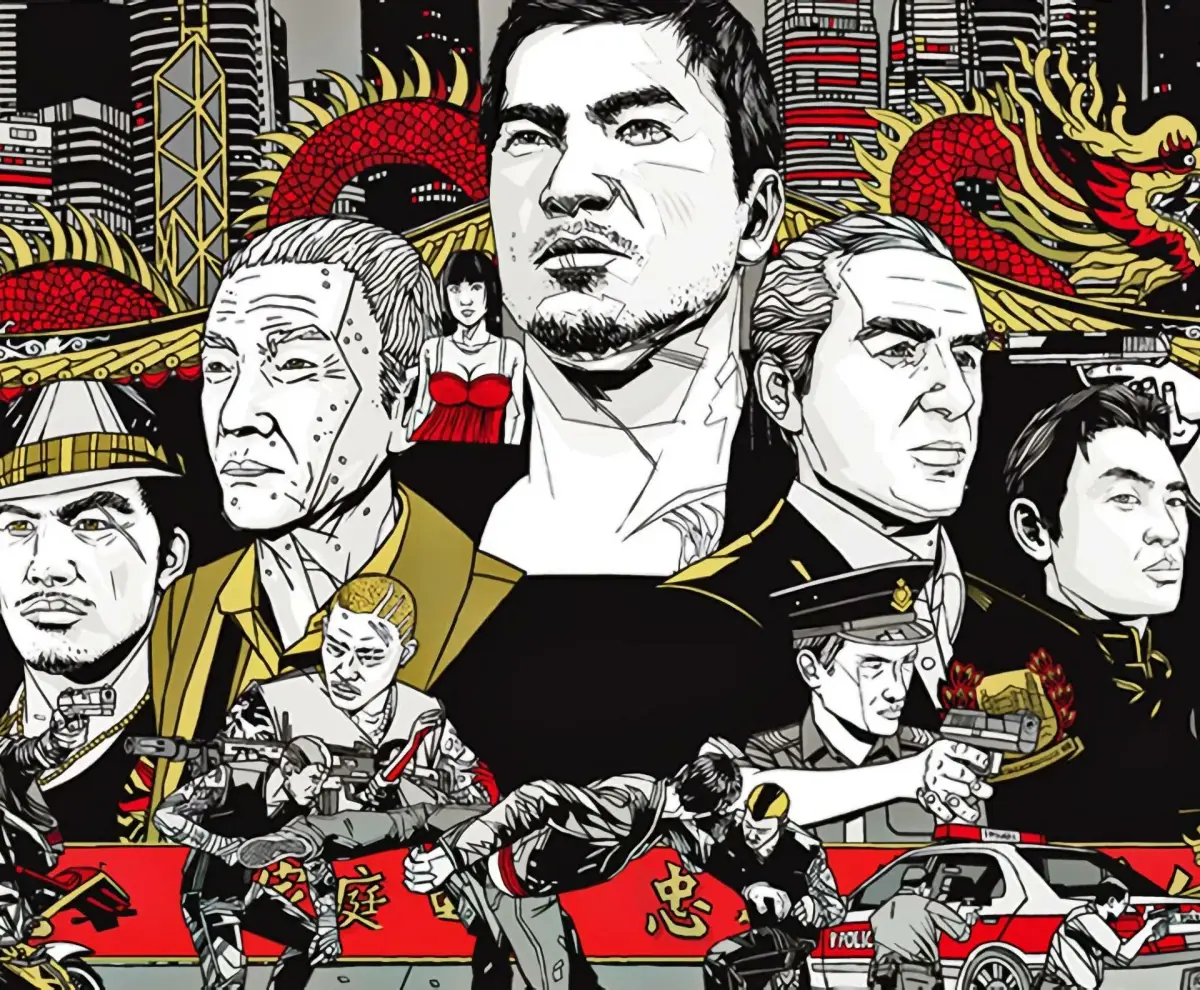
Welcome to the streets of Hong Kong! In Sleeping Dogs, you play as Wei Shen, an undercover cop trying to dismantle the Sun On Yee Triad from the inside. This open-world action RPG throws you into brutal hand-to-hand combat, high-octane car chases, and intense shootouts as you navigate the treacherous criminal underworld. You'll be taking down drug lords, busting up illegal gambling rings, and generally causing chaos to earn respect and climb the ranks.
This guide is here to help you conquer every aspect of Wei's journey. We’ll cover how to master the intricate combat system, find all the hidden collectibles scattered across the city, and ensure you can tackle tough missions like the ones involving Jian's Hideout. Whether you're aiming for a perfect playthrough or just trying to survive the toughest encounters, we've got you covered.
Part 1
This is the introduction to the comprehensive guide for Sleeping Dogs (2012) and Sleeping Dogs: Definitive Edition (2014), covering game mechanics, controls, and story walkthroughs.
This is a full guide to the video-games Sleeping Dogs (2012) and Sleeping Dogs: Definitive Edition (2014). I originally played the standard game at launch on the PS3 and wrote this guide in 2012 but now finally in early 2016 I've played the PS4 version and updated the content to create the "definitive edition" of the guide! Although I played on PS3 and PS4 the contents of this guide should apply equally to all platforms except that my Playstation bias will be evident when I mention trophies or joypad controls (sorry).
I've previously written around thirty guides for this site, mostly for mahjong titles on the PS3/DS and for various games from Sega's excellent Yakuza series (plenty more oriental/urban/gangland/freeroam/brawler action to be found there!) but this is the first time I've made a full guide for a large open-world game. I take my lead here from the legendary ThePatrick whose magnificent guides for several titles in the Yakuza series are available here on GameFAQs/Gamespot.
Sections 02 to 05 form a guide to playing Sleeping Dogs - the game mechanics, controls, game world and experience/upgrades systems.
Section 06 is a walkthrough for the main story missions and therefore contains storyline >SPOILERS< throughout. Similarly Section 07 includes coverage of the various side-missions (and other diversions) that become available to you. Some of the other sections will mention characters and mission titles occasionally.
Sections 08 to 15 at the end are effectively appendices, covering the vehicles, clothing, stat awards, trophies, collectibles, safehouse upgrades and DLC.
If you found this guide useful you can show your support by using the recommend function. If you have any feedback (especially suggestions for additions or improvements) then please feel free to contact me via email or GameFAQs message.
This guide is designed to be viewed using a monospaced (non-proportional or fixed-width) font, preferably Courier New. Some sections of the document will display incorrectly if you are using a proportional font like Times New Roman.
Part 2
Learn about the development history, setting, and core gameplay mechanics of Sleeping Dogs, released August 2012.
Sleeping Dogs was originally developed under the working title "HK" by United Front Games, drawing on their experience with open-world games and a love for Hong Kong cinema. It was initially rebranded as True Crime: Hong Kong by Activision, incorporating elements from Treyarch's cancelled Black Lotus project. However, Activision cancelled the project in February 2011. Square Enix acquired the rights in August 2011, retaining United Front Games as developers and renaming the game Sleeping Dogs. It was released worldwide for PS3, Xbox 360, and Windows PC in August 2012.
The game is set in the bustling streets and alleys of Hong Kong Island. You play as Wei Shen, an undercover cop infiltrating a triad (Chinese mafia) organization. The gameplay combines martial arts combat with environmental interactions, driving with vehicular stunts, slo-mo shooting, and occasional cover (press the cover button to crouch behind walls or objects)-based shooting with a bullet-time feature. Sleeping Dogs offers a rich single-player experience with an engaging cinematic story, supplemented by side-missions, minigames, and other distractions. You can continue playing after completing the story to pursue remaining side-content.
In August 2014, Sleeping Dogs: Definitive Edition was announced for PS4, Xbone, and Steam, featuring enhanced graphics, audio, and gameplay, and including twenty-four DLC (downloadable content — extra missions or items released after launch) packs. It was released in October 2014. Refer to Section 14 for full details on DLC integration in the Definitive Edition.
United Front Games launched Triad Wars in March 2015, a free-to-play follow-up set in Hong Kong on the North Point map from Sleeping Dogs. It featured asynchronous multiplayer where players raided turf against AI bots. The game was discontinued in January 2016. United Front Games was closed in October 2016. In November 2016, details of a cancelled 2013 sequel were published, which would have been set in the Pearl River megacity and featured optional co-op gameplay and a mobile game influencing the main game.
Key influences on Sleeping Dogs include the 2002 Hong Kong movie 'Infernal Affairs' and the 2005 Thai film 'The Protector'.
- You can continue playing after completing the main story to finish side-content.
- Refer to Section 11a for advice on playing for trophy achievement.
- Sleeping Dogs: Definitive Edition includes twenty-four DLC packs.
Part 3
Master the controls of Sleeping Dogs with this comprehensive guide. Learn general movement, combat actions, and specific button prompts for PC and PS4.
- 1General Controls:
- Left Stick: Move (Hold L2 to walk on foot).
- 2Right Stick: Look.
- 3Triangle: Interact, enter/exit vehicles, fast talk QTE.
- 4Cross: Hold to sprint (on foot or swimming), tap to vault/climb (timed vaults can affect Cop XP). Tap X just before landing from a fall for a smoother landing.
- 5Start (PS4: Options): Pause game, access pause menu.
- 6Select (PS4: Touchpad): Access main map.
- 7L3: Tap repeatedly to cycle through objectives, setting active waypoint and satnav route.
- 8D-Pad Up: Access smartphone functions (Contacts, Messages, Reports, Social Hub).
- 9Circle: Put away smartphone.
- 10Fightin' Controls:
- L2: Lock-on to an enemy. While locked on, use the right stick to select a new target or aim with the left stick and press Square for directional attacks. An enemy's health and fighting class are shown when locked on.
- 11R2: Throw weapon or person.
- 12L1: Pick up weapon.
- 13R1: Pick up weapon.
- 14Square: Tap for a light attack, hold for a heavy attack. Combos can be chained (up to 4 light attacks + 1 heavy finisher). Melee Training unlocks new combos.
- 15Circle: Grapple (breaks blocks). From a grapple: Tap Square to hit, tap R2 to throw, hold X to run and slam into environment, tap Triangle to release. Perform environmental takedowns for entertainment.
- 16Smartphone Usage:
- Contacts: Lists available contacts for missions, dates, or jobs. Can call Car Valet with the correct Face advantage.
- 17Messages: Re-read mission-related text messages.
- 18Reports: Read unlocked intel reports.
- 19Social Hub: Shortcut to Social Hub to view stats and replay missions/races.
- 20Other Uses: The phone is also used for hacking, calibrating bugging devices, tracing signals, and communication during missions.
Tips:
- Drinking an energy drink temporarily buffs melee damage. Available from vending machines or safehouse refrigerators.
- Timing vaults correctly results in smoother animations and faster obstacle negotiation. Mistiming can lead to a
Part 4
Learn how to master melee combat, environmental kills, gunplay, and driving in Sleeping Dogs. This guide covers counters, disarms, cover mechanics, and vehicle combat.
Alright, let's dive into the nitty-gritty of how Wei fights and shoots in Sleeping Dogs. This part of the game really ramps up the action, and honestly, it's where it earns its mature rating!
Environmental Kills: You'll notice certain things in the environment glowing red. Grab a downed enemy (press Circle when they're on the ground) and drag them over to one of these spots. Press Circle again to perform a brutal, often one-hit kill. If you want to do this faster, just hold X to run with the enemy, and you'll automatically perform the environmental kill. Doing five unique environmental kills will snag you the 'Environmentalist' trophy, so keep an eye out for those opportunities!
Melee Combat Basics:
- Picking Up Enemies: Hold Circle to pick up an enemy who's already down and enter a grapple.
- Tackling: Tap Circle while running to tackle an opponent to the ground.
- Disarming: The Circle button can also be used to disarm enemies.
- Counters: This is HUGE. When an enemy glows red, they're about to attack. Tap Triangle to reverse their attack. This is super important for controlling fights, and if you're in the middle of another move, a counter will cancel that animation, letting you react quickly. Always be ready to tap Triangle when you see that red glow!
Melee Weapon Tips: Press R1 to pick up any melee weapon lying on the ground (they'll be flashing blue). You can only carry one at a time, and they break after a limited number of uses. You can throw a melee weapon by tapping R2, or drop it by holding the D-pad down. Fun fact: you can sometimes find a tyre iron in the trunk of certain cars. Remember, killing with ten different weapons earns the 'Whatever's Handy' trophy.
Clothing Bonuses: Wearing a matching set of three 'Minor Thug Bonus' or 'Thug Bonus' clothing items gives you a +5% or +10% melee damage boost, respectively. It's worth checking out the clothing buffs!
Enemy Classes: You'll face four main types of melee opponents:
- Grappler: These guys can't be grappled by you, so focus on counters and heavy attacks.
- Striker: They're pretty well-rounded and will block your attacks often.
- Armed Thugs: These are dangerous, so countering their attacks is your best bet.
- Brawler: They hit hard and defend well, but they're the easiest to grapple.
You can practice against all these types at Sifu Kwok's training dojo in southern North Point, which opens up during the Amanda mission. It's a great place to hone your skills without consequence.
Shootin':
Guns aren't common in Hong Kong, so they often appear as temporary power-ups, much like in classic HK action movies. You won't routinely carry one, but you can disarm enemies or pick one up from fallen foes. Many missions will involve standard cover-based shooting sequences.
Shooting Controls:
- Free Aim: L2
- Shoot: R2
- Cover: L1
- Reload: R1
Once you press L1 to enter cover, you have a few options:
- Aim and Shoot: Hold L2 to pop out and aim, then tap or hold R2 to fire.
- Blind Fire: Tap or hold R2 without aiming for less accurate shots.
- Vaulting: Press X to vault over cover. If you hold L2 (aim) during the vault, you'll trigger a slow-motion 'bullet-time' effect. Scoring headshots can extend this! Vaulting over cover can also disarm an enemy if they're right behind it.
- Exit Cover: Press L1 again.
Firearm Tips: Press R1 to pick up a firearm (it'll be flashing blue). Hold R1 to swap your current gun for a new one. Killing with ten different firearms gets you the 'Gun Nut' trophy. You can drop a gun by holding the D-pad down. If you have a handgun, you can holster it by tapping D-pad down and draw it again by pressing D-pad down or R2. You can pick up a melee weapon while carrying a pistol, but drawing the gun will make Wei drop the melee weapon. Some weapons have accessories you can toggle on/off with R3.
Police Trunk Key: After unlocking the 'Police Trunk Key' cop upgrade (see Section 05a), you can also grab shotguns from police car trunks.
Drivin':
You'll be doing a lot of driving, whether it's for missions, side-activities, or races. Remember, traffic drives on the left in Hong Kong, and cars are right-hand drive. You can drive on the right, but expect more collisions!
Driving Controls:
- Reverse / Brake: L2
- Accelerate: R2
- Free Aim (in vehicle): L1
- Shoot (in vehicle): R1
You can shoot while driving, and the game automatically slows down time for more accurate fire. Aiming for tires can disable vehicles.
Vehicle Movement:
- Steering/Leaning: Left Stick (lean forwards/backwards on bikes).
- Wheelies/Stoppies: On a bike, lean back and accelerate (R2) for a wheelie, or lean forward and hit the handbrake (Circle) for a stoppie.
- Free Look/Rear View: Right Stick (hold back for rear view).
- Enter/Exit Vehicle: Triangle.
You can use any vehicles you own (collected from a garage) or steal parked cars. Just remember that the driving controls swap the triggers for acceleration/braking, moving aiming and shooting to the shoulder buttons.
Similar guides you might like





100% Human-Written. AI Fact-Checked. Community Verified. Learn how AntMag verifies content