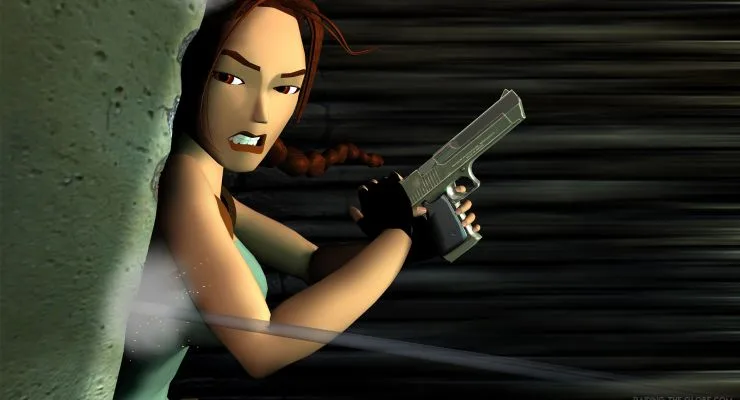
Learn every button and move in Tomb Raider III! Master Lara Croft's controls, from basic movement and combat rolls to advanced grabs, climbs, and swimming.
Controls:
- D-pad
- Movement (run forward, turn, hop backwards), swimming, and climbing direction.
- Triangle
- Draws and holsters weapons. Lara automatically draws new weapons or Pistols if ammo is depleted. Weapons drawn limit some actions like grabbing or manipulating objects.
- Circle
- Lara performs a forward roll, finishing in the opposite direction. Useful for combat.
- X
- Action button. Used for picking up objects, manipulating switches, using items, pushing/pulling blocks, and grabbing ledges.
- Square
- Makes Lara jump straight up. Pressing Square followed by a direction makes Lara jump in that direction. Can be used to veer during forward jumps or flip in the air.
- R1
- Walk mode. Lara moves carefully and won't step off ledges or onto sliding surfaces. Press Left/Right to sidestep.
- R2
- Sprint. Press and hold while running forward to increase speed. A red bar indicates sprint duration.
- L1
- Look button. Hold and use directional buttons to pan the camera.
- L2
- Crouch. Use directional buttons to crawl while crouched, allowing passage through tight spaces.
Advanced Actions:
- Grabbing Ledges
- Press and hold Action mid-air after a jump to grab ledges. Press Forward to climb up, release Action to drop, or hold Left/Right to shimmy. Press L2 while hanging to pull up into a crouch.
- Mid-Air About Face
- Press Roll (Circle) immediately after a backwards or forwards jump to flip and land facing the opposite direction. Useful for evading close-range enemies. Can also be executed from a running jump.
- Running Jump
- Allows Lara to jump greater distances than a standing jump. Requires a running start and can be combined with a mid-air grab.
- Climbing
- On textured walls, press and hold Action and Forward to grab. Use directional buttons to climb. Can grab anywhere on a climbable surface, not just the edge. Press Jump to backflip away. Release and re-press Action to descend quickly.
- Vaulting
- If Lara can reach the edge of a block or wall above, press and hold Forward and Action to leap up and grab it.
- Inching
- To jump up and grab a platform when vaulting isn't possible, hold Jump and Action. Lara will repeatedly jump forward, inching closer until she grabs the ledge.
- Pushing Blocks
- Manipulate blocks to clear paths or reach higher ledges using the Action button and directional controls.
- Swimming and Wading
- In water, Lara wades or treads. While wading, she moves slowly and can jump. While treading, use the D-pad to move in any direction. Hold Jump to dive. Underwater, Jump makes Lara swim, and the D-pad controls direction. Press Action near switches or items to interact. Hold Forward and Action at pool edges to climb out.
- Sprinting
- Increases Lara's speed temporarily, indicated by a draining red bar. Turns become wider while sprinting. Hold Jump during a sprint for a diving roll.
- Crouching and Crawling
- Press and hold L2 to crouch. Use directional buttons to crawl through tight spaces. To hang over an edge while crawling, position Lara with her back to the edge and press Down and Action. Crawl over items and press Action to get into a crouch, then Action again to pick them up. Weapons like Pistols, Uzis, or the Desert Eagle can be drawn while crouching.
- Monkey Swing
- Used on textured bars. (Details incomplete in source text).
100% Human-Written. AI Fact-Checked. Community Verified. Learn how AntMag verifies content