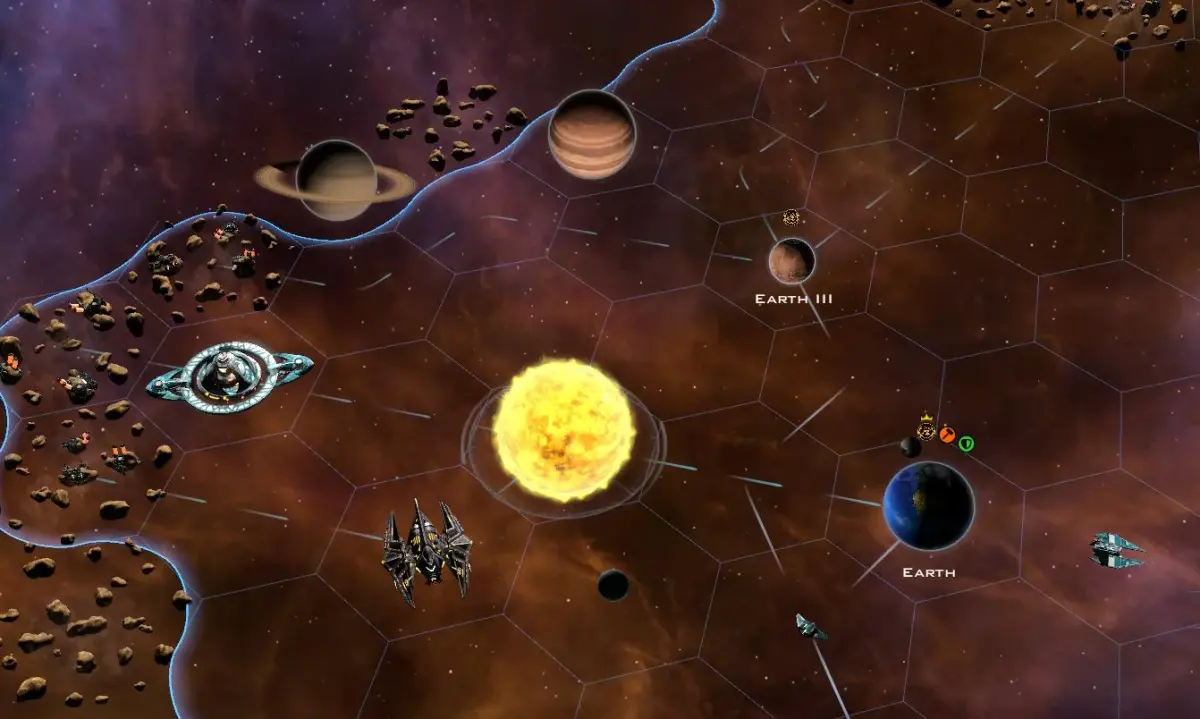
Learn how to begin your empire in Galactic Civilizations II. This guide covers your first turn, from technology research and planetary management to exploration and colonization.
New in version 1.1
The game now includes options to turn off tech trading, to turn off minor races, and to turn on blind exploration which only reveals an empire's influence coverage on the mini map if you've explored that region of space. Also the game now allows you to set the above galaxy options to random so you won't know what you are playing on until the game actually starts.
The next screen allows you to choose one of the predefined races or create your own. When you are first starting out I suggest using one of the predefined races. As you become proficient at the game a custom race will allow you to tailor the game more to your preferred style of play.
The next screen shows you an overview of your selected race's abilities, political party, color scheme and core ship design, and starting techs. For now click Next. I'll describe this in a later section.
This last screen allows you to set the number of opponents and the overall difficulty of the game. There are twelve different difficulty settings ranging from Cakewalk - Suicidal. For your first game I would suggest 2-4 opponents and Easy difficulty. As you get proficient with the game concepts start to move up the difficulty scale and or increase the number of opponents you play against. This game does a very good job of allowing the player to tailor the experience to his/her own skill levels. I break down the difficulty settings later in the FAQ.
New in version 1.1
The game now gives you the option to randomly select your opponents and to randomize their intelligence setting. So for instance you can tell the game to give you 5 opponents from the list that are all set to a base of Normal but are randomized internally. This affects the AI by slightly altering what internal algorithms it has access to. This is one of those under the hood sorts of things but it does add a bit of mystery to the AI personalities.
Section 1.2 - Your First Turn
After dismissing the opening dialog box the game takes you to the technology screen. This screen is divided into three sections in the default mode. In the upper left area you see a list of all the available techs you can currently research along with the time in turns it will take in parenthesis. To the right of that selection list is a description of your currently selected tech along with the abilities, improvements, and future unlocks the tech gives you. The lower section of the screen is a fully expanded list of all the techs in the game.
Depending on the starting techs of your race the first couple of selections will change. However for the most part your best first tech is going to be either New Propulsion Techniques or Universal Translator. As with a lot of things in this type of game make your choice based on what will benefit your empire the most. If you are in a remote area of the map you may want to get better engines for your colony ships. If there are AIs nearby you may want to get Universal Translator so you can speak with them sooner.
After choosing your starting tech to research the next screen takes you to the Planetary Management screen of your home world. Here you can see all the buildings on the planet along with any special tiles. Unless your home world starts out with some bonus tiles that would lend it well to either manufacturing or research I'd suggest that you start out with a balanced set of buildings. I typically build the following on my home world:
2 x Basic Factory
2 x Xeno Lab
1 x Basic Farm
1 x Marketplace
1 x Entertainment Center
1 x Embassy (once unlocked)
Also with 5000bc in the bank your first turn you may want to purchase your first factory just to give your home world a good start at producing more buildings and colony ships.
After clicking Done on the planetary screen you finally see the main game screen. Take a moment to familiarize yourself with the controls for moving the map around as well as zooming in and out. Of note is once you zoom out past a certain point the game switches from the 3D world to a 2D Strategic View. In the Strategic View you see icons to represent your ships and planets. This can give you quick information about the items shown without having to hover the mouse over them. Get used to switching into and out of strategic view. You won't regret it.
Ok so now you see two ships. One is your flag ship and the other is your first colony ship. If you are playing as any race other then the Terrans you start out with a tech called Stellar Cartography. This allows you to see all the stars and planets on the minimap right from the start. If you don't see any anomalies right away then send your flag ship off towards any cluster of stars nearby. Along the way monitor the space that is uncovered looking for said anomalies and also floating space resources.
Send your colony ship off in the general direction of the star clusters also. Do not waste your first ship on the Planet Quality (PQ) 4 planet in your starting system. There is plenty of time for that one later. Right now you are looking for at least a PQ8 or above so that you can get another planet similar to your home world up and running. To colonize a planet you find simply select the colony ship and then right click on the planet.
Before you click the Turn button select your home world and purchase a new colony ship. That's all for your first turn. Your empire building days have begun.
Section 1.3 - Expanding Your Empire
Time for turn two through oh I don't know several hundred maybe. There are many effective ways for expanding your influence over the galaxy. Depending on your personal style of play some may appeal to you more then others. For the purpose of this guide I'm going to talk in broad generalities here and go into more specifics in the section about strategies.
Your first fifty to a hundred turns (depending on the map size you chose) are going to be what I c
100% Human-Written. AI Fact-Checked. Community Verified. Learn how AntMag verifies content