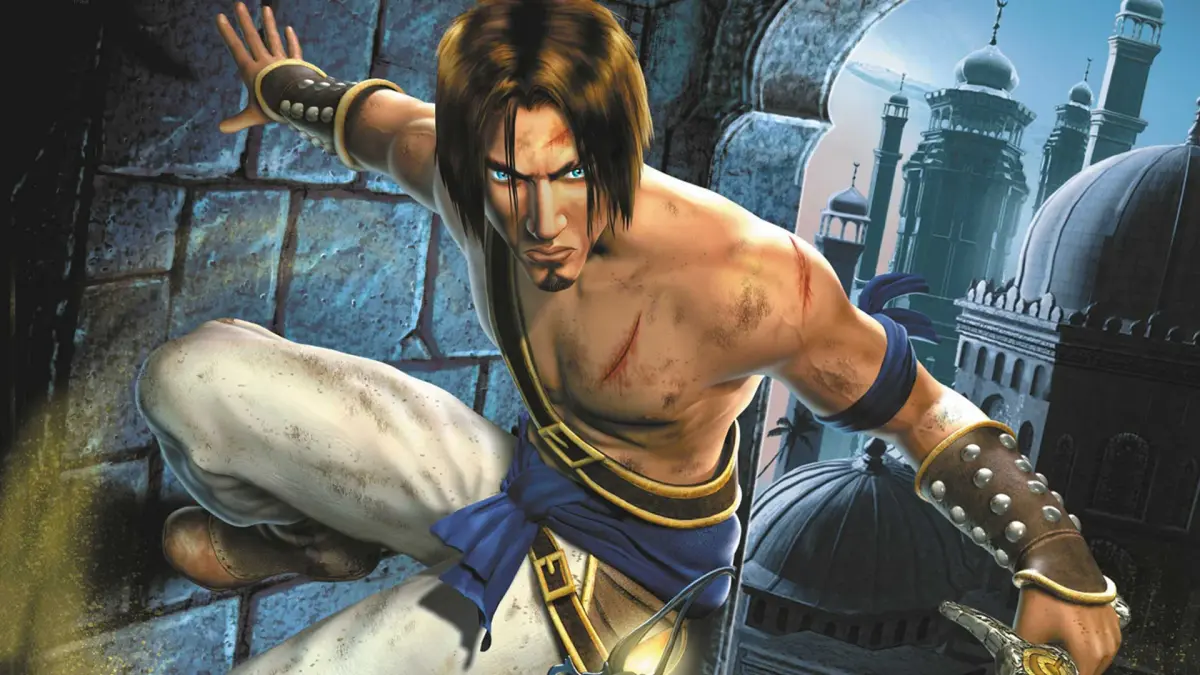
Dive into Part 5 of our Prince of Persia: The Sands of Time walkthrough. Learn about controls, menu options, and the game's revamped mechanics. Your essential guide awaits!
Alright, let's get into the nitty-gritty of Prince of Persia: The Sands of Time. This section is going to cover some of the behind-the-scenes stuff and how the game actually plays, so pay attention!
First off, you'll notice the story is told differently this time around. Instead of just watching someone stare into an hourglass, the narrative unfolds through cinematic slideshows. The levels themselves are also a big step up – think bigger environments, more hidden secrets to uncover, trickier traps, a tougher crowd of enemies, and even some unexpected allies popping up.
Now, about the controls. The old-school commands from Prince 1 are gone, which might feel a bit jarring at first, but honestly, the new system works really well. You'll be doing all sorts of death-defying moves and engaging in combat like never before. The classic Prince of Persia action, with its tricky traps and fast-paced gameplay, is back and better than ever!
For those who might be curious, Prince of Persia 3D (released back in 1997) tried to shake things up, but it really missed the mark. It just didn't have that same action and gameplay feel as the original. Even though it featured the same Prince from Prince of Persia II, the story didn't pick up where the last one left off, creating a whole new narrative that felt disconnected. Thankfully, in late 2002, rumors started swirling about a new game that would breathe life back into the series and put it back on the map. And that, my friends, is how we got Prince of Persia: The Sands of Time.
Developed by Ubisoft, with input from the legendary Jordan Mechner, this game is a visual masterpiece. Everything, from the Sultan's palace to the grand courtyards and fountains, is rendered in stunning 3D. The atmosphere is absolutely divine. This time, the Prince actually speaks (with a charming English accent), and you've got a partner accompanying you (also with an English accent). While it might sound a bit like the game ICO, trust me, it's a totally different experience. The gameplay is fantastic, offering a huge range of acrobatic moves and combat options that blow the previous games out of the water. It really feels like a true successor to the original, just in glorious 3D.
Oh, and a cool little bonus for the PS2 version: it actually includes the original Prince of Persia game! Yep, you can relive those classic moments of running, jumping, and trying not to become a human pincushion. Compared to its predecessors, Sands of Time is relatively easy, with helpful visions guiding you along the way. However, it should still offer a decent challenge, especially for newcomers to the series.
So, could this be the game that revives the series and becomes a beloved classic once again? Only time will tell. But for one of its biggest fans (myself included), it's already a winner.
IN-GAME SCREENS/WINDOWS
When you first boot up the game, you'll hit the main menu. Here's a quick rundown of your options:
- Start a New Game: Pretty self-explanatory, right?
- Load a Game: Exactly what it sounds like – pick up where you left off.
- Options: This is where you can tweak settings. You'll find sub-menus for Controller, Sound, Display, Camera, and Language. Fun fact: messing with the voice volume might trigger Prince to say something! Controller options are detailed below.
- Extra Features: This is where you'll find the original Prince of Persia and potentially other unlockables. You'll have to earn them first!
Note: If you switch the game's language, Prince and the entire cast will speak in that language! Imagine hearing the Prince exclaim "Sacrebleu" in French – it's pretty wild!
THE CONTROLS, BASICS & EVERYTHING IN BETWEEN
Let's get down to business with the controls. Forget about holding down a button to hang onto ledges; it's all automatic now. You can't change the preset controls, which can be a bit annoying sometimes, but they work well for the most part.
Here's what each button does:
- Start: Pauses the game, takes you to the menu, or unpauses. Simple enough.
- Select: Doesn't seem to do anything, as far as I can tell.
- D-Pad: Apart from navigating menus, it doesn't have any in-game functions.
- Left Analog Stick: This is how you move Prince around. Push it fully in a direction to make him run, or hold it halfway to make him walk.
- Right Analog Stick: Use this to adjust the camera angle. Pushing UP/DOWN changes the distance from Prince, while LEFT/RIGHT rotates the camera.
- Triangle: This button makes Prince stab forward with the Dagger of Time. It can stun enemies if you hit them and can even substitute for walking. It can't be chained into other attacks, though. You'll also use this to absorb Sand Fields and fallen enemies.
- Square: Draws your sword. It'll go into an 'En Guarde' stance if enemies are around. You can also use Square to break obstacles. When your sword is out, pressing Square performs a strike, and mashing it allows for a 6-hit combo that ends with a powerful downward chop.
- X: This is your main action button – think of it as the 'Shift' button from the old games. It's used for climbing and other interactions.
100% Human-Written. AI Fact-Checked. Community Verified. Learn how AntMag verifies content