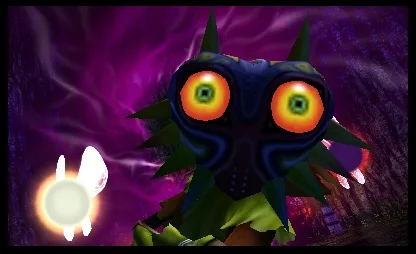
Master the controls in The Legend of Zelda: Majora's Mask 3D! Learn button mappings for combat, general actions, and touch screen functions to become a true hero.
Hey there! So you've found yourself in Termina, huh? It's a bit of a pickle, with that moon looming overhead. Don't worry, though! This guide is here to help you get the hang of all the buttons and controls in The Legend of Zelda: Majora's Mask 3D. Think of me as your trusty Navi, but, you know, actually helpful and not annoying. Let's get you ready to save the world!
First off, let's cover the basics – how to move and interact with the world around you. It's pretty straightforward, but knowing these will make everything else a breeze.
General Actions
| Button | Action |
| A | This is your main action button. You'll use it for almost everything, from talking to people to picking things up. Plus, if you're running and hit A, Link will do a roll – super handy for dodging or just getting around faster! |
| B | This is how you draw your sword. Once it's out, pressing B again will make Link slash away. Get ready to defend yourself! |
| R | Press this to draw your shield. Keep it up to block incoming attacks. Timing is everything here! |
| X/Y | These buttons are for using items you've assigned to them. You'll be swapping these out a lot, so get comfortable with them. |
| L | This button is your camera control. Holding L will snap the camera right behind Link, which is essential for aiming or focusing on enemies and objects (we call this L-Targeting). |
| Start | Pressing Start brings up the Bombers’ Notebook. This is where you'll keep track of all your schedules, quests, and important events. Super important for managing your three days! |
Combat Moves
Now, let's get down to business: fighting! Termina can be a dangerous place, so knowing these moves will keep you alive and kicking.
| Button Combination | Action |
| L + Up + B | This performs a thrust attack. Good for a quick jab when you're close. |
| L + B | A vertical slash. Useful for hitting enemies from above or when they're low to the ground. |
| Hold L, then Down + A | This is a back flip. Great for getting out of tight spots or creating some distance. |
| Hold L, then Up + B | A jumping slash. This move has a bit more power behind it. |
| Hold L, then Left/Right + A | These are sidestep maneuvers. They're excellent for dodging attacks and repositioning yourself in a fight. |
| Hold B then release | This charges up a Spin Attack. It uses magic, so keep an eye on your magic meter, but it can clear out a crowd of enemies pretty effectively. |
| Rotate analog + B | This is a Quick Spin Attack. The cool thing is, it doesn't use any magic, so you can use it more freely. Great for when you need to attack fast without draining your resources. |
Touch Screen Functions
The 3DS touch screen is your command center. It’s packed with shortcuts to make managing your adventure much smoother.
| Button | Action |
| Camera | Tap this to look around freely. It’s perfect for scouting ahead or finding hidden things. |
| Gear | Opens up your Gear Screen. Here you can manage your equipment and see what Link is wearing. |
| Ocarina | This lets you take out the Ocarina of Time. You’ll be playing songs to warp, heal, and do all sorts of magic, so you'll be using this a lot! |
| I/X/Y/II | These slots correspond to items you've assigned. Just like the physical X and Y buttons, you can use items from these quick slots. |
| Masks | Opens the Masks Screen. You collect a ton of masks in this game, and this is where you'll manage them all. Remember, masks are key to a lot of things in Termina! |
| Map | Opens the Map Screen. Essential for navigating the vast land of Termina and keeping track of where you've been and where you need to go. |
| Items | Opens the Item Screen. This is where you'll find all the goodies you've collected, from your sword and shield to potions and quest items. |
Alright, that's the rundown of the controls! Don't feel overwhelmed; you'll get the hang of it all pretty quickly. Just remember to practice, experiment, and don't be afraid to use that shield! Now go out there and save Termina!
100% Human-Written. AI Fact-Checked. Community Verified. Learn how AntMag verifies content