Navigate The Settlers main menu, understand hotkeys, and learn about the City Information and Treasury buttons.
Walkthrough
- 1After skipping the intro movie, you will see the main menu with options: Singleplayer, LAN Game, Multiplayer, Profile, Options, Credits, and Exit Game. The game version number is displayed below the Exit Game button.
- 2Select 'Singleplayer' to start the main story.
- 3'Profile' allows you to create, edit, delete, and select profiles to keep different players' game progress separate.
- 4'Options' lets you adjust game settings like Video, Sound, and Mouse Controls, and view available shortcuts (hotkeys). The game attempts to auto-configure settings, but you can alter them here.
- 5'Credits' displays a list of the game's creators.
- 6'Exit Game' closes the application.
- 7To move around the map, move your mouse cursor to the edge or hold the right mouse button and move the mouse. Camera scrolling speed can be adjusted in Game Options. Clicking the minimap (a small map showing the overall game area) is less accurate.
- 8Zoom in or out by spinning the mouse wheel.
- 9Rotate the camera angle by holding Control + mouse wheel.
- 10Rotate buildings by holding Shift + mouse wheel.
- 11In Singleplayer, choose 'Campaign' for the main story maps and cutscenes, 'Custom Game' for standalone maps (including those created with the map editor, which is not officially supported), or 'Load Game' to continue a saved game.
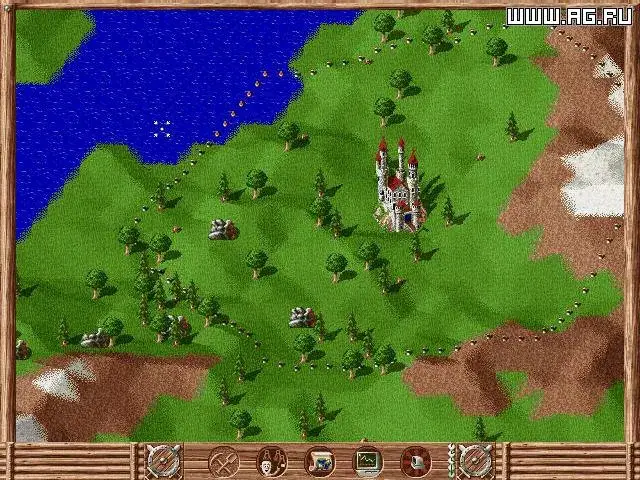
- 12The main game interface displays various buttons. Some buttons are locked initially in early tutorial levels or require village upgrades. Hovering your mouse over interface elements provides a brief description.
- 13The 'City Information' button (top left) shows current and maximum population, families (wives), soldiers, and City Reputation (progress bar from 0% to 100%). Temporary icons indicate positive (green) or negative (red) effects on reputation. After a festival, a pop-up shows new weddings.
- 14The 'Treasury' button (Gold Coin icon) displays your current gold. Clicking it shows potential income from taxes and potential military maintenance costs. These figures are estimates; taxes require collection by tax collectors, and income can change with commerce. Soldier pay can also fluctuate. Pop-up boxes with icons show the source of any fund gains or losses.
- 15The 'Storehouse Stock' button (wagon icon) shows your most important resources: stone and wood.
Tips
- A mouse with a mouse wheel is recommended for easier camera control.
- You can replay previously played maps from the Campaign menu without affecting the main story.
- Experiment with the map editor if you are interested in creating your own custom maps, but be aware it is not officially supported.
- Pay attention to the temporary icons near the City Information button to understand what is affecting your city's reputation.
- Remember that Treasury figures are estimates and can change based on in-game events.
100% Human-Written. AI Fact-Checked. Community Verified. Learn how AntMag verifies content