Learn about UI elements in The Settlers, including knight abilities, building production, and the promotion button.
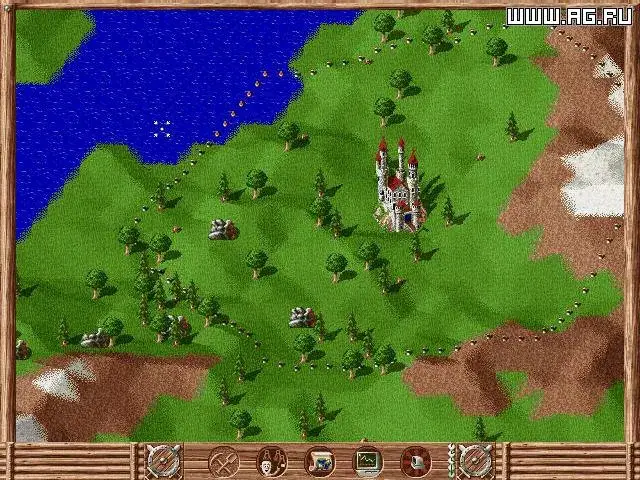
When you get more buttons to the left of the minimap (a small map showing your surroundings), the top one is your knight's active ability. Below that is the Build an Outpost button, which is only available if your knight is in an unclaimed territory. Following that are the default military commands.
The button at the top of the minimap is the Promotion Button. This displays your knight's current rank, the requirements for promotion, and allows you to promote your knight if you meet the requirements and your knight is in the marketplace, thus upgrading your village.
The next button is your production menu. Clicking this opens a menu listing all buildings that gather resources, produce final products, or relate to infrastructure. Within these sub-menus, you can click an icon to allow or stop production, or to sell wares and stockpile equipment. This menu also shows the number of each building type in your city, helping you identify imbalances, like having only 1 active sheep farm but 3 active weavers, allowing you to replace a weaver with a tanner, for example. This menu becomes more useful later in the story when your city is large or for specific quests requiring stockpiled goods.
The shaking hands icon button is the Diplomacy button. This brings up a menu listing all other factions on the current map, your relationship with each, and any trade relations. Allied territories are visible on the minimap, while enemies are not. Trade will be discussed more later.
The weather button shows the current month and season. This is important as some resources, like fishing, harvesting, and beekeeping, are unavailable in winter. Rivers and lakes can also freeze in winter, enabling new combat tactics.
The final button surrounding the minimap is the time button. Pressing this alters the game speed: x1 (default), x2, and x3. Clicking again resets to x1. To pause the game, press the menu button.
Building Information Window: This popup appears at the bottom of the screen when you click a building. It shows the needs and desires of the settlers in that building, their proximity to needing more, the building's upgrade level, how many settlers live there, and its business. To the right are two buttons: a person icon to center the screen on a settler working in the building (toggling through all of them), and a building icon to center the screen on the building itself. The Castle, Storehouse, and Cathedral have different building information windows.
Current Quest Details Button: This window displays a portrait of the quest giver and a brief quest description. An arrow next to the portrait replays the quest's audio. A magnifying glass button may appear to center your view or ping your minimap to the quest objective. If a quest requires sending goods, a cart with an arrow appears to dispatch them; this button does nothing if you lack sufficient goods.
Quest Logs Button: Above the Quest Details window on the left, buttons for other active quests appear. Clicking one displays its details; clicking again minimizes the details to provide more map area. This area is empty if no quests are active.
The Knights: In The Settlers, you play as a king overseeing lands ruled by knights. Knights act as powerful military units and representatives, serving as village mayors, diplomats, and generals. They are the only units that can claim new territory by moving into unclaimed land and building an outpost using gold and wood. The cost of an outpost varies by map and territory, with resource-rich territories usually costing more. Knights are also the only units that can perform trade actions by moving next to a friendly village's storehouse. New buttons appear to purchase goods, which disappear if the knight moves too far away. Knights can also explore ruins and shipwrecks.
- Keep an eye on the minimap for allied territory visibility.
- Utilize the production menu to balance your city's resource generation and consumption.
- Pay attention to the weather button to plan for seasonal resource availability and combat strategies.
- Knights are essential for expansion and trade; protect them.
- Use the time button to speed up or slow down the game as needed.
100% Human-Written. AI Fact-Checked. Community Verified. Learn how AntMag verifies content