Advance in PC Building Simulator 2's Career Mode from a garage tinkerer to a tech guru. Learn strategies for establishing your workshop's reputation.
Welcome, aspiring PC building mogul! Career Mode in PC Building Simulator 2 is your journey from a humble garage tinkerer to a renowned tech guru. This detailed guide will walk you through the essential steps, strategies, and key milestones to ensure your workshop thrives.
Early Game: Establishing Your Reputation (Levels 1-5)
Your initial days are all about learning the ropes, managing your finances, and building a solid reputation. Focus on completing every job diligently and efficiently.
- Initial Setup: You start in a basic workshop with limited tools. Your first few jobs will be simple diagnostics and part replacements.
- Job Board Management: Regularly check the Job Board on your in-game tablet (accessible via the 'Tablet' icon on your desk or by pressing 'T'). Prioritize jobs with higher payouts and those that offer bonus objectives, as these contribute significantly to your income and star rating.
- Essential Tools:
- Screwdriver (Default Tool): Always equipped.
- USB Drive (Default Tool): Used for OS installation and virus removal.
- Thermal Paste (Shop Item): Crucial for CPU installation. Purchase a tube from the Shop (accessible via your tablet).
- Cable Ties (Shop Item): Improves cable management scores. Buy a pack early on.
- Air Can (Shop Item): For cleaning dusty PCs. Essential for many early jobs.
- First Upgrades:
- Workbench Upgrade (Shop -> Upgrades): Your first major purchase should be the "Larger Workbench" for around $500. This allows you to work on more PCs simultaneously, drastically improving efficiency.
- Additional Part Storage (Shop -> Upgrades): As you accumulate parts, you'll need more storage. The "Expanded Storage Unit" is a good early investment.
- Financial Discipline: Avoid unnecessary purchases. Only buy parts needed for current jobs or those that are frequently requested (e.g., cheap RAM sticks, basic GPUs). Always check the Shop for the cheapest compatible parts.
Mid Game: Expanding Your Empire (Levels 6-15)
As your reputation grows, so will the complexity and variety of jobs. This phase is about optimizing your workflow and investing in better equipment.
- Advanced Diagnostics: You'll encounter more challenging issues like PSU failures, motherboard swaps, and complex cooling solutions.
- 3DMark (Software): Essential for benchmarking and identifying performance issues. Install it on customer PCs when requested.
- OCCT (Software): For stress testing CPUs and GPUs. Useful for diagnosing stability problems.
- Virus Scanner (Software): Crucial for virus removal jobs.
- Workshop Expansion:
- Second Workbench (Shop -> Upgrades): Allows for even greater multitasking.
- Dedicated Cleaning Station (Shop -> Upgrades): Speeds up the cleaning process significantly.
- Cable Management Tool (Shop -> Upgrades): Automatically improves cable routing, saving you time and boosting job scores.
- Component Stocking: Begin to stock a small inventory of commonly requested mid-range components. This reduces waiting times for parts and allows for quicker job completion. Focus on popular CPU sockets (e.g., LGA 1200, AM4), DDR4 RAM, and mid-tier GPUs (e.g., NVIDIA GeForce RTX 2060, AMD Radeon RX 6600).
- Overclocking Jobs: These jobs offer high payouts but require careful attention to cooling and stability. Ensure you have adequate cooling solutions (e.g., AIO Liquid Coolers) in stock or readily available.
Late Game: Master Builder (Levels 16+)
By now, you're a seasoned professional. The late game focuses on tackling high-end builds, specialized requests, and maximizing your profit margins.
- High-End Builds: Expect requests for custom liquid cooling loops, RGB synchronization, and extreme performance machines.
- Custom Liquid Cooling Tools (Shop -> Upgrades): Invest in the "Tube Bender" and "Reservoir Filler" to efficiently handle custom loops.
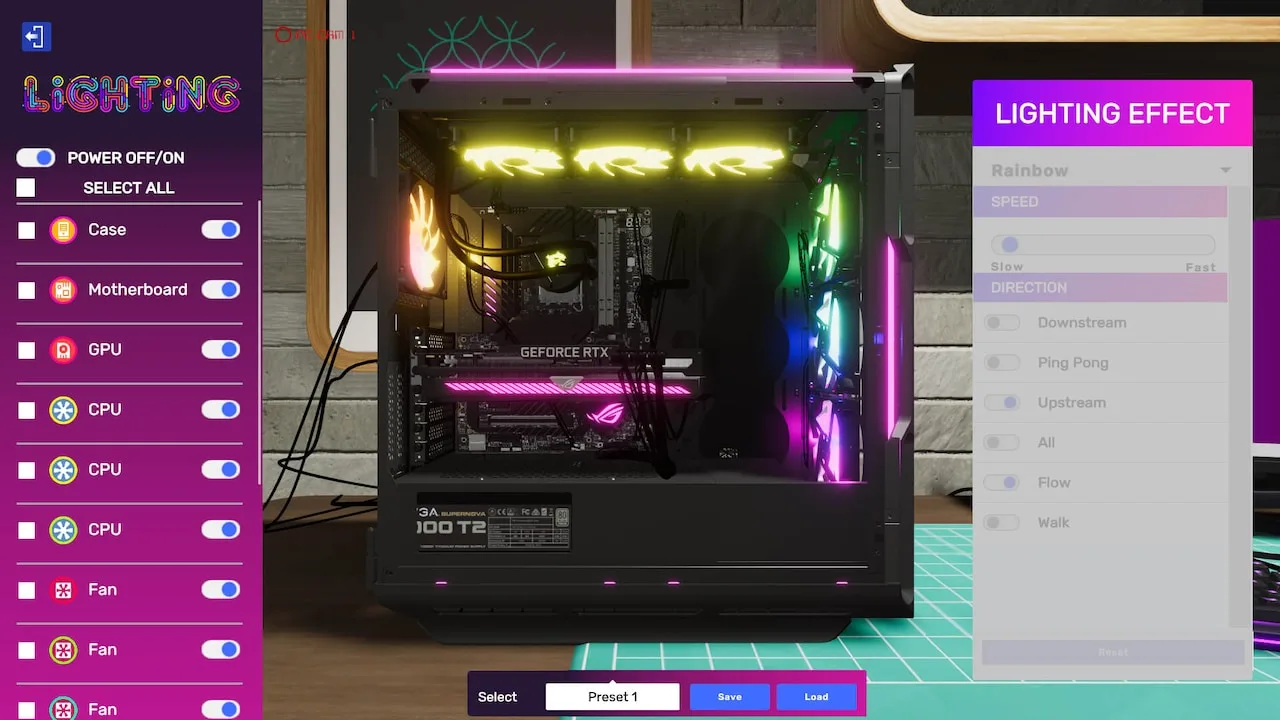
- RGB Software: Many high-end builds will require specific RGB software (e.g., ASUS Aura Sync, Corsair iCUE) to be installed and configured.
- Specialized Workshops: Unlock and purchase new workshop locations (e.g., "Industrial Workshop," "Modern Office") for increased space and aesthetic appeal. These often come with pre-installed upgrades.
- Employee Management: Once available, consider hiring employees to help with simpler tasks like cleaning and basic part installation. This frees you up for more complex, higher-paying jobs.
- Maximizing Profit:
- Bulk Buying: Take advantage of sales and bulk discounts in the Shop for high-demand components.
- Used Parts Market: Occasionally, you can find good deals on used parts, which can be refurbished and sold for a profit or used in budget builds.
- Brand Loyalty: Some customers prefer specific brands. Stocking several brands for key components (e.g., GPUs, Motherboards) can help you cater to these requests and earn higher satisfaction.
- Challenge Mode: For an extra challenge and unique rewards, delve into the optional "Challenge Mode" jobs. These often have strict deadlines, budget constraints, or unusual requirements.
Remember, consistent customer satisfaction, efficient workflow, and smart financial decisions are the pillars of success in PC Building Simulator 2's Career Mode. Good luck, and happy building!
100% Human-Written. AI Fact-Checked. Community Verified. Learn how AntMag verifies content