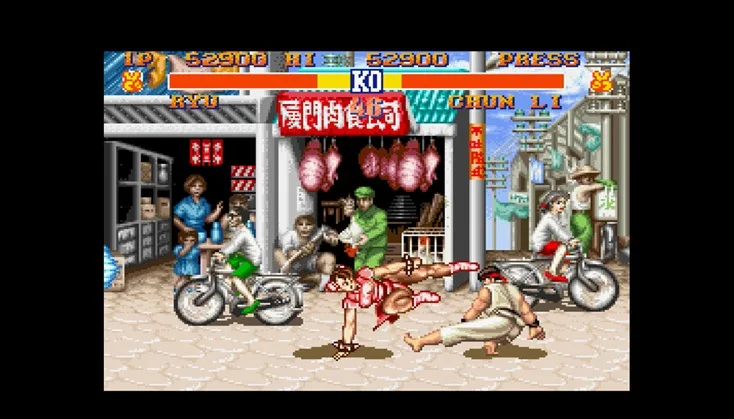
Learn the ins and outs of Street Fighter II's normal punches and kicks, including Tiger Claw and Tiger Kick variations, to dominate your opponents.
Alright, let's dive into the bread and butter of Street Fighter II: your normal moves! These are the basic punches and kicks you'll be throwing out constantly. Understanding them is key to controlling the fight.
We'll cover the standard punch and kick attacks, which are essential for setting up combos and pressuring your opponent.
Punch Attacks
Flying Tiger Claw — This is your go-to standing punch. It has a great reach, making it useful for keeping opponents at bay or punishing them if they get too close. The strength and how long the animation lasts will change depending on which punch button you press, from light to heavy. It's also a 'while moving' normal, meaning you can use it while walking forward or backward, adding to its versatility.
- SNES Default: L or X or Y
- GENS Default: X or Y or Z
Crouching Tiger Claw — This is the crouching version of the Tiger Claw. You'll want to hold Down and then press a punch button (light to heavy) to get this out. It's generally faster than the standing version and great for close-range defense or poking opponents who are trying to jump over you.
- SNES Default: Down + L
- GENS Default: Down + Z
Kick Attacks
Tiger Kick — This is a high-reaching kick that can be quite dangerous. If it connects squarely with your opponent, it actually deals an extra hit, which is fantastic for damage. Like the punches, pressing different kick buttons (light to heavy) will affect its speed and strength.
- SNES Default: R or X or Y
- GENS Default: A or B or C
Hidden Tiger Kick — This is the crouching version of the Tiger Kick. Hold Down and press a kick button (light to heavy) to perform it. It's a solid poke when you're down low and can catch opponents off guard.
- SNES Default: Down + A or Down + B or Down + R
- GENS Default: Down + B or Down + A or Down + C
Flying Tiger Kick — This is your standard mid-air kick. It's a straightforward attack to use when you're jumping at an opponent. Again, the kick button you choose will alter its strength and speed.
- SNES Default: A (Mid-Air)
- GENS Default: B (Mid-Air)
Mastering these normal moves is your first step to getting good at Street Fighter II. Practice them in training mode until they feel natural!
100% Human-Written. AI Fact-Checked. Community Verified. Learn how AntMag verifies content