Master the controls and user interface in Songs of Conquest with our comprehensive guide. Learn keybinds, UI elements, and tips for seamless gameplay.
This guide covers the controls and user interface for Songs of Conquest. Understanding these elements is crucial for effective gameplay and strategic decision-making.
| Action | Keybind / UI Element |
|---|---|
| Movement | WASD / Arrow Keys |
| Camera Rotation | Q / E |
| Camera Zoom | Mouse Wheel |
| Select Unit | Left Click |
| Deselect Unit | Right Click / Esc |
| Open Unit Panel | Click on Unit / 1-9 Keys |
| Open Building Menu | Click on Town / B Key |
| Open Spellbook | S Key |
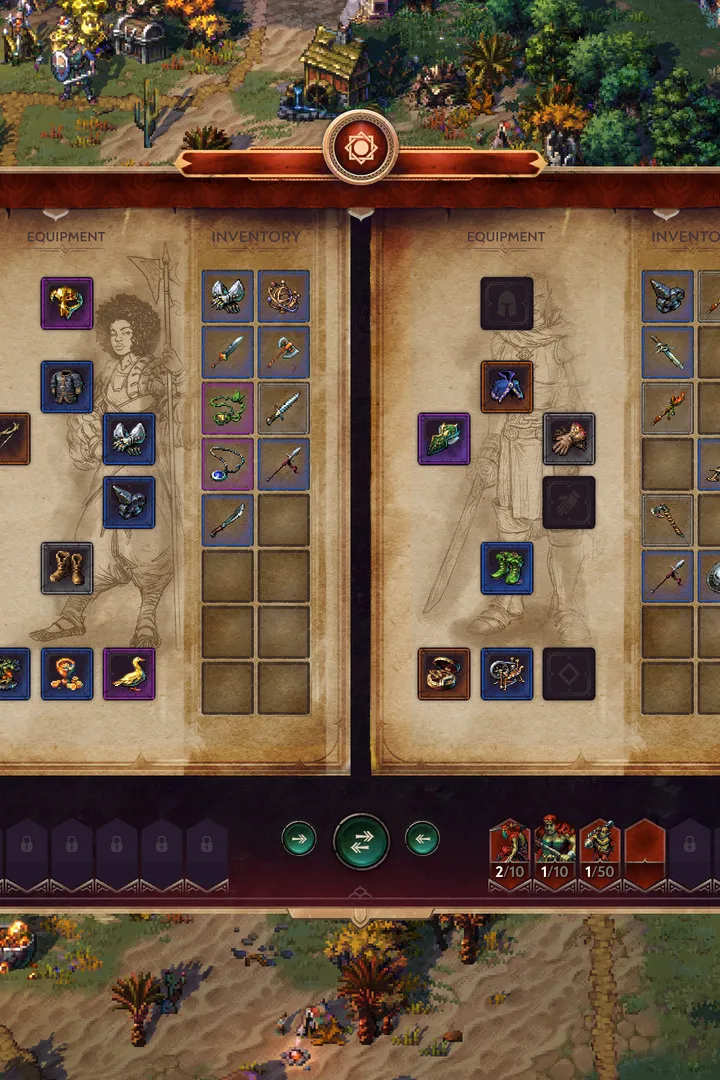
| Open Inventory | I Key |
| Open Map | M Key |
| Open Objectives | J Key |
| End Turn | Spacebar |
| Confirm Action | Left Click / Enter |
| Cancel Action | Right Click / Esc |
| Unit Abilities | Click on Ability Icon / Number Keys (if applicable) |
| Resource Display | Top Bar (Gold, Wood, Stone, Crystal, Food) |
| Population Cap | Top Bar (Next to Food) |
| Turn Indicator | Top Bar (Current Turn Number) |
| Minimap | Bottom Right Corner |
| Quest Log | J Key / Icon on Top Bar |
| Combat Interface | Appears during battles, shows unit stats, abilities, and turn order. |
| Town Management Screen | Shows buildings, available upgrades, and unit recruitment options. |
Mastering these controls and understanding the UI will significantly enhance your experience and efficiency in Songs of Conquest.
100% Human-Written. AI Fact-Checked. Community Verified. Learn how AntMag verifies content