Navigate Metroid: Other M's challenging areas with our expert guide. Learn essential moves, controls, and strategies to overcome obstacles and find hidden items.
Alright, let's talk about getting around in Metroid: Other M. This section is all about making sure you don't miss those crucial paths or objectives, and honestly, it's pretty hard to miss if you're paying attention to the game's cues. We'll cover the basic movement, how to use your weapons, and how to navigate the menus and map so you're always heading in the right direction.
Controls:
You've got two main ways to control Samus. First is Normal View, where you hold the Wii Remote sideways. This is for all your running and jumping. Press the Control Pad to move, and the 2 Button to jump. If you just press 2, she'll do a straight jump; if you're moving the Control Pad when you jump, she'll do a spin jump. You can even adjust her mid-air movement a bit. To fire your arm cannon in Normal View, just hit the 1 Button. Samus usually auto-aims at enemies in front of her, which is super helpful.
Then there's Search View. This is when you point the Wii Remote at the screen. Use the pointer to move the crosshairs, and press the A Button to fire. This is your precision mode. Holding the B Button lets you freely move your viewpoint, and if you pass your crosshair over something important while holding B, Samus will focus on it. This is key for those "Examine Search" moments the game throws at you. The + Button on either control scheme brings up your Map Screen and Pause Menu.
Menus and Displays:
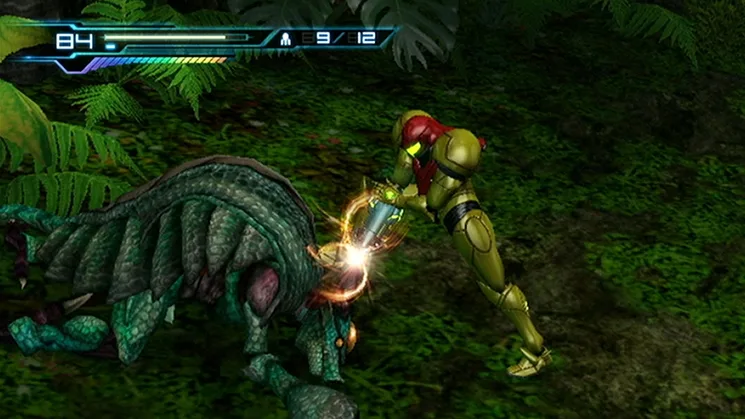
When you first start, you'll pick your language and whether to use subtitles. After that, you'll see your Save Files screen to load your game. Once you're in-game, most of your HUD is at the top of the screen. Your Energy Meter is on the upper left; collected Energy Tanks add to this, shown as squares below. If your energy gets really low, it'll turn red. Below that is the Charge Meter, which fills up as you charge your beam. It also shows when you can use a Power Bomb after you've used one. To the right of the Energy Meter is your Missile Stock, showing your current and max missiles. In the upper right is your Radar, which gives you a layout of the room. Doors show up as green (unlocked) or red (locked) lines. Flashing red bars mean enemies are around, and a blue circle indicates a collectible's general location, though it won't always show up.
The Pause Menu starts with the Map Screen. From there, pressing 1 brings up three tabs: Status (your items and collectibles), Characters (bios of people you've met), and Story (a recap of events). The Map Screen itself shows your current sector's layout. Look out for the yellow square marking your current objective, a green 'N' for Navigation Rooms (where you can save and restore health/missiles), yellow double arrows for elevators, and blue circles for collectibles.
The World of Samus:
The Bottle Ship is crawling with dangerous creatures, and Samus needs all her classic and new abilities to survive and uncover its secrets. You'll be running, jumping, and shooting your way through.
100% Human-Written. AI Fact-Checked. Community Verified. Learn how AntMag verifies content