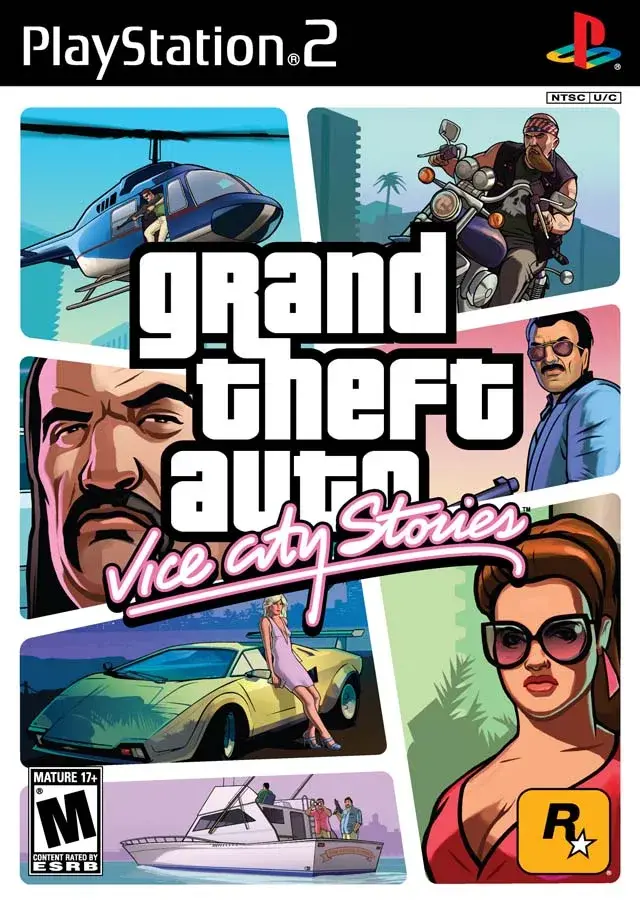
Learn the vehicle controls for cars, motorcycles, boats, and helicopters in Grand Theft Auto: Vice City Stories, including how to perform drive-bys and special maneuvers.
Walkthrough:
- In Cars, Motorcycles, Boats, and Jetskis: Grand Theft Auto: Vice City Stories features a variety of vehicles, including new additions like the Bover '64 hovercraft and Splitz-6 ATV, which are all-terrain. Motorcycles offer the advantage of forward shooting with a sub-machine gun but are more vulnerable to police. Boats, from sailboats to speedboats, are iconic, and the new Jetski is perfect for water-based activities. For a more traditional feel on the PlayStation 2 version, it is recommended to set the In Car configuration to Setup 2.
- Controls (Setup 2 Recommended for PS2):
- Turn Vehicle: Analog Stick (PSP) / Left Analog Stick (PS2)
- Look Left (Drive By Mode): L Button (PSP) / L2 Button (PS2)
- Look Right (Drive By Mode): R Button (PSP) / R2 Button (PS2)
- Look Behind: L + R Buttons (PSP) / L2 + R2 Buttons (PS2)
- Accelerate: X Button (PSP & PS2)
- Reverse: Square Button (PSP) / Square Button (PS2)
- Brake: Square Button (PSP) / R1 Button (PS2)
- Exit Vehicle: Triangle Button (PSP & PS2)
- Attack (Drive By Mode): Circle Button (PSP & PS2)
- Change Radio Stations: D-Pad Left/Right (PSP) / L1 Button (PS2)
- Use Horn (Or Siren): D-Pad Down (PSP) / L3 Button (PS2)
- Activate Vehicle Missions: D-Pad Up (PSP) / R3 Button (PS2)
- Change Camera Mode: Select Button (PSP & PS2)
- Pause: Start Button (PSP & PS2)
Tips- Wheelies and Stoppies: On a motorcycle, pull back on the Analog Stick (PSP) or Left Stick (PS2) to perform a wheelie. Push Up in conjunction with the Brake Button to perform a stoppie. On the PlayStation 2, the D-Pad can also be used for movement.
- Braking Power: Your stopping power is increased when used in conjunction with the Reverse button.
- Exiting Vehicles: You can jump from a moving car when you need to make a quick exit. You will sustain minor damage, but it is better than being caught in a exploding vehicle.
- Drive-By Shooting: Use the Attack button (Circle) in conjunction with the Look Left or Look Right buttons to shoot to the sides. While riding a motorcycle, hold down the Circle Button without using the Look Left or Look Right buttons to shoot forward.
- In Helicopters: Helicopters are useful for quick travel across Vice City and are often used in side-missions and checkpoint (an auto-save point you restart from on death) races. The Sea Sparrow, an unlockable vehicle in GTA: Vice City, only appears during the mission "The Colonel's Coke" and the "Land, Sea, and Air Ace" checkpoint race in Grand Theft Auto: Vice City Stories. To acquire it, you must fail one of these missions while piloting the Sea Sparrow. A key difference in Grand Theft Auto: Vice City Stories helicopters is that they do not spin in the direction of the blades when hitting solid objects, making it harder to gauge impacts in tight spaces.
- Helicopter Controls:
- Move Forward: Analog Stick Up (PSP) / Left Stick Up (PS2)
- Move Backward: Analog Stick Down (PSP) / Left Stick Down (PS2)
- Sidestep Left: Analog Stick Left (PSP) / Left Stick Left (PS2)
- Sidestep Right: Analog Stick Right (PSP) / Left Stick Right (PS2)
- Turn Clockwise: R Button (PSP) / R2 Button (PS2)
- Turn Counterclockwise: L Button (PSP) / L2 Button (PS2)
100% Human-Written. AI Fact-Checked. Community Verified. Learn how AntMag verifies content