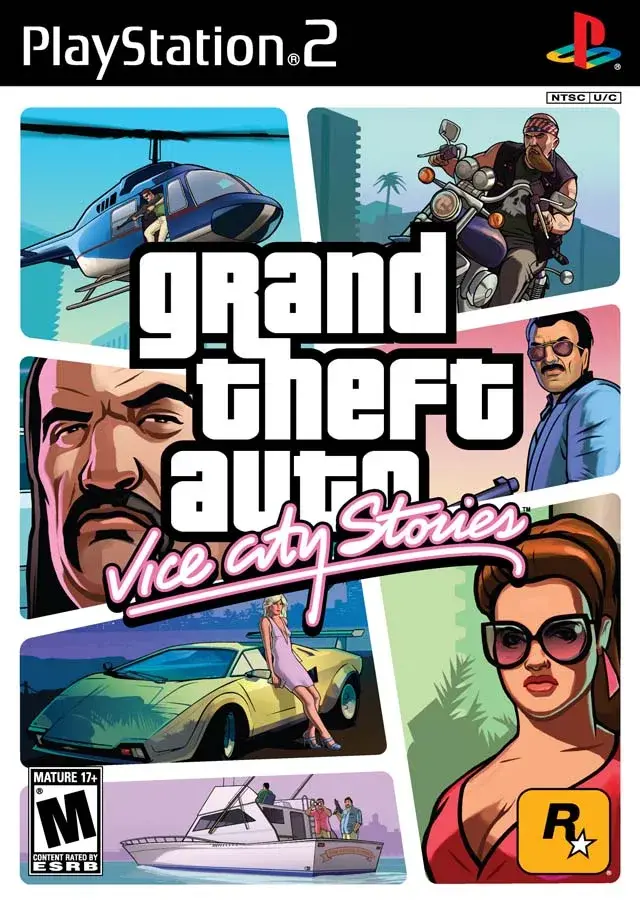
Explore Grand Theft Auto: Vice City Stories on PlayStation Vita and PS2, including graphics, custom firmware for Vita, and PS2 480p output.
PlayStation Vita
The PlayStation Vita is a more powerful successor to the PSP, featuring a larger, better screen and actual analog sticks. The Vita 1000 model has an OLED screen but requires a proprietary memory card. The Vita 2000 model has 1GB of built-in memory but an LCD screen. The larger screen is beneficial for eyesight. While Grand Theft Auto: Vice City Stories is listed on the PlayStation Store, it is currently unavailable for purchase, possibly due to licensed music. This makes a softmodded Vita the primary way to play the game on the device now.
Graphics
The game looks the same as on the PSP, with the advantage of a slightly larger screen and better colors on the Vita 1000 model.
Custom Firmware
Jailbreaking the Vita is more difficult than the PSP but has become easier. Using the FinalHE / VitaDeploy method on a Vita 1000 unit is one option. It is recommended to use a MicroSD Game Card adapter with a 256GB Micro SD card. After jailbreaking, install Adrenaline to emulate a PSP and VitaShell to connect to a computer and install PSP games. Once games are installed and Adrenaline is activated, all games will be accessible.
Game Saves
Game saves can be archived to a computer via VitaShell by navigating to the PSPEMU > PSP > SAVEDATA folder. Saves are named by ULUS number; for Grand Theft Auto: Vice City Stories, this is ULUS10041. There are eight save slots, named ULUS10041S0 through ULUS10041S7. The PSPEMU folder is invisible and must be made visible.
PlayStation 2 Version
Printed Map
The printed maps included with the PSP and PS2 versions of Grand Theft Auto: Vice City Stories use the same map grid, unlike the different grids for Liberty City Stories.
Graphics
Despite the PS2 being more powerful, its graphics are duller than the PSP version because it's a direct port without optimization. However, Grand Theft Auto: Vice City Stories still looks better than Liberty City Stories due to brighter colors and environments. The PSP version's graphics were designed for Progressive Scan (720p) for LCD screens, while the PS2 primarily uses Interlaced Scan (480i), resulting in a loss of resolution and dullness. There is no Progressive Scan option in the PS2 version itself.
Xploder HDTV Player
The Xploder HDTV Player disc allows PS2 owners to play games in Progressive Scan mode. Grand Theft Auto: Vice City Stories works well in 480p, though the main title intro may be glitchy due to line meshing issues with film-based intros. This intro can be skipped by pressing the X Button. It is not recommended to use modes higher than 480p, as higher resolutions like 720p will squash the 480 graphics.
- Consider using a softmodded Vita with an SD card adapter for the best experience playing Grand Theft Auto: Vice City Stories.
- If playing on PS2, use the Xploder HDTV Player to enable 480p for improved visual clarity, but be aware of potential intro glitches.
- Ensure the PSPEMU folder is visible on your Vita to access game saves.
- The PS2 version's map grid is identical to the PSP version's map grid for Grand Theft Auto: Vice City Stories.
100% Human-Written. AI Fact-Checked. Community Verified. Learn how AntMag verifies content