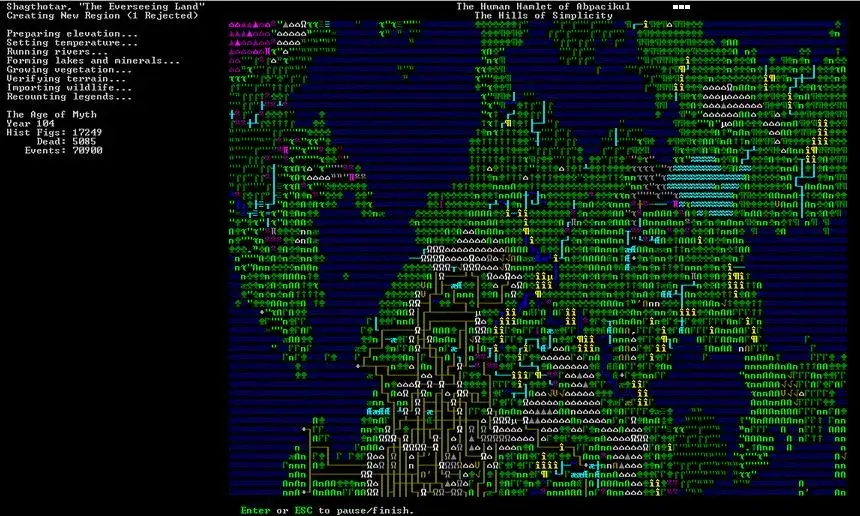
Get Dwarf Fortress up and running! This guide walks you through installation and initial setup so you can start your fortress-building adventure.
Hey there! So you're ready to dive into the wonderfully complex world of Dwarf Fortress? Awesome! Before we get to the good stuff, like digging your first mine or fending off goblins, we need to get the game installed and set up. Don't worry, it's not as daunting as it might seem. Think of it like prepping your workshop before you start crafting legendary artifacts.
Here's the lowdown on getting started:
- Download the Game: First things first, you'll need to grab the game files. Head over to the official Dwarf Fortress website or a trusted source and download the latest version. Make sure you're getting the right download for your operating system (Windows, Mac, or Linux).
- Installation: Once downloaded, you'll usually find a compressed file (like a .zip or .rar). Extract these files to a folder on your computer where you want to keep the game. There's often no traditional 'installer' – you just extract and run!
- Initial Setup (Optional but Recommended): Some players like to tweak settings before their first game. This might involve adjusting graphics, keybinds, or sound. You can usually find configuration files or an in-game menu for this. We'll cover some common tweaks later if you need them.
- Launch! Navigate to the game's folder and find the executable file (it'll likely be named something like 'Dwarf Fortress' or 'df.exe'). Double-click it, and you should be greeted by that iconic ASCII (or graphical tileset, if you've installed one) interface.
A quick heads-up: Dwarf Fortress has a steep learning curve, and the interface can be a bit intimidating at first. Don't get discouraged! We'll take it step-by-step.
Pro-Tip: Many players opt to use a 'tileset' for a more visual experience instead of the default ASCII graphics. If you're new, you might want to look into installing one after you get the basic game running. It can make identifying things a lot easier!
100% Human-Written. AI Fact-Checked. Community Verified. Learn how AntMag verifies content