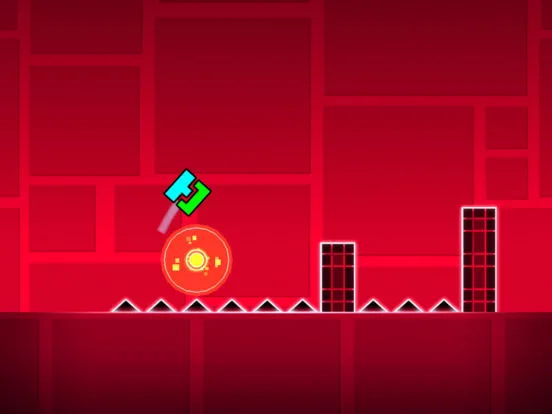
Master Geometry Dash music & sound. Sync gameplay with tracks, use sound effects for cues, and create immersive rhythmic levels.
Music and sound effects are integral to the Geometry Dash experience, dictating the rhythm, providing auditory cues, and enhancing the overall atmosphere. The editor allows creators to meticulously sync gameplay with chosen music tracks and implement custom sound effects to create truly immersive levels.
The auditory landscape of Geometry Dash is as critical as its visual des. Music tracks are not merely background noise; they are the heartbeat of the game, dictating the rhythm and pacing of gameplay. Sound effects provide crucial feedback and enhance immersion. For creators, the ability to select music and implement sound effects is paramount in crafting levels that are both challenging and engaging.
Choosing Music Tracks:
- In-Game Music Library: Geometry Dash features a vast library of licensed music tracks from various artists. These tracks are categorized by genre and tempo, making it easier to find something that fits your level's theme and difficulty.
- Importing Custom Music (PC): On the PC version, You can often import their own music files (MP3, WAV) to use in custom levels. This vastly expands the musical possibilities.
- Matching Music to Gameplay: The tempo, intensity, and structure of the music should ideally al with the gameplay. Fast-paced, energetic music is suited for difficult, fast sections, while more melodic tracks might work for calmer moments or introduction sequences.
- Music Structure and Cues: Pay attention to the different sections of a song (intro, verse, chorus, bridge, outro). These can be used to structure your level, with distinct gameplay changes corresponding to musical shifts.
Implementing Sound Effects:
- Player Actions: Sound effects for jumps, landings, and mode changes (e.g., ship transformation) provide immediate feedback to the player.
- Obstacle Interactions: Sounds can be triggered when You narrowly avoids a spike, hits a moving platform, or interacts with other gameplay elements.
- Environmental Sounds: Creators can add ambient sounds (e.g., wind, water, mechanical noises) to enhance the atmosphere of their levels.
- Triggered Effects: Sound effects can be triggered by various editor triggers (e.g., a "ding" when a secret coin is collected, a "whoosh" when a platform moves).
Synchronization and Timing:
- The Core of Gameplay: The most crucial aspect of level des is synchronizing gameplay with the music. Every jump, movement, and obstacle should ideally al with the beat or a significant musical cue.
- Using the Editor's Tools: The editor provides tools to precisely time events. Creators can scrub through the music, mark beats, and place objects accordingly.
- Visualizing the Beat: Many creators use decorative objects or flashing effects to visually represent the beat, helping players (and themselves during creation) to stay on rhythm.
Advanced Techniques:
- Custom Sound Effects: While the in-game library is extensive, creators can sometimes import custom sound effects to add unique touches.
- Volume Control: Use triggers to dynamically adjust the volume of music or sound effects during specific parts of the level, creating dramatic effects or subtle shifts in atmosphere.
- Layering Sounds: Combine multiple sound effects to create more complex audio cues or richer environmental soundscapes.
The masterful use of music and sound effects transforms a Geometry Dash level from a simple challenge into an immersive, rhythmic, and unforgettable experience.
100% Human-Written. AI Fact-Checked. Community Verified. Learn how AntMag verifies content